
Why Virtual Tours Moved from Nice-to-Have to Expected
A few years ago, a 3D walkthrough on a listing page was a differentiator. Today, buyers increasingly expect one, and a listing without any virtual tour option can look under-marketed next to comparable properties that have one. That shift changes the calculus for any real estate platform deciding whether to invest in this category of feature.
Virtual property tours using AR and VR cover a wider range of technology than the marketing term suggests. A phone-based 3D walkthrough, an augmented reality furniture-placement tool, and a fully immersive headset experience are three distinct technical builds with different costs, different audiences, and different levels of production complexity – yet all three get marketed under the same “virtual tour” label, which causes real confusion during scoping conversations.
This guide separates those categories clearly, walks through the capture and rendering technology behind each, and gives you a framework for deciding which one (or which combination) actually fits your platform and your users. If you’re scoping the broader real estate platform this feature sits inside, our guide on how to create a real estate app is a useful companion, and our piece on AI in real estate mobile apps covers how this fits alongside other AI-driven features your platform might already be considering.
It’s worth naming the trap this guide is specifically written to help you avoid: scoping a virtual tour project around the most visually impressive demo rather than the format your actual users will realistically access and use. A polished VR walkthrough that almost nobody experiences delivers less business value than a simpler 3D walkthrough that reaches every prospective buyer who clicks a listing link, and that distinction should drive your technology choice from the very first planning conversation.
What Counts as a Virtual Property Tour?
A virtual property tour is any digital experience that lets a prospective buyer or renter explore a property remotely, without physically visiting it, using some combination of captured imagery, 3D reconstruction, and interactive navigation. The category spans a real spectrum, from a simple 360° photo viewer to a fully immersive VR headset walkthrough, and the right point on that spectrum depends heavily on your audience and your production budget.
It’s worth noting that these formats aren’t mutually exclusive within a single platform. Many mature real estate products offer a 3D walkthrough as the default experience for every listing, layer in AR measurement or staging tools as an optional add-on, and reserve full VR for a curated set of flagship or pre-construction listings – treating the three formats as complementary tools rather than competing choices.
Who Actually Needs This, and Who Can Skip It
Platforms marketing higher-value listings, new construction and pre-development projects, vacation rentals, and commercial real estate all see strong returns from virtual tours, since these categories involve buyers making decisions from a distance or before a physical space fully exists. A hyperlocal rental platform with fast-moving, lower-value inventory, by contrast, often gets a better return from fast, high-quality photography than from a 3D capture pipeline, since the production time and cost don’t always match the pace of that market.
Consider a simple contrast: a pre-construction condo developer selling units eighteen months before the building exists has no physical space to show at all, making an immersive walkthrough close to essential for converting serious interest into a reservation. A property management company listing dozens of similar studio apartments in the same building, by comparison, likely gets more value from consistent, well-lit photography and a simple floor plan than from investing capture time into each nearly identical unit.
Consultant’s Tip
Before scoping this as a single feature, separate your actual goal into one of three buckets: reducing wasted in-person showings, marketing higher-value or hard-to-visit listings more effectively, or building a genuinely immersive product differentiator. Each goal points toward a different technology choice, and conflating them is the most common reason virtual tour projects end up overbuilt or underused.
AR vs. VR vs. 3D Walkthroughs: What’s Actually Different
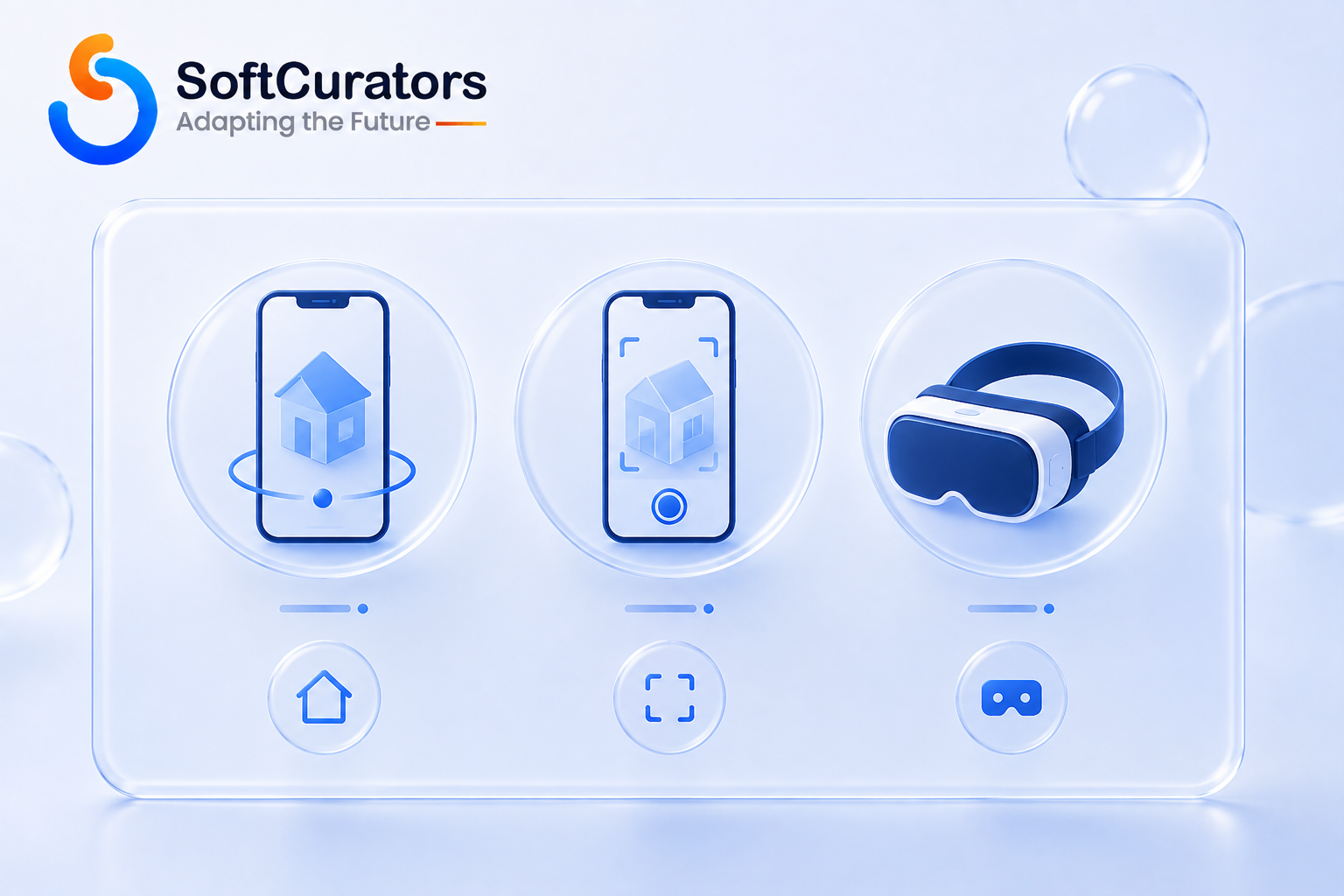
Marketing language blurs these three categories constantly, but they rest on genuinely different technology, and understanding the distinction is the single most important thing to get right before scoping a build.
3D Walkthroughs (“Dollhouse” Tours)
This is what most people picture when they hear “virtual tour” – a navigable 3D reconstruction of a property, viewed on a phone or computer screen, that lets a user move between rooms and see a dollhouse-style overview. Despite frequently being marketed as VR, this experience is typically viewed on a flat screen without a headset, making it technically a 3D walkthrough rather than true virtual reality.
This distinction matters more than it might seem, since it directly shapes audience reach. A 3D walkthrough works on essentially any modern smartphone, tablet, or computer with a browser, which is why it remains the most widely adopted format in this category despite being technically less immersive than true VR.
Augmented Reality (AR) Overlays
AR overlays digital content – furniture, measurements, renovation visualizations, informational callouts – onto a live camera view of a real space, typically through a smartphone. Unlike a 3D walkthrough, AR requires the user to be physically present in the space, or in a related use case, placing virtual furniture into their own room to preview how a piece would look before buying it.
Virtual Reality (VR) Headset Experiences
True VR immerses a user in a fully rendered 3D environment through a headset, replacing their visual field entirely rather than overlaying content onto it. This delivers the strongest sense of presence and scale of any option covered here, but it also carries the smallest addressable audience, since it requires the user to own or access dedicated headset hardware.
| Format | Hardware Required | Sense of Presence | Best Fit When |
| 3D walkthrough | Any phone, tablet, or computer with a browser | Moderate – navigable but screen-bound | Broad-reach listing marketing; the default choice for most platforms |
| Mobile AR overlay | Modern smartphone with AR-capable camera | Low to moderate – blends digital content with real space | Furniture staging, measurement tools, in-person visit enhancement |
| VR headset experience | Dedicated VR headset (Meta Quest, Apple Vision Pro, etc.) | High – full immersion and depth perception | High-value listings, pre-construction sales, flagship differentiation |
Business Insight
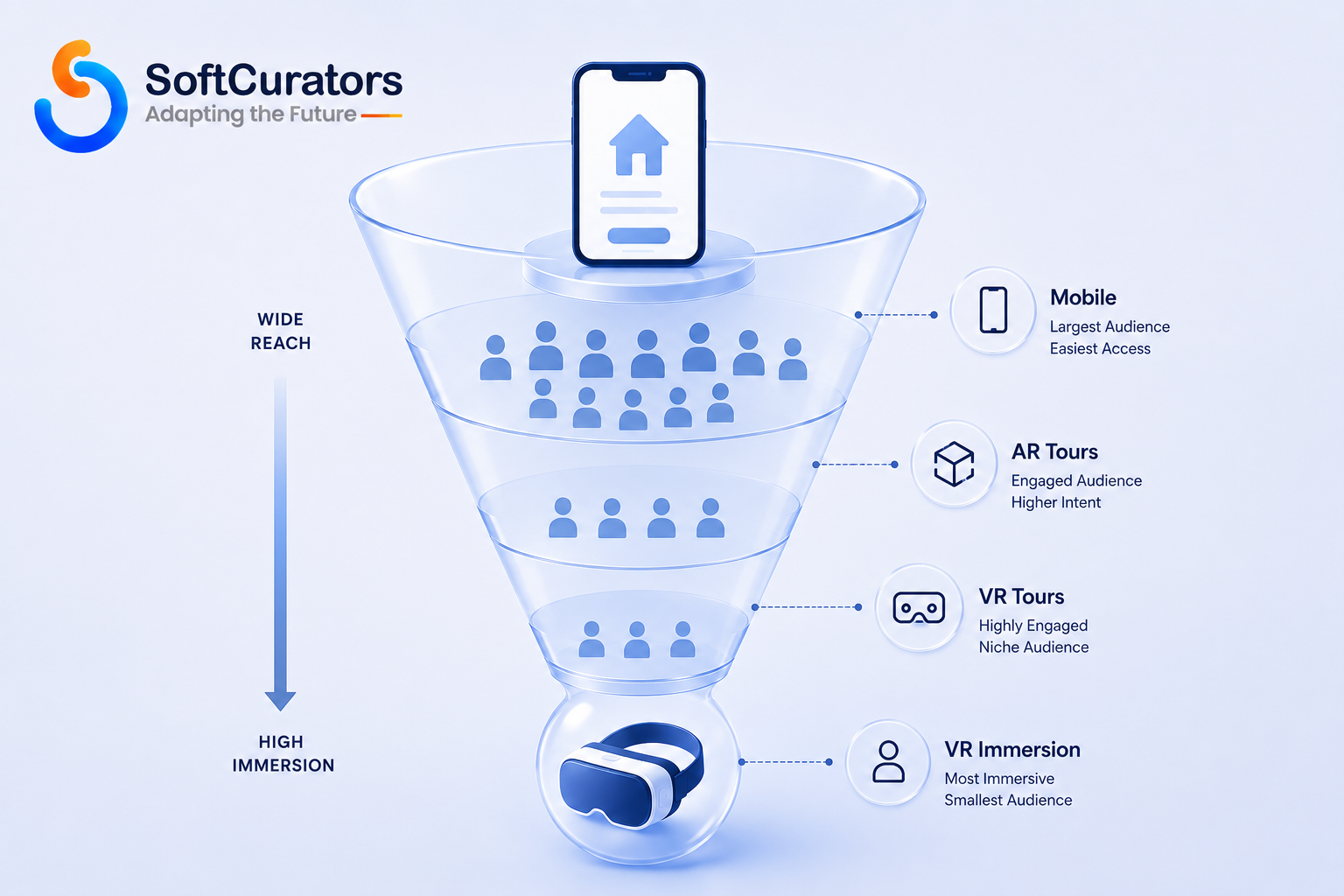
The addressable audience shrinks sharply as immersion increases. Nearly every prospective buyer can view a 3D walkthrough in a browser; a meaningfully smaller share owns a VR headset. This asymmetry is why most successful real estate platforms treat the 3D walkthrough as the default experience and VR as a premium add-on for specific listings, rather than the other way around.
How Virtual Property Tours Are Captured
The capture method determines both production cost and the technical pipeline your engineering team needs to build around. Understanding the trade-offs here matters as much as the rendering technology decisions that come later, and it’s a decision worth revisiting as your listing volume grows, since a method that works well for occasional capture may not scale economically across hundreds of properties.
360° Camera Capture
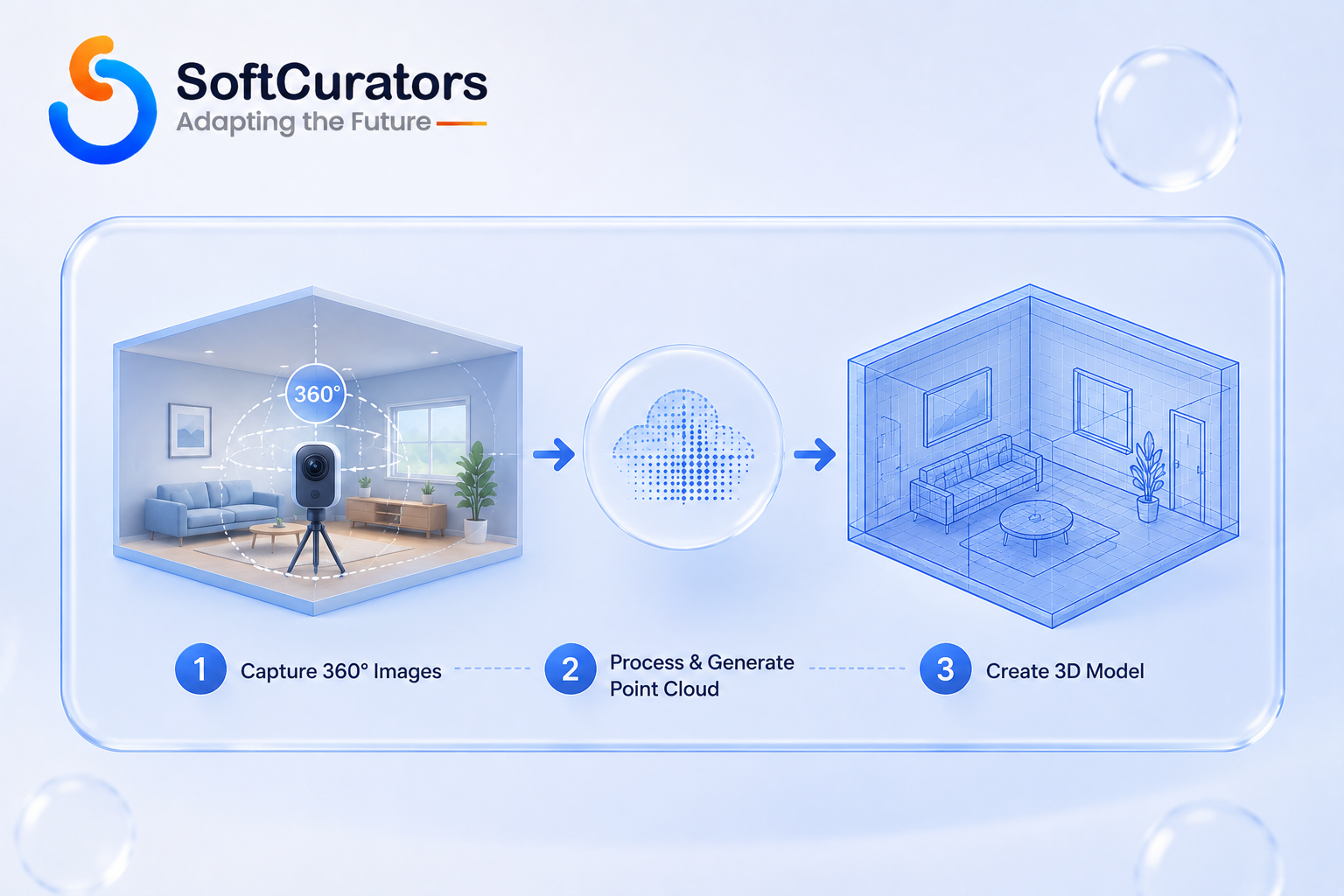
Dedicated 360° cameras capture panoramic images from fixed points throughout a property, which are then stitched together into a navigable tour. This is the fastest and least technically demanding capture method, and it’s well suited to a simple room-to-room walkthrough, though it produces a less precise 3D model than the methods below.
LiDAR Scanning
LiDAR (Light Detection and Ranging) sensors, now built into recent iPhone Pro and iPad Pro models, measure precise depth data by bouncing laser light off surfaces, producing far more accurate spatial measurements than photo-based methods alone. Technical perspective: LiDAR-based capture is what makes accurate in-app measurement tools possible, since the resulting model carries real-world scale data rather than an estimated one.
Photogrammetry
Photogrammetry reconstructs a 3D model by analyzing overlapping photographs taken from many angles, using computer vision to infer depth and geometry from 2D images alone. This method needs no specialized hardware beyond a decent camera, but it demands more processing time and is more sensitive to lighting conditions and surface texture than LiDAR capture.
Professional 3D Capture Rigs
Purpose-built capture devices combine multiple sensors (often 360° cameras plus depth sensors) into a single professional workflow, typically used by dedicated capture technicians rather than agents capturing their own listings. This produces the highest and most consistent quality but adds a real cost and scheduling dependency to every listing, which matters for a platform trying to scale tour production across a large inventory.
| Capture Method | Hardware Cost | Capture Speed | Model Accuracy | Best Fit When |
| 360° camera | Low to moderate | Fast | Moderate – good for visual tours, weaker for measurement | High-volume listings needing a fast, simple walkthrough |
| LiDAR (mobile device) | Low – built into recent Apple devices | Fast | High – accurate spatial measurement | Platforms wanting agent-captured tours with measurement features |
| Photogrammetry | Low (standard camera/phone) | Slower – more photos and processing needed | Variable – depends on lighting and coverage | Budget-conscious capture with more processing time available |
| Professional capture rig | High | Fast per-property but requires scheduling | Highest and most consistent | Premium listings and flagship marketing where quality is paramount |
Rendering and Delivery Technology
Once a space is captured, it needs to be rendered and delivered to the user’s device, and this is where the native-app-versus-browser decision becomes central to the entire build.
Native Mobile AR: ARKit and ARCore
On iOS, Apple’s ARKit framework provides camera-based world tracking, plane detection, and depth sensing that native apps use to anchor digital content to real-world surfaces. On Android, Google’s ARCore platform provides equivalent motion tracking and environmental understanding capabilities. Technical note: these are separate platform-specific frameworks, not a single cross-platform standard, which means a native AR feature targeting both major mobile platforms requires separate implementation work for each, even though the conceptual capability is similar.
WebXR for Browser-Based Experiences
The WebXR Device API, standardized through the W3C, lets AR and VR experiences run directly in a compatible web browser without requiring a native app install. This is a meaningful advantage for real estate specifically, since it removes the download friction that otherwise limits how many prospective buyers actually experience a tour – a browser link works for essentially anyone who clicks it, while a native app requires a deliberate install decision first.
3D Model Formats: glTF and USDZ
glTF, standardized by the Khronos Group, has become a widely adopted format for delivering 3D models efficiently across web and native platforms, often described as “the JPEG of 3D” for its balance of compactness and broad compatibility. Apple’s USDZ format serves a similar purpose specifically within the Apple ecosystem, particularly for AR Quick Look experiences that don’t require a dedicated app. Entity relationship: understanding which format a given platform or tool expects matters directly for interoperability – a 3D model captured through one pipeline may need conversion before it works cleanly in another tool’s viewer.
VR Application Development: Unity and Unreal Engine
Dedicated VR headset applications are typically built using game engines like Unity or Unreal Engine, which provide the rendering performance and headset-specific input handling that a simple web view can’t match for fully immersive experiences. Decision guidance: this is a meaningfully larger engineering investment than a WebXR-based walkthrough, and it’s usually only justified when true headset immersion is a specific, validated goal rather than a general ambition.
Backend Architecture and Content Hosting
Beyond the capture and rendering layers already covered, a production virtual tour feature needs backend infrastructure most teams underestimate during initial scoping.
Content Delivery for 3D Assets
3D models and associated imagery need to be distributed through a content delivery network with edge locations near your user base, similar in principle to video streaming infrastructure, since latency directly affects how responsive a tour feels as a user navigates between rooms. Technical perspective: unlike a standard image CDN setup, 3D asset delivery benefits from format-aware optimization – serving lower level-of-detail geometry to a user on a slower connection rather than a one-size-fits-all asset regardless of network conditions.
Processing Pipeline for Raw Capture Data
Raw capture data – whether from a 360° camera, LiDAR scan, or photogrammetry photo set – needs a processing pipeline that stitches, cleans, and converts it into a delivery-ready format before it ever reaches a viewer. Operational perspective: this processing step can take anywhere from minutes to hours depending on capture method and property size, and building a clear status pipeline (so an agent or admin can see when a tour is ready to publish) is a small but important operational detail that’s easy to overlook during initial scoping.
Integration with Listing and Search Infrastructure
A virtual tour feature rarely exists in isolation – it needs to integrate cleanly with your existing listing data model, search and filtering system, and any recommendation logic your platform already runs. Future perspective: if your platform already includes personalization features like those covered in our guide on AI-powered property recommendation systems, it’s worth considering whether tour engagement data (which rooms a user spent time in, whether they completed a walkthrough) could eventually feed back into that recommendation layer as an additional behavioral signal.
Measuring Success: KPIs for Virtual Property Tours
A virtual tour feature needs its own success metrics, distinct from general listing engagement, since a technically working feature isn’t necessarily one that’s actually influencing buyer decisions.
| Metric | What It Measures | Why It Matters |
| Tour completion rate | Share of users who navigate through a meaningful portion of the tour rather than exiting immediately | Signals whether the experience is actually engaging, not just present |
| Tour-to-inquiry conversion rate | How often a completed tour leads to a contact-agent or scheduling action | Connects tour engagement directly to business outcomes |
| Load time and abandonment rate | How long a tour takes to become interactive, and how many users leave before it does | Directly tied to the performance and file-size considerations covered earlier |
| Device and format breakdown | Which devices and formats (mobile web, native app, VR headset) users actually access tours through | Validates or challenges assumptions about your addressable audience |
| Showing reduction rate | Change in in-person showing requests for listings with tours versus without | The clearest measure of whether tours are achieving the ‘reduce wasted visits’ goal, where that’s the stated objective |
Consultant’s tip: track the device and format breakdown metric closely during your first several months live. It’s the fastest way to validate or challenge your assumptions about how much of your audience actually engages with more immersive formats, and it should directly inform whether a future investment in native AR or full VR is justified for your specific user base rather than assumed from general industry trends.
AR Features Specific to Real Estate
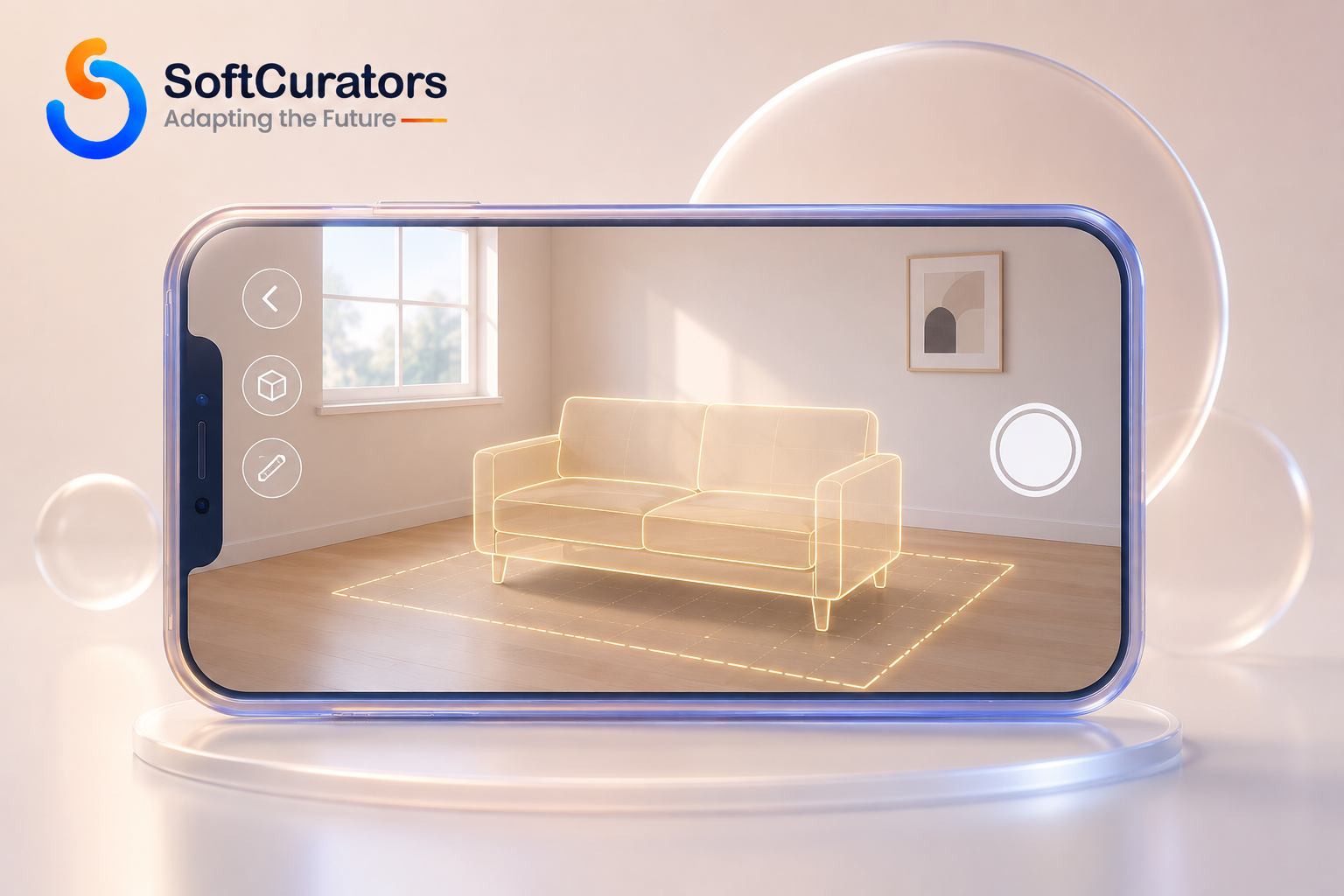
Augmented reality unlocks several features that go beyond simply viewing a space, and these tend to deliver strong practical value relative to their build complexity. Unlike the walkthrough and VR formats covered above, most AR features assume the user is either physically present in the space or actively planning around a space they’ve already committed to, which shapes when in the buyer journey they’re most useful.
- Furniture and staging placement – letting a user preview furniture in an empty or differently furnished room, either during an in-person visit or from captured room dimensions remotely.
- Measurement tools – using LiDAR or camera-based depth estimation to let a user measure a room, doorway, or space directly within the app, which is particularly valuable for buyers planning renovations or furniture purchases.
- Renovation and design visualization – overlaying alternate paint colors, flooring, or larger renovation concepts onto a live camera view of an existing space.
- Wayfinding and informational overlays – particularly useful for large properties, commercial spaces, or new construction developments, where overlaid labels can indicate room purposes, utility locations, or planned features not yet physically built.
Common mistake: building AR furniture placement without first validating that users actually want to preview furniture in a listing they haven’t purchased yet, rather than in their own existing home. This is a subtly different use case (browsing a listing versus planning a move-in) and conflating them can lead to a feature that looks impressive in a demo but sees limited genuine use.
Operational perspective: AR measurement tools in particular carry a support expectation worth planning for – users comparing an in-app measurement against a tape measure will occasionally find discrepancies, and having a clear, honest explanation of expected accuracy (rather than presenting the tool as perfectly precise) heads off a meaningful share of avoidable support conversations.
VR Features Specific to Real Estate
Full VR headset experiences serve a narrower but genuinely valuable set of use cases in real estate, particularly where physical visits are impractical or the property doesn’t yet exist. It’s worth being direct about the trade-off here: these are also the highest-cost, highest-complexity features covered in this guide, and they should be pursued deliberately rather than as a default.
- Pre-construction and off-plan visualization – letting buyers experience a fully immersive walkthrough of a development before it’s built, which is one of the strongest ROI cases for VR in this industry since no physical alternative exists at all.
- Remote and international buyer tours – serving buyers who genuinely cannot visit in person, where the immersive quality of VR meaningfully outperforms a screen-based walkthrough for conveying scale and spatial relationships.
- Multi-user guided tours – some VR platforms support an agent guiding multiple remote participants through a space simultaneously, narrating as they would during an in-person showing.
- Flagship marketing for luxury and commercial listings – where the investment in a polished VR experience is justified by the transaction value and the marketing differentiation it provides.
Business perspective: the pre-construction use case deserves particular attention, since it’s genuinely different from the other three – in every other case, VR competes with an available physical alternative (an in-person visit), whereas for pre-construction sales, VR may be the only way to convey the finished space at all until construction completes. This changes the ROI calculation meaningfully in VR’s favor for that specific segment.
Device and Platform Reach: The Constraint That Shapes Everything
This is the section most virtual tour projects underweight during planning, and it deserves direct attention before any architecture decisions get made. Every other technical decision in this guide – capture method, rendering technology, native versus web delivery – ultimately serves the goal of getting a tour in front of as many qualified prospective buyers as possible, and device reach is the constraint that determines whether that goal is actually achieved.
VR headset ownership, while growing, remains a fraction of smartphone ownership, which means a VR-only tour strategy structurally excludes the overwhelming majority of prospective buyers from ever experiencing it. Business perspective: this doesn’t mean VR isn’t worth building – it means VR should typically supplement, not replace, a broadly accessible 3D walkthrough or AR experience that works on devices essentially everyone already owns.
Future perspective: headset adoption and standalone device capability continue to improve, and WebXR support across browsers has matured considerably, narrowing the gap between what’s possible in a browser versus a native app. This is a genuinely developing area, though – verify current device and browser support against the WebXR specification and target headset manufacturers’ documentation before committing to a specific technical approach, since capability and adoption both shift meaningfully year over year.
Data Size, Bandwidth, and Performance
3D content is considerably heavier than a standard photo gallery, and performance problems here directly undermine the polished impression a virtual tour is meant to create.
Model Compression and Optimization
Uncompressed 3D scan data can run into hundreds of megabytes per property, which is impractical for mobile delivery over typical cellular connections. Compression techniques within the glTF ecosystem, along with texture optimization and level-of-detail rendering (showing simplified geometry until a user zooms in), are standard practice for keeping load times reasonable without visibly degrading quality.
Streaming vs. Full Download
Most modern 3D walkthrough experiences stream content progressively – loading the room a user is currently viewing at full detail while nearby rooms load in the background – rather than requiring a full property download before the tour begins. Operational perspective: this progressive loading approach needs deliberate engineering investment; naively serving a full 3D scene up front is one of the more common causes of a virtual tour feature performing poorly in real-world testing despite looking fine on a fast office connection.
Performance on Lower-End Devices
Common mistake: testing exclusively on current-generation flagship phones and discovering post-launch that the experience stutters badly on the mid-range and older devices a meaningful share of real users actually own. Given the compute intensity of 3D rendering, this gap is typically wider for virtual tours than for a standard app feature, making broad device testing a genuine priority rather than a nice-to-have.

Accessibility and User Experience Considerations
Virtual tours introduce accessibility challenges that a standard photo-based listing doesn’t carry, and addressing them deliberately both broadens your audience and reduces support burden. This is also an area where getting it right early is considerably cheaper than retrofitting accessibility onto an already-shipped interactive 3D experience.
- Motion sickness mitigation in VR – teleportation-based movement, comfortable frame rates, and clear in-experience comfort settings reduce the share of users who have a negative physical reaction.
- Non-immersive fallback options – every tour should offer a standard photo gallery or static floor plan alongside the immersive experience, both for accessibility and for users who simply prefer it.
- Screen reader and navigation support – 3D walkthroughs built as custom interactive experiences need deliberate accessibility work, since they don’t inherit standard web accessibility behavior automatically the way conventional page content does.
- Loading state clarity – given the file sizes discussed above, clear loading indicators and progressive content reveal prevent users from abandoning a tour that’s technically working but appears frozen.
Practical recommendation: treat the non-immersive fallback as a first-class experience rather than an afterthought bolted onto the 3D viewer. Some users will actively prefer a simple photo gallery and floor plan regardless of what immersive options exist, and a fallback that feels like a downgrade rather than a genuine alternative undermines trust in the product more broadly.
Privacy and Security Considerations for 3D Property Data
3D scans capture considerably more detail than a standard listing photo, which raises privacy questions worth addressing deliberately rather than as an afterthought. This is a genuinely distinct consideration from standard app data privacy, since the sensitive asset here is spatial and visual rather than purely transactional.
- Interior detail exposure – a full 3D scan can reveal personal items, security setups, or other details a homeowner wouldn’t want permanently and publicly archived; clear capture and review guidelines for what should be excluded or blurred are worth establishing before a capture process launches at scale.
- Data retention and access control – 3D scan data can remain useful (or sensitive) well after a listing sells, and a clear retention and access policy avoids both unnecessary storage cost and lingering privacy exposure.
- Secure sharing links – private pre-market or off-market listings often need tour access restricted to invited parties rather than publicly indexed, which requires deliberate link security rather than relying on an unguessable URL alone.
- API and platform security – where tour data is exposed through an API to partner platforms or embedded viewers, following the OWASP API Security Top 10 guidelines for authentication and authorization reduces the most common integration-layer risks.
For a broader view of these obligations across mobile and web products generally, see our guide on mobile app security and compliance.
Consultant’s tip: build a simple pre-publish review step into your capture workflow specifically for privacy, rather than relying on the capture technician or agent to catch sensitive details in the moment. A brief second look at processed scan data before it goes live catches the kind of oversight – a visible document, a security keypad code, a personal photo – that’s easy to miss during active capture but obvious once someone reviews the finished asset with fresh eyes.
Decision Framework: Which Format Should You Build First?
This is the central strategic decision most teams face, and it deserves an explicit framework tied to your specific business goals rather than a default assumption. It’s also worth treating as a sequence rather than a single permanent choice – most successful platforms in this space add formats incrementally, starting broad and adding immersion where it’s specifically justified, rather than launching all three simultaneously.
- When to build a 3D walkthrough first: you want the broadest possible reach across your listing inventory, your primary goal is reducing wasted in-person showings or improving general listing engagement, and you want the lowest-friction entry point into this category. This is the right starting point for the large majority of real estate platforms. And When not to: if your audience is overwhelmingly local and transacting quickly, the production time may not justify itself relative to fast, high-quality photography alone.
- When to build AR features: your use case centers on furniture staging, measurement, or renovation visualization, and your users are typically viewing on modern smartphones. And When not to: if your primary goal is remote marketing to buyers who can’t visit in person at all, since AR by definition requires either physical presence or a separate furniture-preview use case rather than full property exploration.
- When to build full VR: you’re marketing pre-construction developments, high-value listings, or genuinely serving a remote/international buyer base where immersion meaningfully affects the decision, and you can justify the considerably higher production and engineering cost. And When not to: as a default, broad-reach feature for typical listing inventory, given the audience reach constraint discussed earlier.
Cost implications: a 3D walkthrough built on WebXR and standard capture hardware carries the lowest cost of the three formats; VR headset applications carry the highest, both in initial development and in the capture production overhead required to justify the format.
Maintenance implications: capture pipelines need ongoing quality control regardless of format, while VR applications specifically require staying current with headset manufacturer SDK updates.
Scalability implications: web-based formats scale most predictably across a large listing inventory; VR production scales more slowly given the added capture and QA overhead per property.
Risk factors: VR carries the added risk of motion sickness complaints and a narrower audience if adoption doesn’t grow as expected; AR carries device-fragmentation risk given the separate ARKit/ARCore implementation paths.
Time-to-market impact: a WebXR-based 3D walkthrough can reach production in a matter of weeks with the right capture partner; a polished native VR application realistically takes considerably longer.
| Approach | Best Fit When | Weaker Fit When | Key Consideration |
| Web-based 3D walkthrough (WebXR) | Broad-reach listing marketing across most of your inventory | Your audience needs true immersive scale perception (pre-construction sales) | Lowest friction; works on essentially any modern device |
| Native AR (ARKit/ARCore) | Furniture staging, measurement, renovation visualization | Remote buyers who can’t be physically present | Requires separate iOS/Android implementation work |
| Native VR (Unity/Unreal, headset-targeted) | Pre-construction sales, luxury/commercial flagship marketing | Broad-reach marketing across typical listing inventory | Highest production and engineering cost; smallest addressable audience |
| Licensed 3D capture platform | You want to launch quickly without building capture and rendering infrastructure yourself | Tour experience or data ownership is a core product differentiator | Fastest to market; less control over experience and long-term cost |
Build vs. Buy: Custom Development or a Licensed Capture Platform?
Beyond format choice, most teams also need to decide whether to build capture and rendering infrastructure themselves or license an established 3D capture and hosting platform, then focus their own engineering effort on integration and differentiation.
When to license a platform: you want to launch a 3D walkthrough offering quickly, your differentiation lives elsewhere in your product (recommendation quality, valuation accuracy, marketplace features), and you’re comfortable with a recurring per-listing or subscription cost. When to build custom: immersive tour quality or data ownership is a genuine competitive differentiator for your business, you have the resources to maintain a capture and rendering pipeline over time, and you want full control over how tour data integrates with your broader platform, including recommendation and valuation features covered in our related guides on AI-powered property recommendation systems and AI property valuation apps.
Business insight: many platforms land on a hybrid approach – licensing a capture and hosting platform for the walkthrough itself while building custom AR features (measurement, staging) natively, since the differentiation value and technical complexity of these two categories genuinely differ.
Maintenance implications of each path: a licensed platform shifts ongoing capture pipeline and format compatibility maintenance to the vendor, which is a genuine advantage for a team without dedicated 3D infrastructure expertise, but it also means your tour experience evolves on the vendor’s roadmap rather than yours. A custom build gives you full control over that roadmap but requires sustained engineering investment to keep pace with evolving device capabilities, browser support, and format standards – none of which stay static for long in this space.
Cost, Timeline, and Team Requirements
Costs vary substantially based on capture method, format choice, and whether you’re licensing capture infrastructure or building it yourself. Rather than quoting a number likely to go stale, it’s more useful to understand what drives the estimate.
- Capture production cost – whether per-listing capture is handled by agents with consumer hardware or dedicated technicians with professional rigs meaningfully changes your ongoing production economics, not just your initial build cost.
- Rendering and delivery engineering – building a performant, progressively-loading 3D viewer is a genuinely substantial engineering effort, particularly if you’re avoiding the file-size and lower-end-device pitfalls covered earlier.
- Platform-specific AR development – supporting both ARKit and ARCore effectively means budgeting for two separate implementation paths, not one shared build.
- VR application development, if pursued – Unity or Unreal Engine development for headset targets is a specialized skill set that adds meaningfully to both cost and hiring complexity relative to standard mobile or web development.
For a broader framework on estimating a real estate platform build overall, see our guides on AI real estate software development cost and real estate app development cost, and our mobile app development cost and pricing guide for cross-industry cost drivers. Our mobile app cost calculator is a useful starting point for a rough early estimate before a detailed scoping conversation.
Business insight: it’s worth framing this investment against the specific goal identified earlier in this guide – reduced showing volume, broader marketing reach for hard-to-visit listings, or flagship differentiation – rather than treating “add virtual tours” as an undifferentiated feature request. A platform that can point to a measurable reduction in wasted showings has a much clearer basis for expanding tour production than one investing on the general assumption that immersive technology is worth having.
Team and Skill Requirements
A 3D walkthrough build typically needs a frontend or WebXR-focused engineer for the viewer experience, a backend engineer for content delivery and streaming optimization, and either an in-house capture workflow or a partnership with a professional capture service. Adding native AR meaningfully extends this team with mobile engineers experienced in ARKit and ARCore specifically, since general mobile development experience doesn’t automatically translate to AR-specific spatial computing work.
Pursuing full VR adds a further specialized requirement: engineers experienced with Unity or Unreal Engine and headset-specific performance optimization, a skill set that’s genuinely distinct from typical web and mobile app development. Our guide on mobile app development for businesses and startups covers team-scoping considerations for growing platforms more broadly, and if your existing systems are fragmented across legacy infrastructure, our piece on why enterprises need to modernize legacy applications is worth reading before adding a 3D content pipeline on top of an already strained data architecture.
Operational perspective: beyond engineering, most teams underestimate the ongoing production and quality-control role needed once a virtual tour program is running – someone needs to own capture scheduling, review incoming 3D assets for quality before publishing, and manage the relationship with any external capture partners. This role is easy to overlook during initial project planning since it doesn’t map to a typical software engineering hire, but it becomes a genuine operational bottleneck if left unassigned once tour production scales beyond a handful of pilot listings.
Native Apps vs. Web-Based Delivery for Virtual Tours
This decision matters more for virtual tours than for most other real estate features, since it directly determines how many prospective buyers can actually access the experience without friction. A native app requires a deliberate install decision before a user ever sees a tour; a WebXR-based browser experience works the moment someone clicks a shared link.
When native makes sense: your AR features need the deepest possible integration with device sensors (LiDAR-based measurement, for instance) or you’re building a dedicated VR headset application where a native engine is required regardless. When web-based delivery is the better fit: your primary goal is broad-reach marketing of the walkthrough experience itself, where removing install friction directly increases how many prospective buyers actually engage. Our comparison of native apps vs. hybrid apps and our guide on mobile app development technologies cover this trade-off in more general depth beyond the tour-specific considerations here.
How to Pilot Virtual Tours Before a Full Rollout
Committing to full-inventory tour production before validating format and workflow choices carries real cost risk, given the production overhead involved. A staged approach limits that exposure while producing real usage evidence.
Start with a Small, Representative Listing Set
Rather than capturing tours across your entire inventory at once, most teams get a clearer read by piloting on a representative sample – a mix of property types and price points – and measuring the KPIs described above before committing to broader production. This keeps initial capture and engineering investment contained while still producing a genuine usage signal.
Test the Full Capture-to-Publish Workflow, Not Just the Viewer
It’s tempting to validate only the polished viewer experience, but the capture, processing, and publishing workflow is where operational friction most often surfaces at scale. Operational perspective: running a pilot through your actual intended production workflow – including scheduling capture, processing turnaround time, and admin publishing steps – reveals bottlenecks a viewer-only demo won’t show.
Compare Engagement Against Non-Tour Listings
Measure your pilot listings’ engagement and inquiry metrics against comparable listings without tours during the same period, rather than evaluating tour performance in isolation. Market conditions and seasonality can otherwise distort the read, and a genuine comparison group gives you a much more honest signal about whether the investment is paying off.
Expand Deliberately Based on What the Pilot Shows
Once a pilot validates a format and workflow, expand production coverage gradually, and revisit the device and format breakdown metric regularly as your audience and inventory grow. A format that performed well in an initial pilot with a specific listing mix won’t necessarily generalize automatically across every segment of your inventory.
Common Mistakes When Building Virtual Property Tours
- Defaulting to VR because it looks impressive in a pitch, without validating that the target audience owns or wants to use headset hardware. This is the single most common way virtual tour budgets get misallocated.
- Requiring a native app install for a feature meant to reach the broadest possible audience. WebXR-based delivery removes exactly the friction that undermines a marketing-focused tour strategy.
- Skipping lower-end device testing. 3D rendering performance gaps between flagship and mid-range devices are typically wider than for standard app features, and this gap surfaces in real user complaints, not lab testing.
- Building without a non-immersive fallback. Every tour needs a standard photo or floor-plan alternative, both for accessibility and for users who simply prefer it.
- Underestimating capture production logistics. Scheduling professional capture across a large, geographically distributed listing inventory is a genuine operational challenge, not just a technology decision.
- Treating file size and streaming optimization as a late-stage concern. Naive full-scene loading is a common, avoidable cause of poor real-world performance despite looking fine in initial testing.
- Ignoring the privacy implications of detailed interior scans. A 3D scan captures considerably more than a standard listing photo, and this deserves deliberate capture and retention guidelines rather than being treated the same as photography.
- Launching every format simultaneously instead of sequencing deliberately. Teams that commit to walkthrough, AR, and VR all at once often end up with three half-finished experiences instead of one that genuinely works well.
- Failing to measure device and format breakdown post-launch. Without this data, it’s impossible to know whether continued investment in more immersive formats is actually justified by how your specific audience engages.
Final Summary: Where to Start
The clearest path into virtual property tours starts with matching the format to your actual business goal rather than defaulting to the most visually impressive option. A broadly accessible 3D walkthrough, built on WebXR and standard capture hardware, is the right starting point for most real estate platforms, since it reaches nearly every prospective buyer without requiring a native app install.
AR features like measurement and staging are worth adding once your core walkthrough experience is solid, and full VR headset applications are best reserved for specific high-value use cases – pre-construction sales, luxury marketing, genuinely remote buyers – where the smaller addressable audience is offset by real transaction value. Throughout, treat capture production logistics, device performance testing, and 3D data privacy as first-class parts of the project, not afterthoughts layered on once the core experience is built. As your platform matures, our guides on mobile app UI/UX design best practices and mobile app testing, deployment, and maintenance are useful next reads for the surrounding product and operational work.
Whichever format you start with, treat this less as a one-time feature launch and more as a capability your platform builds and refines over time. Capture technology, browser support for WebXR, and headset adoption all continue to shift, and a virtual tour program that stays effective is one your team revisits deliberately as those underlying conditions change, rather than one calibrated once and left unexamined as the market moves around it.
Next Step: Talk Through Your Virtual Tour Strategy
Virtual tour projects succeed or fail based on decisions made before any capture equipment is purchased or any rendering code is written – matching format to audience, scoping production logistics realistically, and understanding the real trade-offs between building and licensing. Softcurators offers a Product Strategy Session for teams evaluating AR and VR virtual tour features, working through format selection, technical architecture, and build-vs-buy trade-offs before any development commitment is made. Learn more about our approach on our why choose Softcurators page, or reach out directly to schedule a session.
Frequently Asked Questions
Do I need a VR headset to view most virtual property tours?
No - the large majority of virtual property tours marketed today are 3D walkthroughs viewable on any phone, tablet, or computer browser, with true headset-based VR reserved for a smaller subset of premium or pre-construction marketing use cases.
What's the difference between ARKit and ARCore?
ARKit is Apple's augmented reality framework for iOS devices, while ARCore is Google's equivalent for Android - both provide similar core capabilities (motion tracking, plane detection) but are separate, platform-specific frameworks requiring distinct implementation work to support both major mobile platforms.
Is LiDAR necessary for a good virtual property tour?
Not necessary, but it improves measurement accuracy meaningfully - 360° camera and photogrammetry-based capture can produce a strong visual walkthrough without LiDAR, but any feature relying on precise in-app measurement benefits significantly from LiDAR's depth accuracy.
Should I build a native app or a browser-based virtual tour?
For broad-reach marketing, a browser-based WebXR experience generally reaches more prospective buyers since it removes the install friction of a native app; native development makes more sense when you need deep device sensor integration or are building a dedicated VR headset application.
How much does it cost to add virtual tours to a real estate platform?
Cost depends heavily on capture method, format choice, and whether you license existing capture and hosting infrastructure or build it yourself; licensing a platform is typically faster and cheaper to launch, while custom development costs more upfront but offers greater control and no recurring per-listing licensing fee.
What is WebXR, and why does it matter for real estate tours?
WebXR is a W3C web standard that lets AR and VR experiences run directly in a compatible browser without a native app install, which matters for real estate specifically because it removes the download friction that would otherwise limit how many prospective buyers actually experience a shared tour link.
Can virtual tours replace in-person showings entirely?
Generally no - virtual tours reduce the number of low-intent or logistically difficult showings, but most buyers still want an in-person visit before finalizing a purchase decision, making virtual tours a strong filtering and marketing tool rather than a full replacement for physical visits.
What file format should I use for 3D property models?
glTF, standardized by the Khronos Group, is a widely adopted, efficient format for delivering 3D models across web and native platforms, while Apple's USDZ format serves a similar purpose specifically for AR Quick Look experiences within the Apple ecosystem.
Do virtual tours cause motion sickness?
Full VR headset experiences can cause motion sickness or disorientation in a meaningful share of users, particularly with poor frame rates or continuous-movement mechanics; teleportation-based movement and comfort settings reduce this, and a non-VR fallback should always be available.
How is AR furniture placement different from a 3D walkthrough?
AR furniture placement overlays digital furniture onto a live camera view of a real space the user is physically present in, while a 3D walkthrough lets a remote user navigate a pre-captured reconstruction of the property - they solve different problems and are often built as separate features.
What team roles do I need to build virtual property tours?
A typical team includes a frontend or WebXR-focused engineer for the walkthrough viewer, a backend engineer for content delivery and streaming performance, and mobile engineers with specific ARKit/ARCore experience if native AR features are in scope; full VR development additionally requires Unity or Unreal Engine expertise.
Are virtual tours worth it for lower-value listings?
This depends on your market - in fast-moving, lower-value rental or sales segments, high-quality photography alone often delivers a better return relative to production time than a full 3D capture pipeline, while higher-value or hard-to-visit listings tend to see a stronger return on the investment.
How do I make virtual tours accessible to users with disabilities?
Provide a non-immersive fallback (standard photos or a floor plan) alongside any 3D or VR experience, ensure loading states are clear, and treat screen reader and navigation support as a deliberate design requirement rather than something inherited automatically from standard web accessibility patterns.
What's the biggest technical risk in building a virtual tour feature?
Performance on lower-end and older devices is the most commonly underestimated risk - 3D rendering is considerably more compute-intensive than standard app content, and testing exclusively on current flagship devices tends to hide problems that surface widely once real users with a broader range of hardware start using the feature.
Should real estate platforms build their own capture technology or use a service?
Most platforms are better served licensing an established capture and hosting platform initially, since building reliable capture and rendering infrastructure from scratch is a substantial undertaking; custom capture technology makes more sense once tour quality or data ownership becomes a genuine, validated competitive differentiator.
How does virtual tour technology relate to AI-powered property valuation or recommendations?
These are complementary but distinct systems - virtual tour technology handles spatial capture and presentation, while valuation and recommendation systems handle pricing and personalization, though platforms increasingly combine all three to give buyers a complete remote evaluation experience for a property.
What privacy considerations apply to 3D property scans?
3D scans capture considerably more interior detail than standard listing photography, which raises questions about what should be excluded or blurred during capture, how long scan data should be retained after a sale, and whether pre-market or off-market listings need restricted, non-public tour access.
How do I pilot a virtual tour program before committing to full inventory coverage?
Start with a representative sample of listings across different property types and price points, test the full capture-to-publish workflow rather than just the viewer experience, and compare engagement against similar listings without tours during the same period before expanding coverage.
Can virtual tour data feed into other AI features on my platform?
Yes, in principle - engagement signals like which rooms a user spent time in or whether they completed a tour can serve as additional behavioral data for a recommendation system, though this requires deliberate integration work rather than happening automatically between separately built features.
What's the difference between photogrammetry and LiDAR capture?
Photogrammetry reconstructs a 3D model from overlapping photographs using computer vision to infer depth, requiring no special hardware but more processing time, while LiDAR uses laser-based depth sensors built into recent Apple devices to capture more precise spatial measurements directly.
How long does it take to produce a virtual tour for a single listing?
Capture itself typically takes anywhere from a few minutes to an hour depending on property size and method, while backend processing to convert raw capture data into a delivery-ready format can take additional minutes to hours, making total turnaround time a meaningful operational planning factor across a large listing inventory.
Do I need different tours for mobile web versus desktop?
Not necessarily separate tours, but the viewer experience should be responsive and tested independently on both, since navigation controls, loading behavior, and performance characteristics can differ meaningfully between a touch-based mobile browser and a desktop experience with a mouse and larger screen.
What happens to virtual tour data once a property sells?
This depends on your platform's retention policy, which is worth defining deliberately rather than leaving implicit - some platforms archive tour data for internal analytics or future re-listing purposes, while others remove it from public access promptly after a sale for privacy reasons.
Can virtual tours be embedded on third-party listing sites?
Often yes, through an embeddable viewer or iframe, which is a common way syndication partners and other real estate portals display a tour originally captured and hosted on your platform - though this requires deliberate API and embedding design rather than assuming it works automatically.
