



AI Automation &

Integration Services

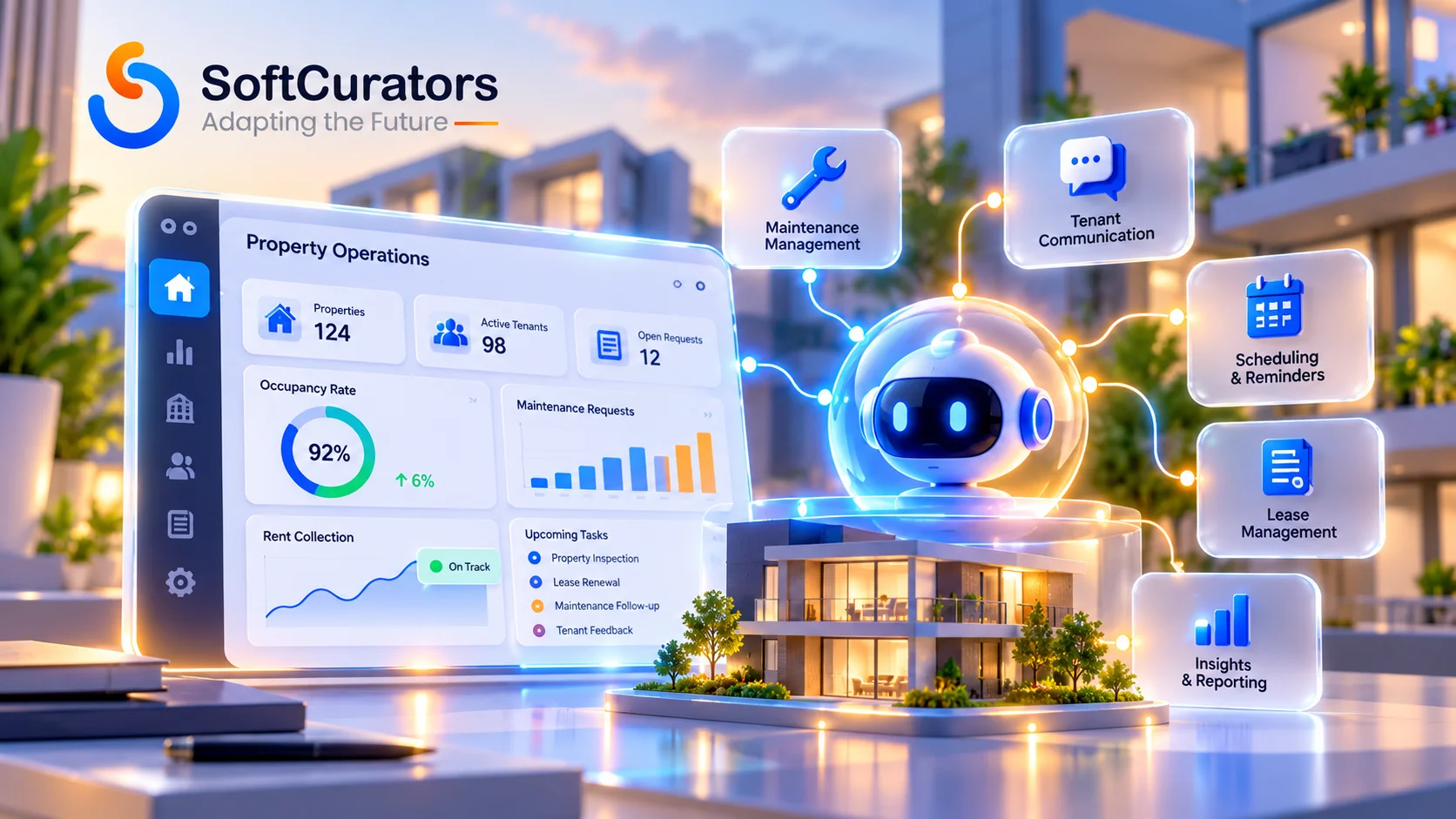
At SoftCurators, We connect your ERP, CRM and legacy systems into reliable workflows and add AI only where inputs are messy: emails, PDFs, scans. Every workflow has validation rules and a human review queue for exceptions

Consult Our Automation Experts →
24e3e421-21df-439d-89fc-819ddb3772e4

What Is AI Automation & Integration?

AI automation and integration connects software systems using rigid logic, while inserting an AI reasoning layer to handle messy inputs. When a customer sends a complex, multi-paragraph email requesting a refund, traditional logic fails. AI automation reads the email, extracts the order number, checks the return policy, and then passes structured data to your API to issue the refund.

RPA (Robotic Process Automation)

Best for Automating repetitive tasks in legacy systems that lack APIs.
Handles Unstructured Input? - No. Primarily works with structured inputs and predefined interactions.
Who Decides the Path? Hard-coded rules and predefined automation sequences.
Main Risk Automation can break when application interfaces or UI elements change.

Workflow / iPaaS Automation

Best for Moving structured data between modern cloud applications and business systems.
Handles Unstructured Input? - MNo. Primarily relies on structured data and predefined triggers.
Who Decides the Path? Integration failures can occur when API schemas or connected systems change.
Main Risk Automation can break when application interfaces or UI elements change.

AI Workflow (Embedded AI)

Best for Extracting information from unstructured documents, PDFs, emails and other business inputs.
Handles Unstructured Input? - Yes. AI models interpret and extract information from unstructured content.
Who Decides the Path? The overall workflow follows predefined rules, while AI handles specific reasoning or extraction tasks.
Main Risk Incorrect or hallucinated extraction can affect downstream processes without proper validation.

Custom AI Agent Development

Best for Dynamic business workflows, multi-step problem-solving and complex decision-making.
Handles Unstructured Input? - Yes. Processes documents, emails, conversations and contextual business data.
Who Decides the Path? The AI agent dynamically selects tools and actions within predefined permissions and guardrails.
Main Risk Poorly designed agents can enter repetitive execution loops, make incorrect tool calls or exceed their intended permissions.
Discuss Your Automation Project →

Already Have Automations That Break? Take Control

Are your existing Zapier flows or custom scripts failing silently? SoftCurators can audit, harden, or completely take over fragile integrations, implementing robust error handling and dead-letter queues.

Digital Projects Delivered
90 +
Technology Specialists
40 +
Global Businesses Served
70 +
Years of Combined Experience
5 +

When You Need AI Automation & Integration

Most enterprise generative AI pilots fail to show a measurable profit-and-loss impact. The MIT NANDA study on the GenAI Divide indicates this is due to flawed enterprise integration and data silos, not poor model quality. AI alone does not generate ROI; AI securely integrated into your operational workflows does. You need AI integration when:

  • Work Moves by Hand: Employees manually copy data from emails into your CRM.
  • Inputs are Unstructured: You process thousands of scanned PDFs, messy emails, or complex contracts daily.
  • Rule-Based Automation Breaks: Standard Zapier flows fail because the input data format is too unpredictable.
  • Compliance Forces Action: National e-invoicing mandates require direct API integration between your ERP and government clearing systems.

SoftCurators advises against AI automation when a process is undocumented, or when it is entirely deterministic and a standard Python script will suffice.

Process Discovery & Mapping

We interview your operations team to map every click, edge case, and system constraint. Output: A definitive Process Definition Document.

Secure Integration Layer

We engineer deterministic API connections between your systems, ensuring data flows securely before introducing any AI extraction models.

Reliability, Validation & Monitoring

We build dead-letter queues, confidence thresholds, and human-in-the-loop dashboards to to catch bad data before it reaches your ERP.

What We Deliver: The SoftCurators Method

SoftCurators starts every automation project by measuring the baseline. If we cannot measure how long a process takes a human today, we cannot prove the ROI tomorrow.

Client Requirements

To ensure success, we require a dedicated subject matter expert, access to clean historical sample data, secure staging access to your systems, and thorough API documentation.

SoftCurators Expertise

Core Technologies

Python, Node.js, AWS Step Functions, n8n, Workato, OpenAI, Anthropic, AWS Textract.

Engagement Models

Dedicated Team, Fixed-Scope MVP, White-label for Agencies.

Typical Team

Solution Architect, Data Engineer, AI/ML Engineer, QA Automation Engineer, DevOps Specialist.

Deliverables

Architecture Blueprints, API Wrappers, Hardened Workflow Codebases, Telemetry Dashboards.

Which Process Should You Automate First?

Not sure where to start? Book a Process Audit. Our architects review your workflows, rank them by volume, exception rate and ROI, and recommend the first process to automate.

Lets Connect with Our Experts →

Where AI Automation Pays Off

When integrated correctly, AI-powered workflows featuring intelligent data extraction deliver significant value across back-office operations. Explore how AI-assisted workflows connect systems and reduce manual effort.

These patterns are highly effective for finance, manufacturing, logistics, and healthcare industries where legacy systems must interface with modern, unstructured data demands.

The AI Automation Technology Stack

SoftCurators does not force clients into a single vendor ecosystem. We choose the orchestration framework and AI models based entirely on your budget, data privacy requirements, and scaling needs.

Component
Tool / Technology
Why It Fits Here
When Not to Use It
Workflow Orchestration
n8n, AWS Step Functions
Self-hosting, custom logic, high volume
When your IT team requires a visual-only builder
iPaaS
Zapier, Make, Workato, Boomi
Fast SaaS-to-SaaS connections with pre-built auth
When per-task pricing becomes expensive at high volume
AI Models
OpenAI, Anthropic Claude, Google Gemini, Azure OpenAI
Extracting and classifying unstructured text.
Without an evaluation framework and validation rules
Document Processing
AWS Textract, Azure Document Intelligence
OCR and field extraction from scans
When scans are low-resolution and no pre-processing is planned
Business Systems
SAP, Salesforce, Odoo, Zoho, Microsoft 365, Dynamics
Source of truth via official APIs
AI should never get direct write access; validate deterministically first
RPA
UiPath, Microsoft Power Automate
Bridge for legacy apps with no API
When a stable API exists, or the UI changes often

Delivery Approach: From Discovery to Production

We follow a rigorous, phased engineering lifecycle tailored for AI app development and automation.

Process Discovery & Baseline

We interview your operations team to map every edge case and measure current human cycle times.

Integration & Data Readiness

We audit your APIs and clean your historical data to test the feasibility of AI extraction.

Workflow & AI Build

We engineer the deterministic logic, connect the APIs, and configure the AI prompts for extraction and classification.

Reliability Testing & Red Teaming

We validate math deterministically, test for prompt injection, and build strict human review queues for exceptions.

Deployment, Monitoring & Handover

We deploy the workflow into a supervised pilot, where it runs live but requires manual approval for every step until full trust is established.

Cost and Timeline Drivers

Cost follows integration depth, exception rates, and data readiness, not just the AI model.

Process Complexity & Exception Rate:

How to manage it: Standardize your upstream human processes before automating the downstream software.

Integration Depth & API Quality:

How to manage it: Limit the MVP to reading from modern systems; tackle legacy write-access later.

Accuracy & Review Requirements:

How to manage it: Utilize a "Human in the Loop" pattern to drastically reduce engineering time on edge cases.

Volume & Platform Licensing:

How to manage it: Understand if your platform charges per operation; use custom code for massive volume.

Compliance & Hosting:

How to manage it: Leverage secure cloud providers (AWS/Azure) over self-hosting if your team lacks DevSecOps expertise.

Data Readiness

How to manage it: Provide clean, structured CSVs or direct API endpoint access early.


Common Mistakes in AI Automation

Automating a Broken Process

Starting with a Showy Use Case

Screen Scraping

No Exception Path

AI Write Access

One-Off Scripts

What Most Businesses Overlook: The "Human in the Loop"

Effective AI automation isn't about removing humans; it's about reducing repetitive work while keeping critical decisions under control.

For example, an automated invoice workflow can extract data, match purchase orders and process error-free invoices. Any discrepancies or unusual transactions are flagged for human review and approval.

This balance helps businesses improve efficiency, minimize errors and maintain control over critical operations.

The Market Lens: Now and Next

Now

We are seeing heavy hybrid designs. Companies are wrapping AI around existing RPA bots to handle unstructured inputs, recognizing that integration is the true bottleneck.

Next (12-24 Months)

As Model Context Protocol (MCP) matures within iPaaS platforms, existing deterministic workflows will easily be exposed as "tools" for autonomous AI agents to trigger.

The AI Effect

AI tools now write simple scripts effortlessly. Professional engineering work has permanently shifted to complex integration, hardening security, and establishing enterprise governance over scattered automations.

Questions to Ask Any Automation Vendor

How are steps explicitly split between rigid code rules and probabilistic AI?

What exactly happens when the AI is wrong or reports low confidence?

Who retains ownership of the custom workflows, code, and integrations?

How do you handle a legacy system that has no API access?

How do you monitor silent failures and per-operation costs after launch?

How is ROI mathematically measured against a pre-project baseline?

Why SoftCurators?

Process Before Technology:

We start with a baseline measurement. If we cannot measure the current pain, we will not build the solution.

Hybrid by Design:

We connect your legacy systems securely without demanding a massive, risky rip-and-replace.

Integration-First Engineering:

We do not recommend AI when standard code works. If an API can solve the problem deterministically, we will not use an LLM.

Security of the Automation Layer:

We architect strict least-privilege access and robust dead-letter queues.

Technology Agnostic:

We use the right iPaaS or custom code framework for your specific volume and budget.

Explore The Live Demo

See deterministic automation in action. Explore our Curate AI demos to visualize how unstructured data is securely extracted, validated, and routed through human-in-the-loop exception queues.

Ready to automate & connect your systems?

Stop manual data entry and connect your ERP and CRM securely. Book a Free Scoped Estimate Call or a process audit with our senior solution architects to define your exact integration roadmap.

    Frequently Asked Questions

    Have questions about AI Automation and Integration ? Find Answers to common questions about AI automation, system integration, security, cost and implementation, with SoftCurators.

    It is the process of connecting disparate business systems (like ERPs and CRMs) to share data automatically via APIs. It uses AI models strictly to extract or classify messy, unstructured data (like emails or PDFs) while relying on deterministic code for actual execution.

    Robotic Process Automation (RPA) uses bots to mimic human clicks on a screen based on rigid, unchanging rules. AI automation uses semantic reasoning to understand unstructured inputs (like summarizing a contract) before executing a task through an API.

    AI automation follows a strict, hard-coded path determined by a developer (e.g., Step A always leads to Step B). An autonomous AI agent is given a goal and dynamically decides its own path, choosing which tools to use on the fly.

    Costs are driven by the number of systems you are connecting, API quality, and data cleanliness. The actual AI token cost is usually minor; the budget goes toward software engineering to build secure API connections and human review queues.

    It depends on the inputs. If your process follows fixed rules and structured data, workflow automation (Zapier, n8n, Make) is usually cheaper and faster. If it involves unstructured inputs like emails, PDFs or free-text requests, or decisions that need judgment, an AI agent fits better. Many production systems combine both: automation handles the predictable steps and an agent handles the exceptions.

    ROI is measured mathematically against a pre-project baseline. We calculate the human hours saved from manual data entry, the reduction in costly human errors, and the decrease in overall process cycle times.

    Automation shifts tasks; it rarely replaces entire roles. It removes repetitive data entry, allowing your employees to focus on managing the exceptions, handling complex client relationships, and auditing the system outputs. We never promise headcount reduction.

    A simple workflow connecting two modern SaaS apps via an iPaaS can be deployed in a few weeks. Complex integrations requiring AI extraction, legacy ERP connectivity, and rigorous human-in-the-loop testing typically take 2 to 4 months.

    Yes. If your system (like Salesforce or Zoho) has a modern API, integration is straightforward. For older legacy systems, we build custom API wrappers, utilize database ETL processes, or use RPA as a last resort bridge.

    Use Zapier or Make for rapid SaaS connections. Use n8n for cost-effective self-hosting. Use custom Python code for massive data volumes where per-task iPaaS licensing fees would destroy your budget, or when connecting to highly obscure legacy systems.

    We never trust AI blindly. We use it to extract data, but we use traditional code to validate the math and logic. If validation fails, or the AI reports low confidence, the workflow pauses and routes the task to a human review queue.

    It is secure if architected with strict access controls and least-privilege API tokens. We ensure your data is processed using enterprise-tier APIs (which do not retain data for model training) or via privately hosted open-source models within your own cloud environment.

    Yes. It can be designed to support them. We minimise PII exposure, use in-region hosting where required, and add transparency notices. Your legal team should confirm final compliance.

    Yes. We build secure API integrations connecting your ERP directly to certified clearing platforms like ZATCA's Fatoora. We use AI strictly to extract data from messy incoming vendor invoices, while keeping the core tax reporting logic 100% deterministic. 

    Our Latest Blogs