Flutter App Development Company

Flutter app development is the practice of building apps from a single Dart codebase that compiles to native ARM code for iOS and Android, plus web and desktop, using Flutter’s own widget-based rendering engine instead of each platform’s native UI toolkit. Flutter draws every pixel itself rather than wrapping native components, so UI stays visually identical across devices though platform-specific interactions sometimes need extra attention. It’s genuinely strong for consistent, animation-heavy interfaces built fast on a limited budget, and a weaker fit for apps needing to feel indistinguishable from native in every interaction detail. SoftCurators builds cross-platform apps with Flutter as a primary specialization within our broader mobile app development practice, our engineers work in Dart and widget architecture daily, not occasionally between native sprints.

Request a Free Quote

    Satisfaction
    70 %
    Happy Clients
    50 +
    Years Experienced Team
    5 +
    Team Members
    40 +

    What We Build With Flutter |

    image

    Custom Flutter App Development

    We build feature-rich, tailor-made Flutter applications fully aligned with your business model, user experience goals, and long-term scalability.
    image

    Cross-platform mobile apps

    A single Dart codebase shipping to iOS and Android simultaneously, built around Flutter’s widget tree rather than platform-specific UI components.
    image

    Flutter UI/UX Design

    We deliver beautiful, intuitive, and modern interfaces using Flutter’s rich widget ecosystem to ensure seamless user journeys.
    image

    App migration to Flutter

    Rebuilding an existing native iOS/Android app (or an aging hybrid app) onto a single Flutter codebase, typically done screen-by-screen against a defined feature-parity checklist rather than a single big-bang rewrite.
    image

    Flutter App Upgrade & Modernization

    We upgrade outdated apps to the latest Flutter versions, optimize code, add features, and enhance UI for better user retention.
    image

    Custom Flutter plugin development

    Building or extending platform channel bridges to native iOS/Android SDKs when a required capability isn’t available as an existing package on pub.dev, one of several mobile app development technologies we bridge into a Flutter codebase as needed.
    image

    Flutter Web & Desktop Apps

    The same core business logic extended to a browser-based experience, useful when a product needs a companion web app without a separate frontend rebuild. MacOS, Windows, and Linux targets built from shared Dart code, appropriate for internal tools or companion desktop apps that don’t warrant a separate Electron or native build.
    image

    Backend Development & API Integration

    From Firebase to Node.js, Laravel, and AWS—we develop secure backend systems and seamless API integrations for your Flutter apps.

    image

    Flutter Dedicated Developer Hiring

    Hire skilled, certified Flutter developers on flexible models hourly, monthly, or full-time to work exclusively on your project, ensuring faster delivery, dedicated support, and tailored technical expertise.

    image

    Integration of AI & Machine Learning in Flutter Apps

    Wiring on-device or API-based machine learning models (image recognition, recommendation logic, conversational interfaces) into a Flutter UI through our AI development practice, including emerging patterns like Flutter’s GenUI tooling for AI-driven interfaces

    image

    Enterprise Flutter Apps

    Internal or customer-facing applications built with attention to role-based access, audit logging, and integration with existing enterprise identity and backend systems.

    image

    Support & Maintenance

    We offer ongoing monitoring, security patches, feature improvements, and version updates to keep your app running smoothly.

    image

    CI/CD and multi-platform release pipelines

    Automated build, test, and store-submission pipelines that handle iOS, Android, and web releases from the same repository without manual per-platform steps.

    image

    State management architecture

    Structuring how an app’s data flows and updates using Provider, Riverpod, or Bloc, chosen based on the app’s actual complexity rather than defaulting to whichever pattern is most familiar.

    Our Clients

    Flutter vs. React Native vs. Native Development

    Dimension
    Flutter
    React Native
    Native (Swift/Kotlin)
    Performance
    Compiles to native ARM code; Impeller rendering engine gives predictable frame timing on iOS and modern Android
    JavaScript bridge historically added overhead; the “New Architecture” (Fabric/Hermes) has substantially closed this gap
    Direct platform-native performance ceiling, no abstraction layer
    Development speed/cost
    Single codebase for iOS, Android, and often web; typically the fastest path to shipping on multiple platforms at once
    Single codebase for iOS and Android; strong if the team can also reuse an existing React web codebase
    Separate codebases for iOS and Android roughly double the build and maintenance effort
    Platform coverage
    iOS, Android, web, and desktop (macOS/Windows/Linux) from one codebase, with desktop/web maturity still catching up to mobile
    iOS and Android primarily; web support exists but is less central to the framework’s identity
    iOS or Android individually; full coverage requires two separate teams and codebases
    UI consistency
    Renders every pixel itself, so UI looks and behaves identically across devices by default
    Uses native platform components, so UI automatically picks up each platform’s native look and feel
    Fully native look and feel by definition, but requires separately designing for two platforms
    Team/hiring availability
    Smaller talent pool than JavaScript but a rapidly growing, increasingly specialized Dart/Flutter developer base
    Large talent pool, since it draws on the broader JavaScript/React developer ecosystem
    Requires separate iOS (Swift) and Android (Kotlin) specialists
    Best fit
    Startups and enterprises wanting one team shipping to multiple platforms with visually consistent UI
    Teams with an existing React web app wanting to share code and hiring pools with mobile
    Apps requiring day-one access to brand-new platform APIs or highly specialized native interactions

    Choose Flutter when one team, one codebase, and consistent UI across platforms matter more than picking up each platform’s native look for free. Choose React Native specifically if your organization already has deep React expertise and a web codebase worth sharing logic with. Choose native development only when a specific, complex platform capability genuinely requires it, since maintaining two separate native codebases is the most expensive path for most product roadmaps.

    Tech Stack for Flutter Projects

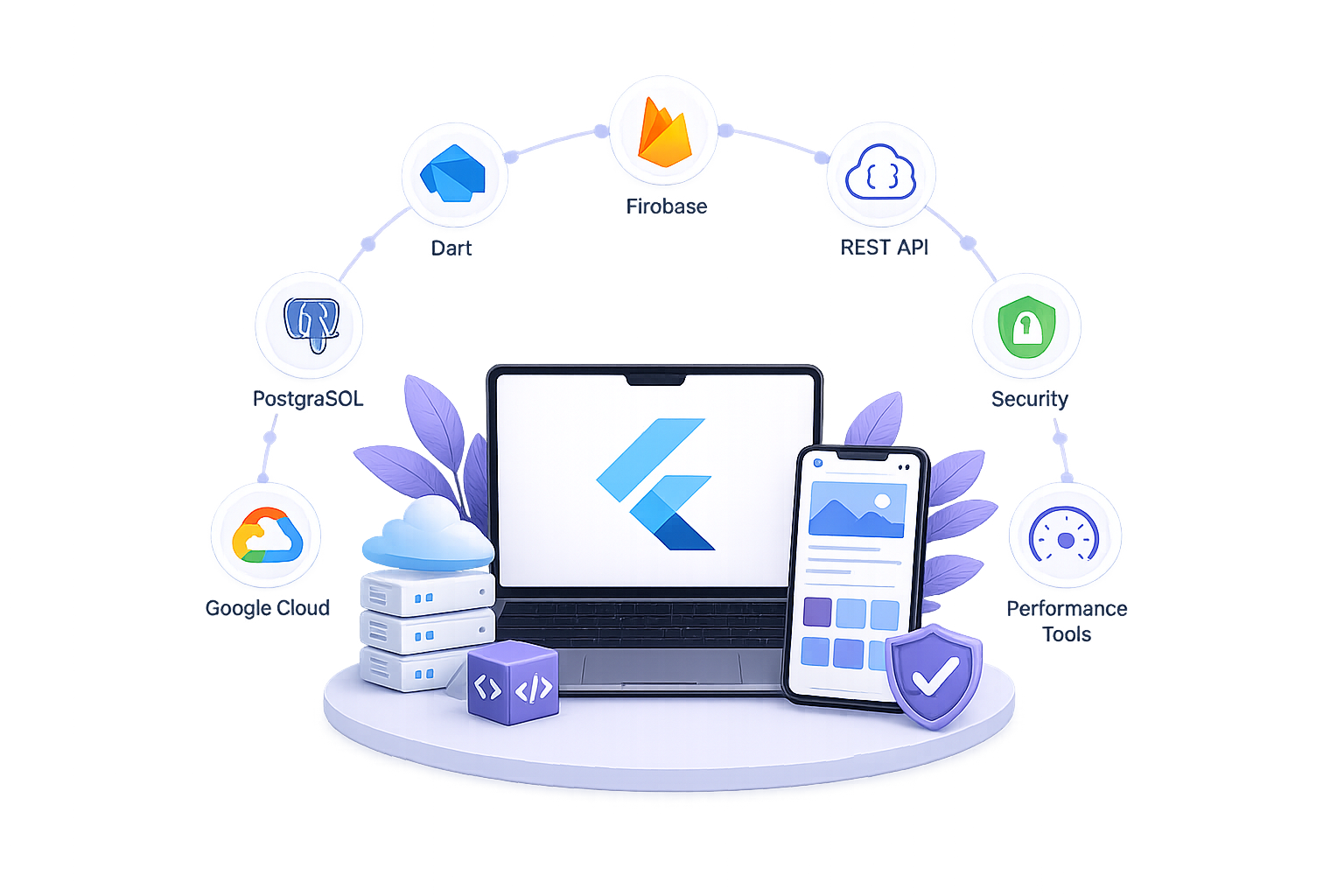
    Dart and Flutter SDK, with Impeller as the rendering engine on supported platforms

    Provider, Riverpod, or Bloc

    Firebase (Firestore, Auth, Cloud Functions) or a custom Node.js/NestJS backend

    Cloud Firestore, PostgreSQL, or SQLite (via Drift) for local/offline storage

    Codemagic, GitHub Actions, or Fastlane, configured for multi-platform builds

    Flutter’s built-in widget/integration testing framework, plus device farms for real-hardware testing

    Advanced Features We Implement

    Real-Time Sync & Live Data Updates

    Live Video / Audio Streaming

    Payment Gateway Integration

    Geo-Location, Maps & Tracking

    AI & Machine Learning Integrations

    AR/VR Capabilities

    Voice Recognition & Chatbot Integration

    Offline Mode & Local Data Storage

    Multi-Language & Multi-Currency Support

    Contact Us

    Ready to Build Your App With Flutter?

    Talk to SoftCurators about whether Flutter, React Native, or native development actually fits your app’s constraints see examples of our work or get in touch to start scoping your Flutter project.

    Our Flutter Development Process

    1. Architecture and state-management decisions up front.

    Before any screen gets built, we decide how the app manages state Provider for simpler apps, Riverpod or Bloc for apps with more complex, testable business logic since retrofitting a different state-management pattern mid-project is expensive

    2. Widget-based UI build against a design system.

    Screens are built from a shared widget library so visual consistency and reusability come from the architecture itself, not from copy-pasting similar-looking code across screens.

    3. Platform-specific testing across iOS, Android, and web.

    Even with one codebase, we test on real lower-end Android devices and current iOS hardware separately, since rendering, gesture handling, and performance can genuinely differ across platforms despite shared code.

    4. Native module bridging where needed.

    When a feature needs a capability outside Flutter’s existing plugin ecosystem, we build the platform channel bridge to native Swift/Kotlin code directly, rather than forcing a workaround that degrades the user experience.

    5. CI/CD pipeline setup for multi-platform builds.

    Automated pipelines build and test iOS, Android, and web targets from every commit, catching platform-specific regressions before they reach manual QA.

    6. App store submission & Post-launch performance monitoring.

    We coordinate Apple App Store and Google Play submissions together, accounting for each store’s distinct review requirements and metadata rules rather than treating one as a template for the other. Once live, we track frame-rendering performance and crash reports per platform, and plan Flutter SDK upgrades deliberately rather than reactively, since skipping several versions makes any single upgrade riskier.

    Why Choose SoftCurators for Flutter Development

    Dedicated Flutter and Dart specialization

    Our Flutter engineers work in Dart and widget architecture as their primary discipline, not as an occasional assignment between native iOS/Android projects.

    Real experience with native module bridging

    When a project needs a capability outside Flutter’s plugin ecosystem, we’ve built the platform channel code directly rather than avoiding the problem with a workaround.

    Flutter SDK upgrade planning as part of ongoing engagement

    We track Flutter’s release cadence and plan version upgrades deliberately, rather than letting a project drift several versions behind until an upgrade becomes high-risk.

    State-management architecture matched to actual complexity

    We choose Provider, Riverpod, or Bloc based on the app’s real state complexity, not a default pattern applied regardless of fit, paired with a UI/UX design process that respects platform-specific interaction conventions rather than forcing identical screens everywhere.

    Agile Process

    Our iterative development model ensures transparency, flexibility, and timely delivery of milestones.

    Multi-platform CI/CD built as standard, not an add-on

    Every Flutter engagement ships with automated iOS, Android, and web build pipelines from early in the project, not bolted on before launch.

    Deployment, Maintenance and Performance

    Deploying a Flutter app across multiple platforms means coordinating Apple App Store and Google Play submissions together, since each store has distinct review timelines, metadata requirements, and rejection reasons that a shared codebase doesn’t eliminate this is the kind of multi-platform work we cover under mobile app testing, deployment, and maintenance. Flutter SDK version upgrades need a deliberate cadence rather than a reactive one: Flutter ships multiple stable releases per year, and a project left several versions behind faces a harder, riskier upgrade than one updated incrementally, typically handled through an ongoing maintenance and support arrangement rather than a one-off engagement. Performance monitoring after launch should track frame-rendering metrics and crash reports separately per platform, since Flutter’s shared codebase can still produce platform-specific performance differences  particularly on the wider spread of Android hardware compared to Apple’s narrower device lineup that only show up once real users are on the app, alongside the broader mobile app security and compliance practices any production app needs regardless of framework.

    Is Flutter the Right Choice for Your App ?

    Flutter makes sense when a single codebase needs to look and behave identically across iOS, Android, and often web, and when budget or timeline matters more than pixel-perfect native conventions on every screen. The biggest recent shift is Impeller becoming the default rendering engine on iOS and Android API 29+, replacing Skia’s runtime shader compilation with ahead-of-time compilation a genuine engineering improvement that measurably reduces dropped frames during complex animations, not a marketing claim. Teams still choose native iOS or Android development when an app needs day-one access to brand-new platform APIs or relies on highly specialized native interactions. React Native remains the better fit when an organization already has a large React web team to share code and hiring with its “New Architecture” has closed much of the historical performance gap, so the choice now comes down more to team composition than raw capability. Looking into future, Flutter’s platform reach is expanding beyond mobile: Web is moving toward WebAssembly as a default target, and desktop (macOS/Windows/Linux) is converging on the same Impeller engine used on mobile.

    Common Mistakes We See in Flutter Projects

    Mistake
    Why It Hurts
    What To Do Instead
    Ignoring platform-specific UI conventions
    An app that looks and behaves identically on iOS and Android often feels subtly wrong to users on whichever platform has different interaction norms (back navigation, permission prompts, haptic feedback)
    Design platform-aware variations for the interactions users notice most, even within a shared Flutter codebase
    Under-testing on lower-end Android devices
    Flutter apps that perform well on a flagship test device can show real jank or memory pressure on the wide range of lower-spec Android hardware still in active use
    Include actual lower-end Android devices in the testing matrix, not just current-generation flagships and simulators
    Over-relying on unmaintained pub.dev packages
    A plugin with no recent updates can silently break on a new Flutter or OS version, sometimes right after a store submission deadline
    Check a package’s maintenance activity and issue-response history before depending on it for a core feature
    Choosing state management by familiarity instead of fit
    A simple app forced into Bloc’s structure, or a complex app stuck with basic Provider, both create unnecessary friction as the codebase grows
    Match the state-management approach to the app’s actual complexity, not to whichever pattern the team already knows
    Delaying Flutter SDK upgrades for multiple versions
    Skipping several Flutter releases makes any single upgrade riskier, since breaking changes and deprecated APIs compound
    Plan incremental SDK upgrades as part of regular maintenance, not as an emergency project once falling too far behind causes a problem

    Cost and Timeline Planning

    Flutter app development cost and timeline scale primarily with feature complexity and how much platform-specific polish work a project needs, not with the number of target platforms alone, since Flutter’s single-codebase model is precisely what keeps multi-platform costs from multiplying the way separate native builds do the underlying cost drivers track closely with our broader mobile app development cost and pricing guide. An MVP-scope Flutter app, core user flows, basic backend integration, standard UI patterns typically takes meaningfully less time than a medium-complexity app with custom animations, offline support, and multiple third-party integrations, which in turn takes less time than a complex enterprise app requiring native module bridging, advanced state management, and integration with existing enterprise systems. The Flutter-specific cost factors that catch founders off guard are rarely about Dart or Flutter itself:

    Industries and Use Cases Where Flutter Fits Well

    image

    Animation-heavy product browsing, cart, and checkout flows benefit from Flutter’s rendering consistency across the wide range of Android devices a retail app’s user base typically runs.

    image

    Internal enterprise tools and dashboards

    Flutter’s desktop and web targets let a single team build one internal tool that runs on company laptops and browsers without a separate frontend team, appropriate for operational dashboards and admin panels.

    image

    Flutter’s rendering consistency and Impeller’s predictable frame timing suit data-dense, animation-light interfaces where reliability matters more than platform-specific flourishes; real production examples include banking and payments apps built and shipped on Flutter

    image

    Apps with complex real-time state (order status, live tracking, multi-role interfaces for customers, drivers, and merchants) benefit from Flutter’s single codebase keeping all three user experiences in sync from shared logic

    image

    A single Flutter codebase reaching iOS and Android simultaneously lets a founder validate a product on both major platforms without the cost of two native builds before product-market fit is proven, a pattern we cover in more depth in mobile app development for businesses and startups.

    Frequently Asked Questions

    Yes, Flutter is used in production enterprise apps, particularly where consistent UI across platforms and faster multi-platform delivery matter more than deep integration with platform-specific native APIs. Enterprise Flutter apps typically need extra attention to role-based access control, audit logging, and integration with existing identity and backend systems, which are architecture decisions rather than framework limitations.

    In current benchmarks, Flutter generally shows an edge in rendering performance and frame-timing consistency, largely due to Impeller’s ahead-of-time shader compilation and Flutter’s direct GPU rendering approach. React Native’s “New Architecture” (Fabric and Hermes) has closed much of the historical gap, so for many apps the practical difference is smaller than the frameworks’ respective marketing suggests team expertise and app complexity often matter more than the raw framework choice.

    Flutter apps can be styled to closely match each platform’s design language using Cupertino widgets for iOS and Material widgets for Android, but Flutter renders its own UI rather than using each platform’s actual native components. This means visual consistency is easy to achieve, while achieving a truly indistinguishable-from-native feel on every interaction detail takes deliberate platform-specific design work.

    Timeline depends primarily on feature complexity rather than platform count, since Flutter’s single codebase is what keeps multi-platform development from multiplying build time. An MVP with core flows and standard UI patterns takes meaningfully less time than a medium-complexity app with custom animations and multiple integrations, which takes less time again than a complex enterprise build requiring native module bridging.

     Yes, Flutter compiles to web (via WebAssembly or JavaScript) and desktop targets for macOS, Windows, and Linux from the same codebase used for mobile. Web and desktop support have matured significantly, with Flutter’s rendering engine increasingly unified across all targets, though teams should confirm current platform-specific capabilities for their exact use case before committing to a multi-target release plan.

    Impeller is Flutter’s rendering engine that compiles graphics shaders ahead of time at build, replacing the older Skia engine that compiled shaders at runtime and could cause visible stutter on first-run animations. It’s the default rendering engine on iOS and on Android API 29 and above, and it’s a genuine engineering improvement in frame-timing predictability, not just a marketing update.

    Yes, app migration to Flutter is a common project type, typically approached screen-by-screen against a defined feature-parity checklist rather than as a single big-bang rewrite. The main cost driver is how many custom native features the original app has that don’t yet have a direct Flutter equivalent, since those require custom platform channel bridging.

     Yes, Flutter’s direct-rendering approach and Impeller’s ahead-of-time shader compilation make it well suited to animation-heavy interfaces, and Dart’s isolate-based concurrency model handles CPU-intensive tasks without blocking the UI thread. For graphically intensive games specifically, a dedicated game engine may still outperform Flutter for the most demanding 3D rendering needs, and for apps blending heavy animation with AI-driven logic, pairing Flutter with AI consulting services early helps avoid architecture decisions that are expensive to unwind later.

    No — Flutter’s core value is that one team writing Dart code can ship to both iOS and Android from a single codebase, without separate Swift and Kotlin specialists for standard app functionality. Native iOS/Android expertise is still useful for the subset of features that require custom platform channel bridging outside Flutter’s existing plugin ecosystem.

    Flutter remains actively developed by Google with multiple stable releases per year, ongoing investment in its rendering engine, and expanding platform support into web, desktop, and AI-driven UI tooling. There’s no credible indication it’s being phased out; if anything, recent engineering investment (Impeller’s rollout, expanding desktop and web maturity) points to continued long-term commitment.

    The main downsides are a smaller hiring pool compared to JavaScript-based frameworks, the need for native development expertise on the subset of features requiring custom platform bridging, and web/desktop targets that are maturing but still slightly behind mobile in ecosystem depth. None of these are usually dealbreakers, but they should factor into planning rather than being discovered mid-project.

    Lets Connect

    Launch Your Flutter App with Confidence

      Our Latest Blogs