Mobile App Development Company

Mobile app development is the process of turning a product idea into a working iOS, Android, or cross-platform application covering strategy, UX design, engineering, quality assurance, app store launch, and the ongoing maintenance every live app needs afterward. Most founders researching this topic already sense that “build the app” is the smallest part of the actual work; what separates a good mobile app development partner from a bad one is whether they push back on a weak platform decision or a bloated feature list before development starts, not just whether they can write code. A rushed technical choice made in week one the wrong platform strategy, a state-management pattern that doesn’t fit the app’s real complexity is expensive to unwind by week twenty. SoftCurators works across Flutter, React Native, Native iOS ,Native Android and our first conversation with a new client is usually about which of those actually fits their constraints not which one we’d prefer to sell.

Request a Free Quote

    Satisfaction
    70 %
    Happy Clients
    50 +
    Years Experienced Team
    5 +
    Team Members
    40 +

    Our Mobile App Development Services |

    image

    Custom Mobile App Development

    We develop feature-rich, scalable, and intuitive mobile applications tailored to your business goals. Our custom apps are optimized for speed, usability, and engagement, ensuring high retention rates.
    image

    iOS App Development

    Leverage our expertise in iOS app development. Native Swift-based apps for iPhone and iPad, built when platform-specific performance or the newest iOS capabilities matter more than shared-codebase economics.
    image

    Android App Development

    From concept to launch, we create powerful Android applications that offer smooth performance and an engaging user interface. Our developers use Kotlin and Java to deliver apps optimized for all Android devices. Native apps built for the wide range of Android hardware in active use, not just flagship devices.
    image

    Cross-Platform App Development

    Cross-Platform App Development, a broader engagement covering framework selection itself, for founders who know they want one codebase across platforms but haven’t decided which framework fits their team and app.

    image

    Flutter app development

    Flutter app development - single-codebase apps for iOS, Android, and often web, built around Flutter’s own rendering engine for visually consistent UI across devices.

    image

    React Native app development

    React Native app development , cross-platform apps particularly well suited to teams that already have a React web codebase to share logic and hiring pools with.
    image

    Enterprise Mobile App Development

    Internal and customer-facing apps built with attention to role-based access, integration with existing enterprise systems, and the compliance requirements that come with operating inside a larger organization’s IT environment.
    image

    Progressive Web Apps (PWA)

    Progressive Web Apps (PWA) , installable, offline-capable web apps for products that want mobile-like reach without a full native or cross-platform build. Enhance user experience with fast-loading, offline-capable progressive web applications. Our PWAs offer near native performance while being accessible through any browser.
    image

    App UI/UX Design

    A great app starts with a impressive and natural design. Our UI/UX designers create user-friendly interfaces that enhance engagement and increase conversions. Interface and experience design that happens alongside engineering decisions rather than as a separate phase handed off cold.
    image

    Mobile App Maintenance & Support

    Ensure your app runs smoothly with our maintenance and support services , including bug fixes, performance optimization, and security updates. Ongoing OS-update compatibility, SDK deprecation handling, and bug fixes after launch, structured as a continuing engagement rather than a one-time handoff.


    Our Clients

    What Mobile App Development Actually Involves

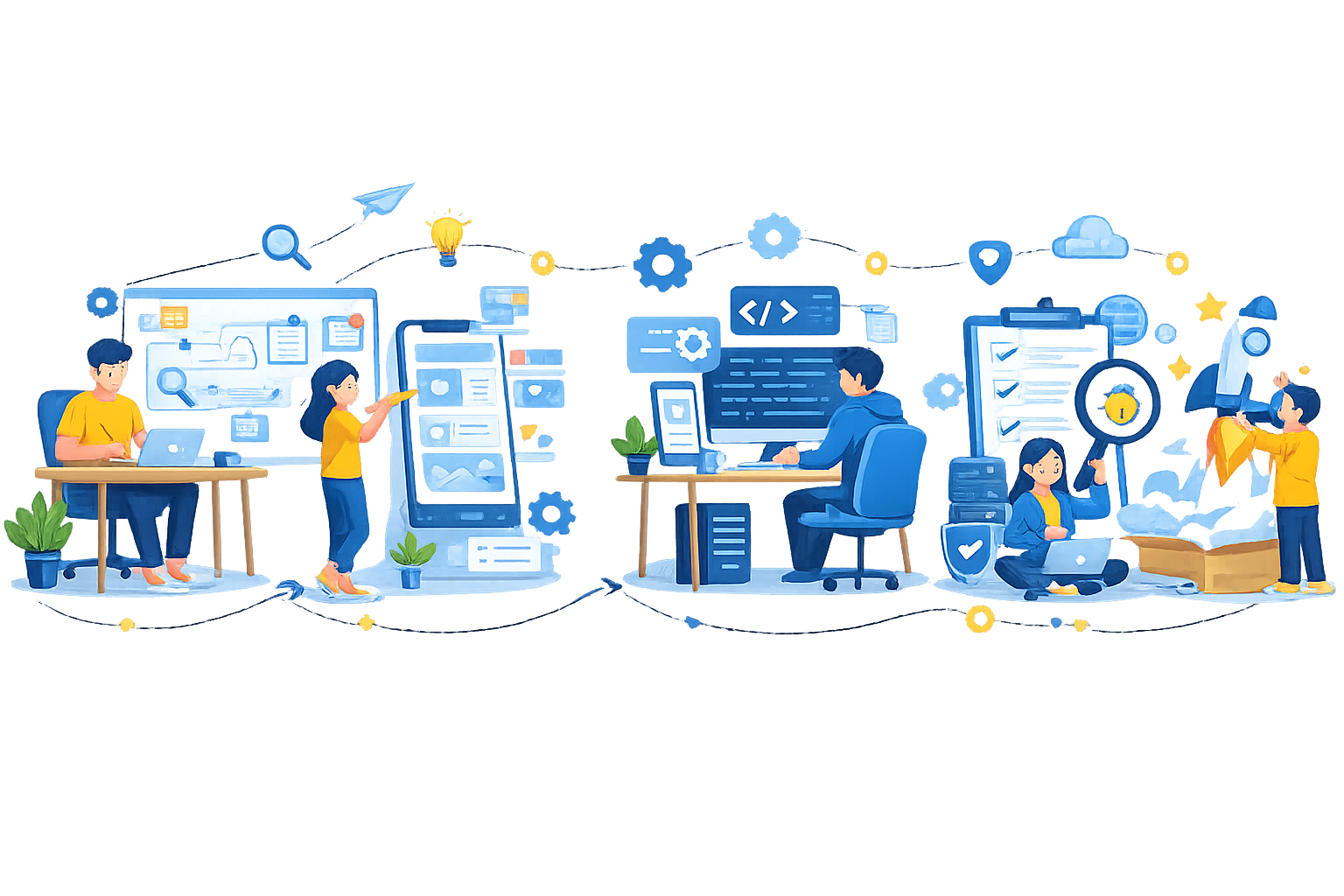
    Mobile app development actually involves six connected phases : strategy, UX/UI design, engineering, quality assurance, launch, and post-launch maintenance and skipping or rushing any one of them is where most troubled projects go wrong. Strategy means defining what the app needs to do and, just as importantly, what it doesn’t need to do at launch; a feature list that tries to do everything on day one is the single most common reason MVP timelines blow past their budget. Design and engineering typically run in parallel once core flows are locked, with UX decisions directly shaping technical architecture, a highly animated, gesture-heavy interface constrains platform and framework choices differently than a data-dense, form-driven one does.

    Quality assurance for a mobile app means more than checking that buttons work: it means testing across a real spread of device models, OS versions, and network conditions, since a phone that performs fine on a fast office Wi-Fi connection can behave very differently on a spotty mobile connection in the field. Launch involves coordinating submission to the Apple App Store and Google Play Store, each with distinct review timelines and rejection reasons that catch first-time founders off guard if they’re not planned for in advance.

    Maintenance is the phase most new founders underestimate entirely. A launched app needs ongoing attention as operating systems update, third-party SDKs get deprecated, and real usage surfaces bugs no amount of pre-launch testing would have caught treating launch as the finish line rather than the start of an ongoing relationship is one of the most common and costly planning mistakes we see.

    How much of each phase you actually need depends on where your product is in its lifecycle, not just its feature list. A first-time founder validating a new idea usually needs heavier investment in the strategy phase, deciding what to cut from an initial release matters more than how fast the code gets written. An established business adding a mobile app to an existing product line usually has the strategy question mostly answered already and needs the engineering and integration work to move faster instead, since the app has to connect cleanly into systems that already exist. Knowing which phase actually needs the most attention for your specific situation is part of scoping a project correctly before a single screen gets designed.

    Native vs. Cross-Platform vs. Progressive Web App: Which Fits Your Business?

    The right approach depends on your budget, timeline, and how much of your user base needs to be on iOS versus Android versus the web, not on which technology is objectively “best.” Here’s how the three approaches compare at a business-decision level:

    Approach
    Cost
    Timeline
    Platform Reach
    Best Fit
    Native (iOS or Android separately)
    Highest - separate codebases roughly double engineering effort for full coverage
    Longest for full two-platform coverage, since iOS and Android are built and tested independently
    Deepest access to each platform’s latest APIs and hardware features
    Apps where platform-specific performance or brand-new OS features are non-negotiable
    Cross-platform (Flutter or React Native)
    Moderate — one codebase covers iOS and Android together
    Faster than building both platforms natively, since one team ships to both at once
    iOS and Android from day one, often web and desktop as secondary targets
    Startups and businesses wanting to reach both major platforms without funding two parallel builds
    Progressive Web App (PWA)
    Lowest - one web codebase, no separate mobile builds
    Fastest path to something usable across devices
    Any device with a modern browser, but with real limits on deep hardware access and app-store discoverability
    Content- or information-driven products where app store presence and deep device integration aren’t essential

    Choose native only when a specific platform capability genuinely requires it our iOS and Android service pages go deeper on when that’s actually the case. Choose cross-platform development when reaching both major platforms matters more than picking up every native-only capability for free most startups and growing businesses land here. Choose a progressive web app when speed to a working product and low upfront cost matter more than app store presence, at least for an initial launch.

    Technologies We Use

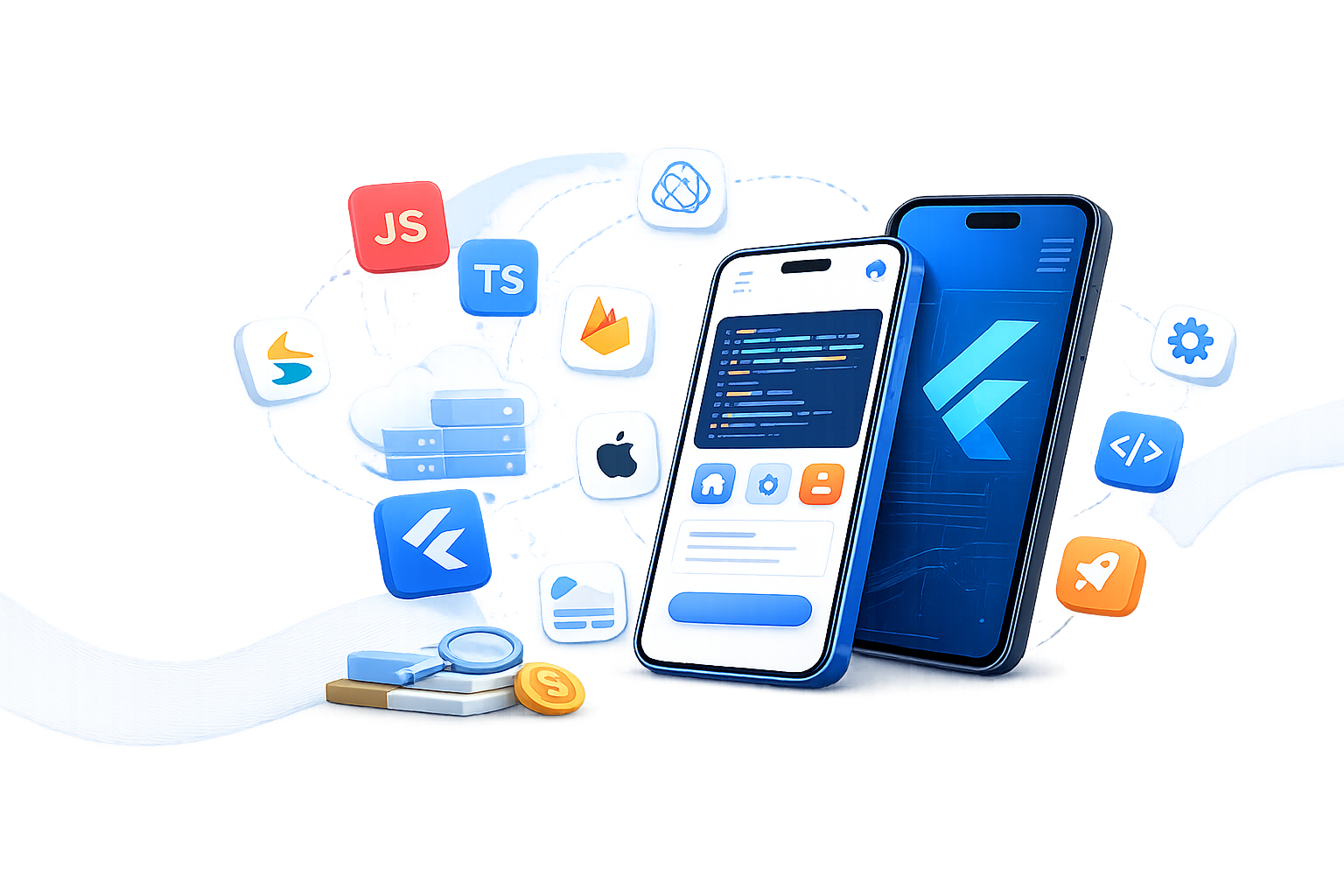
    Swift (iOS), Kotlin (Android), Dart (Flutter), JavaScript/TypeScript (React Native, web)

    Node.js, Firebase, custom REST and GraphQL APIs

    PostgreSQL, MongoDB, Firestore

    Git-based CI/CD pipelines, Figma for design handoff, device-farm testing for real-hardware QA

    How Much Does a Mobile App Cost ?

    Mobile app development cost depends primarily on feature complexity, platform choice, and backend/integration needs , not on a flat per-app rate, which is why credible estimates always come as a range tied to defined scope rather than a single number. As a general planning guide: an MVP with core user flows and standard UI patterns sits at the lower end of typical ranges; a medium-complexity app with custom design, several third-party integrations, and a real backend sits meaningfully higher; and a complex, enterprise-grade app with advanced integrations, custom infrastructure, and compliance requirements costs more again our mobile app development cost and pricing guide breaks down these ranges and their drivers in more detail. The factors that move a project’s actual cost the most are rarely about which framework gets chosen:

    Two cost factors get overlooked more often than the ones above. First, third-party API and service costs payment processing fees, mapping or geolocation API usage, push notification infrastructure scale with usage and aren’t part of a development quote at all, but they’re real operating costs from launch day forward. Second, App Store and Play Store review cycles can add real calendar time to a launch timeline if an app’s category (financial services, health data, anything collecting sensitive personal information) triggers additional review scrutiny, which is worth planning for rather than discovering during submission week.

    Contact Us

    Ready to Build Your Custom Mobile App?

    Talk to SoftCurators about which platform actually fits your budget and timeline before committing to a build see examples of our work or get in touch to start scoping your app.

    Our App Development Process

    image

    Discovery and strategy

    We define the core problem the app solves, who it’s for, and deliberately what’s out of scope for an initial release, since an unbounded feature list is the most common cause of a blown MVP timeline.
    image

    UX design and flow mapping. Architecture and platform decision

    Core user flows get designed and reviewed before high-fidelity visuals, so structural problems get caught while they’re still cheap to fix. We confirm native, cross-platform, or PWA based on the comparison factors above, and lock the technical architecture, state management, backend structure, third-party integrations before development scales up.
    image

    Development & Testing

    Engineering proceeds against the locked architecture, typically with visible, testable builds delivered on a regular cadence rather than a single opaque deliverable at the end, so scope drift or misunderstandings surface early rather than at final delivery.Testing covers a real spread of device models, OS versions, and network conditions, not just a single reference device on office Wi-Fi.
    image

    Launch and app store submission

    We coordinate Apple App Store and Google Play submissions together, accounting for each store’s distinct review timeline and metadata requirements so neither platform’s launch is a surprise.
    image

    Post-launch support and iteration

    Once live, we monitor crash reports and usage data, plan OS-update compatibility work, and prioritize the next round of improvements based on real user behavior rather than launch-day assumptions.

    Why Choose SoftCurators for Mobile App Development

    Platform recommendations based on your constraints, not our preference

    We scope native, Flutter, React Native, or PWA against your actual budget, timeline, and feature needs before recommending one

    Design and engineering working from the same architecture, not a cold handoff

    Our UI/UX design process accounts for the technical constraints of the chosen platform from the start, rather than producing designs engineering has to reinterpret.

    Real experience across dedicated frameworks

    We maintain specialized teams for Flutter, React Native, and native iOS/Android rather than one generalist team stretched across every stack.

    QA built around real device and network variability

    Testing covers a genuine spread of device models and connection conditions, not just a single reference device in ideal conditions.

    App modernization experience alongside greenfield builds

    We work on legacy migrations and app modernization projects as regularly as new builds, which means recognizing when rebuilding beats patching. [VERIFY WITH CLIENT: specific modernization project examples to cite by name]

    Multi-platform CI/CD built as standard, not an add-on

    Every Flutter engagement ships with automated iOS, Android, and web build pipelines from early in the project, not bolted on before launch.

    Industries We Build Mobile Apps For

    Certain industries carry requirements, regulatory compliance, real-time data accuracy, multi-role user access that shape a mobile app’s architecture well beyond what a generic feature list would suggest, which is why industry context matters from the strategy phase onward, not just as a design theme.

    image

    E-commerce app development with product catalogs, cart and checkout flows, and integrations with existing storefront platforms.

    image

    Healthcare app development built with attention to patient data privacy and the compliance requirements healthcare products carry.

    image

    Education app development covering learning management, content delivery, and student engagement features.

    image

    Fintech and banking apps where security architecture and regulatory awareness shape the build from day one.

    image

    Travel booking app development covering search, booking flows, and itinerary management.

    image

    Logistics app development handling real-time tracking and multi-role interfaces for customers, drivers, and dispatchers.

    image

    On-demand app development for marketplaces connecting customers with service providers in real time.

    Lets Connect

    Launch Your Mobile App with Confidence

      Frequently Asked Questions

      Cost depends primarily on feature complexity, platform choice, and backend needs rather than a flat rate — an MVP with core flows costs meaningfully less than a medium-complexity app with custom design and integrations, which costs less again than a complex, enterprise-grade build. Our cost and pricing guide breaks down typical ranges and what drives them for each tier.

      Timeline follows the same complexity drivers as cost: an MVP with standard UI patterns and a lightweight backend moves fastest, while apps with custom animation, multiple third-party integrations, or enterprise compliance requirements take meaningfully longer. Platform choice also matters — a single cross-platform codebase generally reaches both iOS and Android faster than building two separate native apps.

      Yes, either through a single cross-platform codebase using Flutter or React Native, or as separate native Swift and Kotlin apps when platform-specific performance or brand-new OS features justify the added cost. Which approach fits better depends on your budget, timeline, and how much platform-specific polish your app actually needs.

      Yes, app store submission is part of our standard launch process, including handling each store’s distinct review requirements, metadata rules, and typical rejection reasons so a first-time submission doesn’t get delayed by an avoidable mistake.

      Yes, app modernization and legacy migration are a regular part of our work, not just new builds from zero. We assess whether an existing app’s codebase is worth extending or whether a rebuild on a more current platform is actually the faster path, rather than defaulting to either answer.

      Yes, ongoing maintenance — OS-update compatibility, third-party SDK deprecation handling, and bug fixes based on real usage — is scoped as part of initial project planning, not offered only after a client asks post-launch. Treating maintenance as an afterthought is one of the most common and costly mistakes we see other teams make.

       It depends on your team’s existing skills, your budget, and whether any specific platform capability is non-negotiable for your product — there’s no universally correct answer, and any partner who recommends the same framework for every project regardless of those constraints is optimizing for their own convenience rather than your outcome. Our Flutter and React Native pages cover the technical trade-offs in depth once you’re ready to compare frameworks directly.

       For content- or information-driven products where app store presence and deep device hardware access aren’t essential, yes — a progressive web app can reach users faster and at lower cost. For products depending on push notifications, offline-first behavior at native-app depth, or app-store discoverability, native or cross-platform development is usually the better fit.

      We build across e-commerce, healthcare, education, fintech and banking, travel and hospitality, logistics, and on-demand service marketplaces, with the specific compliance and architecture considerations for each shaped by that industry’s real requirements rather than a one-size-fits-all build.

       Starting with an MVP makes sense whenever the core assumption behind the app hasn’t been tested with real users yet, since it validates demand before committing to the full feature list. A full build from day one makes more sense only when the product’s requirements are already well understood — an internal enterprise tool replacing a known legacy system, for example — rather than a new consumer product still finding its audience.

      Our Latest Blogs