

A demo of an AI feature costs almost nothing to run. That is exactly why the estimate built from the demo is usually wrong. The hidden costs of AI features don’t appear in a prototype because they are products of scale, time, and failure. They show up when a thousand people use the feature at once, when a provider retires the model underneath it, and when a request fails at two in the morning and nobody owns the fix.
This guide covers the three places where those costs most often escape the estimate: API spend beyond the rate card, latency, and maintenance. Our earlier breakdown of AI integration costs explains the four cost streams behind an AI feature. This piece goes one level deeper into where the surprises hide inside those streams, and it adds latency, which almost nobody prices as a cost even though it behaves like one.
We take positions throughout, because a list of considerations doesn’t help anyone decide. Where a claim depends on provider pricing, rate limits, or deprecation policy, we describe the mechanism and link to the provider’s own documentation. Those specifics change every few months. The mechanisms change far more slowly, and they are what you should design around.
What Makes a Cost ‘Hidden’ in an AI Feature?
A cost is hidden when it appears neither on the provider’s rate card nor in a demo. In AI features, hidden costs share three traits: they scale with user behavior rather than headcount, they arrive months after launch, and no one on the team owns them. A retry storm, a model retirement, and a slow tail of unhappy users all fit that description.
Why AI Features Hide More Cost Than Ordinary Software
Ordinary software has a fairly predictable marginal cost per request, mostly compute and storage you already understand. An AI feature adds a metered, third-party, non-deterministic dependency to every request. The price of that dependency varies with how long the prompt is, how long the answer runs, how many times the call is retried, and which model tier answers. None of those variables is fixed at design time.
The dependency also changes underneath you. Providers retire models, adjust rate limits, and revise error behavior. A traditional database vendor rarely forces a rewrite of your query logic on a sixty-day clock. A model provider can, and you should plan as though it will.
Who Needs to Read This, and Who Can Skip It
Any feature with real users, real data, or a dependency on a third-party model should be costed this way. A one-off internal script that one person runs a few times a week can ignore most of it. Once a feature lives longer than a quarter, though, the maintenance section applies no matter how small the traffic is.
Consultant’s Tip
Before approving any AI feature budget, ask three questions about the worst day, not the average day. What does the bill look like if one user, or one bug, sends ten thousand times the expected traffic? What happens to the feature when the provider is slow or down? Who gets the alert when the model behind it is scheduled for retirement? If nobody can answer, the estimate is incomplete.
Part One: Why Does an AI Feature’s API Bill Exceed the Estimate?
The rate card prices input and output tokens per model. It says nothing about how many tokens your architecture actually sends and receives per task. The gap between those two numbers is where most overruns live. Here are the eight mechanisms we check first.
Conversation History Is Resent on Every Turn
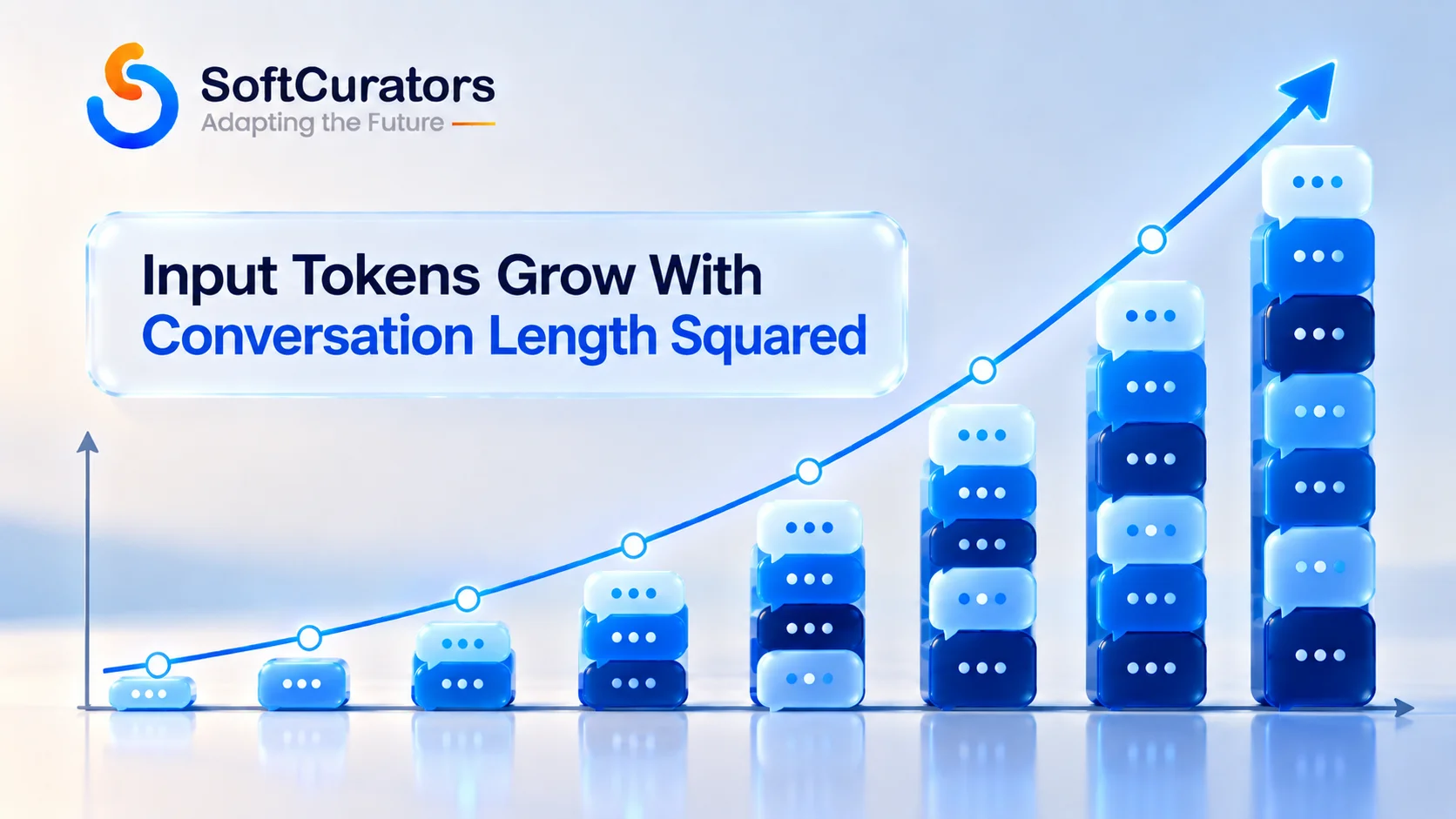
Chat-style features send the prior conversation back to the model with each new message, because the model itself remembers nothing between calls. Turn one sends one exchange. Turn ten sends ten. If each exchange adds roughly the same number of tokens, total input processed across a conversation grows with the square of its length, not in a straight line. A ten-turn conversation processes about fifty-five exchanges’ worth of input. A twenty-turn conversation processes about two hundred and ten.
That arithmetic is why a long support conversation can cost far more than ten short ones. Prompt caching lowers the rate applied to the repeated prefix, which helps, but the quadratic shape remains unless you trim, summarize, or cap the history. We’d set a maximum history budget in the first version of any conversational feature. Retrofitting it later means changing behavior users already rely on.
The System Prompt and Tool Definitions Tax Every Call
A long system prompt, a set of few-shot examples, and a page of tool definitions are all input tokens billed on every single request. A feature that makes a million calls a month pays for that fixed preamble a million times. Teams add a sentence to the system prompt to fix one edge case, and nobody prices the sentence.
The remedy is discipline, not a trick. Review the fixed preamble the way you’d review a hot code path. Keep it stable and at the front of the prompt so provider caching can apply, and put anything that varies later. OpenAI’s own latency optimization guidance recommends the same shared-prefix structure for the same reason.
Output Tokens and Reasoning Tokens Carry the Premium
Providers charge more per output token than per input token, so a chatty model costs more than a concise one even when the prompts are identical. Reasoning-capable models add a second effect. They generate internal reasoning tokens before answering, and providers generally bill those as output tokens even though the user never sees them. Check each provider’s current OpenAI pricing and Anthropic pricing documentation for how reasoning is metered, because it differs by model and changes.
The practical consequence: asking a reasoning model to classify a support ticket into one of five labels can cost far more than asking a compact model, for the same answer. Use reasoning-heavy models where reasoning changes the outcome. Use small models where it doesn’t.
Retries Multiply Cost, and Retry Stacking Multiplies It Again
Provider errors are normal at production volume. Rate-limit responses and temporary overload responses are expected, and retrying them is correct. The hidden cost appears when retries stack. OpenAI’s rate limit documentation notes that its official SDKs already retry eligible 429 and 503 responses automatically, and it advises disabling SDK retries or accounting for them in your own retry limits.
If your application wraps the SDK in its own retry loop, one user action can become several attempts times several SDK retries. Unsuccessful requests also count toward per-minute limits, as OpenAI’s troubleshooting guide for 429 errors explains, so a retry storm can throttle you further and lengthen the outage. Cap the number of retries and the total time spent retrying, and use exponential backoff with jitter.
Technical Note
Not every 429 is a rate limit. Provider documentation distinguishes temporary rate-limit errors, which you retry after a delay, from billing or quota errors, which retrying will never fix. Handle them separately. A loop that retries an exhausted-balance error is burning time and generating noise while the real problem waits for a human.
Tool-Call Loops and Agent Steps Turn One Request Into Many
A feature that lets the model call tools makes multiple model calls per user request: one to decide, one or more to act, one to summarize. An agent that loops until a goal is met can also loop until a budget is gone if nothing stops it. Every additional step re-sends context, so cost per task compounds the same way conversation history does. Our guide on AI agents versus chatbots explains why the step count, not the model price, often decides an agent’s economics.
Put a hard ceiling on steps and on tokens per task. Log every ceiling that gets hit, because a ceiling firing is the cheapest possible signal that something is wrong.
Free-Tier Users and Abuse: The Denial-of-Wallet Problem
Any AI feature exposed to the public can be used to run up your bill, deliberately or through a bug. Automated scripts, prompt-stuffing, and a single enthusiastic user pasting in book-length documents all convert directly into spend. The OWASP GenAI Security Project’s LLM Top 10 treats unbounded consumption as a risk category of its own for this reason.
Per-user and per-organization quotas, a hard cap on output tokens, input length limits, and provider-side spend limits are launch requirements, not hardening tasks for later. We’ve seen the pattern enough to be blunt about it: a feature without a spend ceiling has an unlimited liability attached to a marketing page.
Logging, Tracing, and Evaluation Are Also Metered
Observability for AI features means storing prompts, outputs, and traces, which costs storage and often per-event fees from a tracing tool. Evaluation runs cost tokens too, because each test case is a real model call. A two-hundred-case regression suite run against every prompt change is a recurring line item. It is worth every token, but it belongs in the budget.
Stored prompts often contain customer data. That turns a logging decision into a retention, access-control, and compliance decision. Our guide on mobile app security and compliance covers the baseline that applies here.
| Hidden API Cost | Mechanism | Early Warning Signal | First Control |
| Resent conversation history | Input tokens grow with the square of conversation length | Cost per conversation rises with turn count | History budget: trim or summarize past a limit |
| Fixed prompt overhead | System prompt and tool definitions billed on every call | Input tokens per request far exceed the user’s message | Audit the preamble; keep it stable and first |
| Reasoning and verbose output | Output tokens cost more and reasoning tokens are billed as output | Output tokens per task well above the useful answer length | Right-size the model; cap output tokens |
| Retry stacking | Your retries multiply the SDK’s retries | Requests billed or attempted exceed user actions | Single retry layer with a cap and backoff |
| Agent and tool loops | Each step re-sends context and adds a call | Step count per task drifts upward | Hard step and token ceilings |
| Abuse and free-tier usage | Unbounded consumption by scripts or one heavy user | A few keys or users dominate spend | Per-user quotas and provider spend limits |
| Logging and evaluation | Storage, tracing fees, and eval runs consume tokens | Observability bill grows faster than traffic | Sample traces; budget eval runs explicitly |
Price the Feature by Cost Per Successful Task, Not Cost Per Token
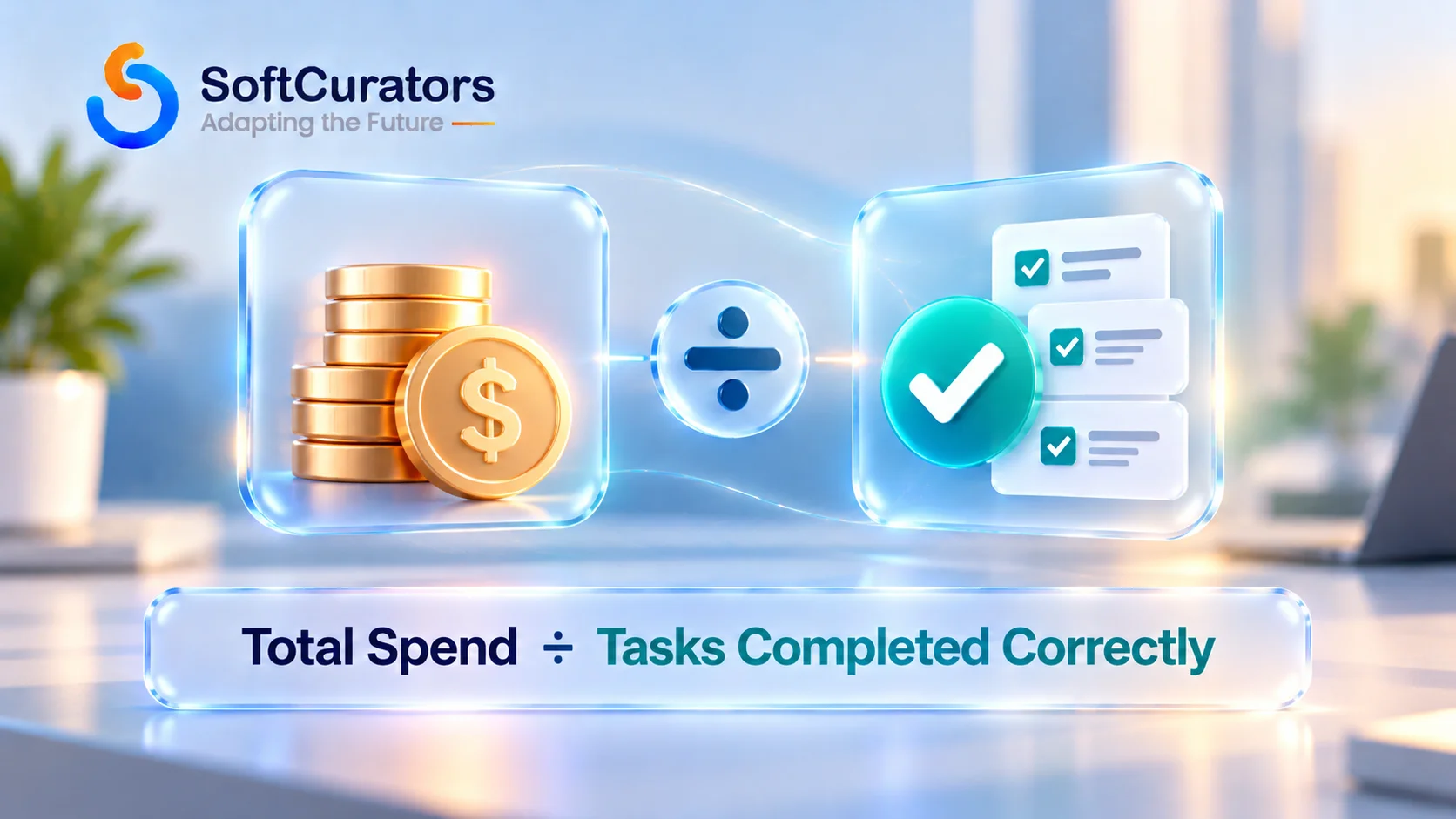
Token price is an input. The number that matters to the business is what it costs to complete one task correctly. That figure includes the model calls for the task, the retries and failed attempts, the calls spent on steps that were later discarded, the infrastructure to serve it, and the human time spent reviewing or repairing the ones that go wrong.
In shorthand: cost per successful task equals total spend on the feature divided by the tasks that actually succeeded. A feature that is cheap per call but fails a fifth of the time is not cheap. We’d make this the headline metric on every AI feature dashboard from week one, because it is the only number that improves when quality improves, and the only one a finance team can compare against the value of the task.
Business Insight
Per-token thinking pushes teams toward the cheapest model. Per-successful-task thinking sometimes pushes the other way. A pricier model that succeeds more often, retries less, and needs less human review can produce a lower cost per successful task. You only discover that if you measure success, not just spend.
Part Two: Is Latency a Cost? Yes, in Three Ways
Latency rarely appears in a budget, so teams treat it as a quality attribute to tune later. It is a cost, and it is paid three times: by users, by your infrastructure, and by your architecture. Ignoring any of the three produces a bill that arrives as churn, compute charges, or engineering time.
Users Pay First, and They Pay in Attention
A user waiting on a model response is a user deciding whether the feature is worth using. Two different waits matter. Time to first token is how long before anything appears, and it drives the feeling of responsiveness. Total completion time drives whether the user waits for the whole answer or leaves.
Streaming the response as it’s generated changes the first wait dramatically and the second one not at all. The compute and the total time are identical. Streaming is worth doing for anything conversational, and it has its own engineering cost, including the accessibility handling described in our guide to adding an AI chatbot to your website or app.
What Actually Drives Latency: Output Length, Not Prompt Length
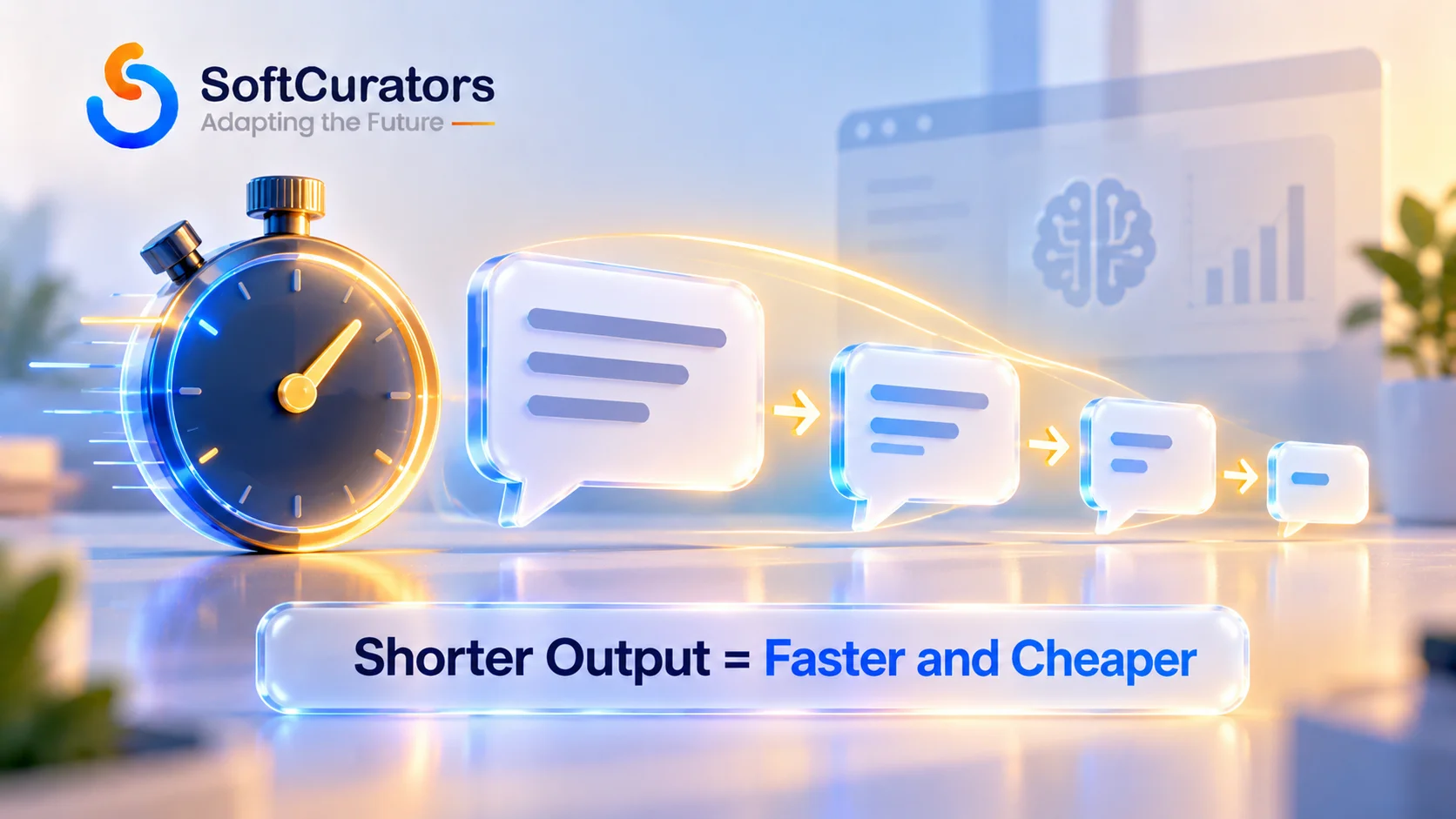
This is the most useful fact in this section, and it comes straight from the provider. OpenAI’s official latency optimization guide says latency is driven mostly by the model and by how many tokens it generates. Models produce output one token at a time, so longer answers take proportionally longer. The same guide notes that cutting half of your prompt may improve latency by only one to five percent, unless you are working with very large contexts.
Put that next to the billing rules and a pattern emerges. Trimming input tokens mostly saves money and barely speeds anything up. Generating fewer output tokens saves money and time together. Moving to a smaller model saves both as well. So if you can only make one change to reduce both cost and latency, make the model say less. Ask for structured, terse output. Set a sensible maximum. Stop asking for explanations nobody reads.
Slow Calls Also Cost Compute You Aren’t Using
There is a first-principles reason slow model calls raise infrastructure cost, and it’s simple arithmetic. The number of requests in flight at any moment equals the arrival rate multiplied by the average time each request takes. If every request waits eight seconds on a model, your servers, threads, or connections spend those eight seconds holding a request open, doing nothing.
On serverless platforms billed by execution duration, you pay for that waiting time directly. On traditional servers you need more concurrent capacity to serve the same throughput. Either way, latency shows up on the infrastructure invoice. Event-driven or queued designs, where a worker isn’t parked waiting on the model, are how teams stop paying for idle time.
Tail Latency Is What Your Unluckiest Users Experience
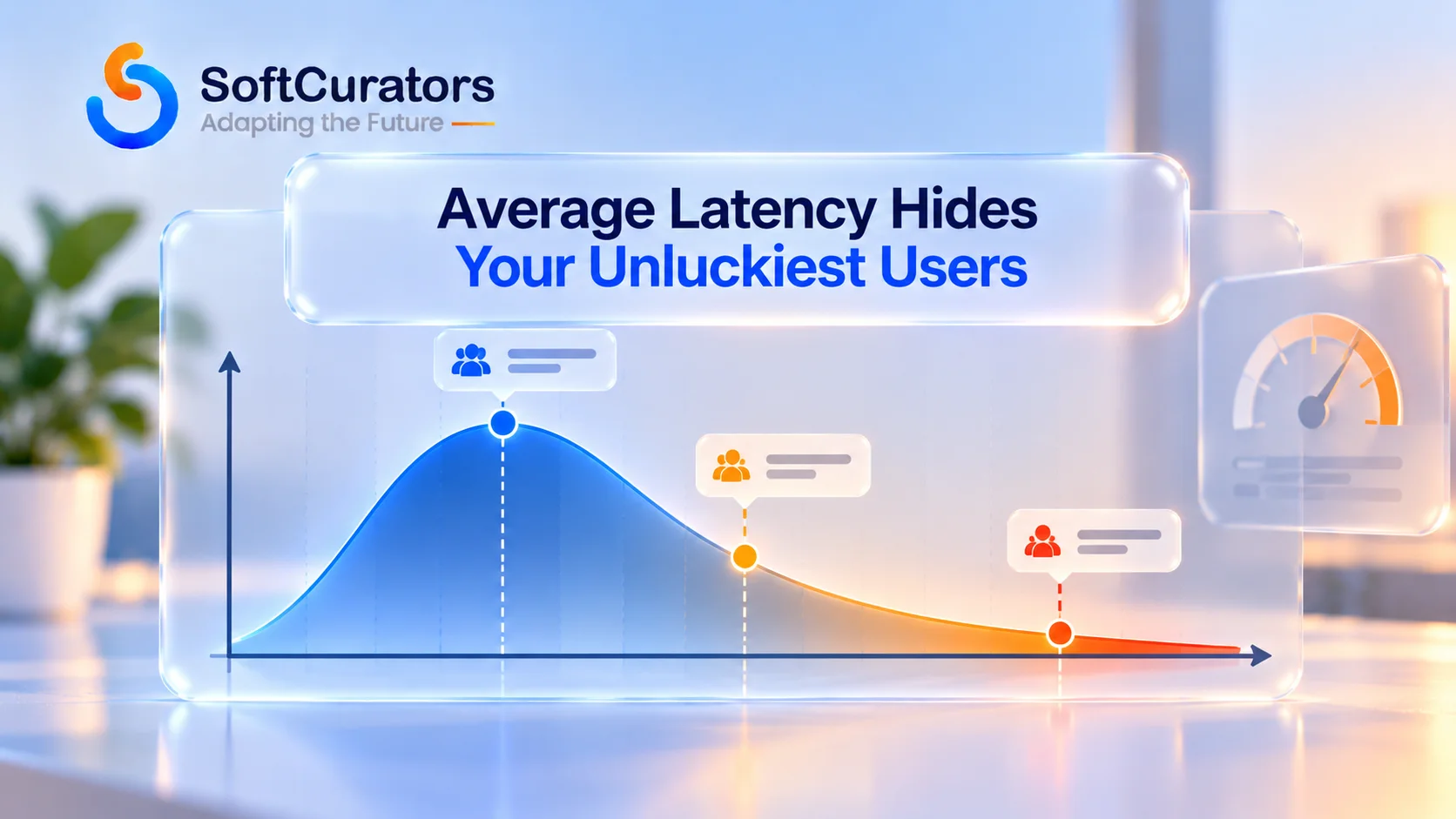
Average latency hides the experience of the users who suffer most. The median, often written p50, is what a typical request sees. The 95th and 99th percentiles, p95 and p99, are what the slowest one in twenty or one in a hundred requests see. Model calls have a long tail, because generation time varies with output length and provider load.
Tail latency also triggers cost. A request that exceeds your timeout gets retried, which spends tokens twice and adds load to a provider that may already be slow. Set timeouts deliberately, decide in advance what the feature does when one expires, and measure percentiles, not averages.
Rate Limits Turn Into Latency Before They Turn Into Errors
Providers cap requests and tokens per minute, and they enforce those caps over shorter windows than the headline number suggests. OpenAI’s help documentation notes that a sixty-requests-per-minute limit can also apply per second, so a short burst can fail even when your average is well under the cap. When you queue and retry to stay within limits, users experience the queue as latency.
One detail catches teams out. The provider guidance notes that unnecessarily large output-token allowances can contribute to token-rate errors, because capacity accounting can reserve the maximum you request, not just what you use. A generous max-tokens setting that felt like a harmless safety margin can throttle a busy feature. Higher limits are typically tied to spend history and time, so plan capacity before a launch spike, and check the current tier rules in the provider’s documentation.
The Architecture You Buy to Hide Latency Has Its Own Price
Every technique for hiding latency adds engineering and operating cost. Streaming needs a streaming-capable frontend and careful failure handling mid-stream. Queues and background jobs need a job system, status tracking, and a way to notify the user when the work finishes. Caching needs an invalidation policy. Pre-computation spends tokens on work that may never be requested.
None of these is a mistake. They are purchases, and each should be made against a specific latency problem you’ve measured. Adding a queue because latency might matter someday is the same overbuilding pattern we describe in our guide to MVP development without overbuilding.
| Latency Lever | Effect on Latency | Effect on Cost | Trade-Off |
| Generate fewer output tokens | Large: output is produced token by token | Lower: output tokens carry the premium | Terser answers; less explanation for the user |
| Smaller or faster model tier | Large | Lower per call | May reduce quality on hard tasks; test on real cases |
| Trim input tokens | Small unless contexts are very large | Lower | Risk of removing context the model needed |
| Streaming the response | Improves time to first token; total time unchanged | Neutral | Frontend complexity; accessibility handling |
| Caching repeated requests | Removes the call entirely on a hit | Lower | Staleness and invalidation rules |
| Asynchronous processing | Removes the wait from the user’s path | Often lower, especially for non-urgent batch work | Job system, status UX, and notification design |
Decision Guidance: Make It Synchronous Only When the User Is Staring at It
The most effective latency decision is whether a task needs to be synchronous at all. A user typing a question into a chat window is waiting, so the response is synchronous and streamed. A user uploading a batch of documents for summarization is not staring at a spinner, and the work should run in the background with a notification.
When to choose synchronous: the user is actively waiting and the answer changes their next action. When not to: the output feeds a report, an email, a nightly job, or anything reviewed later. Cost implications: asynchronous work can run on discounted batch pricing where a provider offers it, and it smooths traffic so you hit rate limits less often. Maintenance implications: you now own a job system. Scalability implications: queues absorb bursts that synchronous calls would fail on. Risk factors: stale or lost jobs need monitoring. Time-to-market impact: synchronous ships faster, and that is a legitimate reason to start there.
Part Three: What Does Maintaining an AI Feature Actually Involve?
Maintenance is the largest hidden cost because it never ends and it isn’t triggered by your own roadmap. Most of it is forced on you by events outside your control. That makes it schedulable in principle and routinely unscheduled in practice.
The Model You Built On Will Be Retired
Providers retire older models to free capacity for new ones. Anthropic’s model deprecations documentation describes a lifecycle of active, legacy, deprecated, and retired states, and states plainly that requests to a retired model fail. It also says deprecated models are likely to be less reliable than active ones, and that the company gives at least sixty days’ notice before retiring publicly released models.
Sixty days sounds generous until you count the work: reading the notice, choosing a replacement, running your evaluations, adjusting prompts, and shipping. The documentation itself advises testing newer models well before the retirement date. It also lists deprecations for API parameters as well as models, so the surface that can break is wider than the model name. Other providers publish their own policies, so check each one you depend on.
Risk Alert
Notice periods are a floor, not a plan. A feature with no regression suite and no owner will treat every retirement notice as an emergency. Providers can also change lifecycle policies and dates, so verify the current terms in the provider’s documentation before you rely on any specific notice period.
A Model Swap Is a Release, Not a Configuration Change
Changing the model name in a config file is the smallest part of a migration. A replacement model may follow instructions differently, format output differently, call tools differently, run at a different speed, and sit at a different price. A prompt tuned carefully for one model can degrade on another with no error to warn you.
Our position: treat every model swap as a release. It gets a test run against your evaluation set, a comparison of quality, latency, and cost per successful task, a staged rollout, and a rollback path. Teams that treat it as a setting discover the regression from a customer.
Behavior Drifts Even When You Change Nothing
Providers update systems around a model, and a feature can shift in tone, length, or reliability without any change on your side. Your content changes too. New products, revised policies, and edited help articles alter what a retrieval-grounded feature says. A feature that passed every check at launch can slowly get worse, and you find out through complaints unless you are watching.
Monitoring for drift means sampling real conversations on a schedule, scoring them against the same criteria you used at launch, and tracking the trend. It takes a person a few hours a month. Skipping it costs more, and later.
The Evaluation Suite Is the Asset That Makes Maintenance Cheap
Almost everything above becomes affordable if you have a set of real test cases with known good answers, and expensive if you don’t. With an evaluation suite, a model migration is a run and a comparison. Without one, it’s a week of manual poking and a guess.
Build it from real tasks, not from prompts you wrote to show the feature off. Include the awkward cases, the adversarial ones, and every failure you’ve had. We’d build the suite before the second prompt change, because that’s the moment the team first has to answer whether the change made things better.
Knowledge Freshness, Human Review, and Support Load
Retrieval-grounded features are only as current as their index. Someone has to own re-indexing when content changes, and someone has to decide which of two conflicting documents is authoritative. That is content operations work, and it rarely appears in an AI project plan.
Human review has a cost too. Any feature where a wrong answer has consequences needs a review or escalation path, staffed by someone with time to do it. Support volume rises when an AI feature answers wrongly, and the tickets it generates are usually harder than the ones it deflected.
Vendor Dependence and the Price of Switching
Depending on one provider is normal and reasonable. The cost is that a pricing change, a policy change, or an outage becomes your problem with no alternative. We’d put a thin abstraction between your application and the provider from day one, meaning one module that owns provider calls, retries, logging, and cost accounting.
We would not build a full multi-provider framework before you need one. That is overbuilding. The thin layer keeps a future switch to days of work rather than weeks, and it gives you a single place to enforce the caps and quotas described earlier.
Incidents Need an Owner and a Runbook
AI features fail in ways ordinary monitoring doesn’t catch. The service can be up, every request can return a 200, and the answers can be wrong. Decide in advance what counts as an incident for this feature, who is alerted, what the fallback is, and how to switch the feature off safely.
For teams that already run data and machine learning pipelines, this overlaps with disciplines covered in our guides to AI-powered DataOps and DataOps vs. DevOps vs. MLOps. AI feature operations sit at the intersection of all three and rarely fit cleanly inside any one of them.
Our guide on mobile app testing, deployment, and maintenance covers the general maintenance discipline that AI features add to, not replace.
How to Budget Maintenance Without Inventing a Percentage
A flat percentage of build cost is the usual way to budget maintenance, and it’s usually invented. We’d tie maintenance to events instead. Each model retirement, each prompt or content change, each provider incident, and each recurring drift review is a piece of work with a size you can estimate from your own history.
Count how many of those events a feature realistically sees per year, estimate the effort for each, and add the recurring evaluation token spend. That produces a defensible figure, and it changes when your architecture changes, which a percentage never does.
A Cost Model You Can Actually Use
The three parts above become a working estimate if you build it in a specific order. This sequence is the one we use, and it is deliberately unglamorous.
| Step | What to Do | Why It Matters |
| 1. Define success | Write down what a correctly completed task means for this feature | Without it you can only measure spend, not value |
| 2. Measure real tasks | Run a realistic sample of tasks and record input and output tokens per task, including tool steps | Real tasks differ from the prompts you wrote for the demo |
| 3. Add failure and retries | Include the failure rate, retry behavior, and discarded work | This is the gap between the rate card and the invoice |
| 4. Model the traffic mix | Include heavy users, free users, and a plausible abusive case | Averages hide the users who set the bill |
| 5. Add latency infrastructure | Include queues, caches, extra concurrency, and streaming work | Latency shows up as infrastructure cost |
| 6. Add maintenance events | List expected retirements, content updates, drift reviews, and eval runs | This is the recurring cost after launch |
| 7. Stress the model | Ask what happens at three times the traffic, a price change, or a forced move to a pricier model | The estimate should survive a bad quarter |
For broader budget context around the feature, our mobile app development cost and pricing guide and mobile app cost calculator help place an AI feature inside a full product estimate.

A Worked Example: One Support Assistant, Three Different Bills
Abstract mechanisms are easy to nod at and hard to apply, so here is the arithmetic on one feature. The numbers below are token units, not dollars, because prices change and the shape of the result doesn’t. Assume a customer support assistant where the fixed system prompt and tool definitions add S tokens to every call, and each exchange in a conversation adds E tokens.
Design A: Full History, No Cap
On turn k, the model receives the fixed preamble plus everything said so far, roughly S plus k times E. Over a twelve-turn conversation, total input is twelve times S plus seventy-eight times E, because the numbers one through twelve sum to seventy-eight. Over a thirty-turn conversation, it is thirty times S plus four hundred and sixty-five times E.
Design B: History Capped at Six Exchanges
Now trim history so no call carries more than six exchanges. A twelve-turn conversation costs twelve S plus fifty-seven E, which saves about a quarter of the conversation-driven input. A thirty-turn conversation costs thirty S plus one hundred and sixty-five E, which cuts the conversation-driven input by roughly two thirds. The cap barely matters for short conversations and matters enormously for long ones, which is exactly the pattern that makes the bill grow faster than the user count.
Design B also reveals the fixed cost. The S term is untouched by the cap. If S is large, and it often is once tool definitions are included, the preamble becomes the dominant cost of short conversations. That’s where prompt caching and a disciplined system prompt pay off.
Design C: Design B Plus Routing and Asynchronous Drafts
Add two more choices. Route simple turns, such as order-status questions, to a compact model and reserve the larger model for the turns that need it. Move email draft generation, which nobody waits on, into a background job. Neither choice changes the token arithmetic above. Both change the price applied to those tokens and the concurrency you must provision.
What the Retry Settings Did to All Three
Suppose the SDK is configured to make up to three tries per call, and your application wraps it in a loop of up to four attempts. In the worst case, one user action becomes twelve requests. Real traffic won’t hit the worst case often, but a provider incident will, because every layer retries at the same moment. The designs above differ in token shape. The retry layers multiply whichever design you chose.
Expert Recommendation
Run this exercise on your own feature with your own S and E. Measure both from real traces, then compute the cost of your median conversation and your ninetieth-percentile conversation. If the second is many times the first, your bill is being set by the long tail, and the first control to build is a history budget, not a cheaper model.
What Do the Cost Controls Themselves Cost?
Every control that reduces spend or latency has a price of its own. Most guides list the savings and skip the price, which is how teams end up with a control that costs more than the problem it solves. Here is the honest ledger.
Control |
What It Saves |
What It Costs |
When to Skip It |
| Response caching | Whole model calls on repeated requests | Staleness; invalidation rules; risk of serving one user’s content to another if keys are wrong | Answers depend on personal or fast-changing data |
| Model routing by difficulty | Price and latency on easy requests | Misroutes that degrade quality; the router’s own logic or call; more evaluation cases | Traffic is uniform or low enough that one model is fine |
| History trimming or summarizing | Quadratic input growth | Lost context; summarization adds a model call | Conversations are short by design |
| Output token caps | Cost and latency together | Truncated answers that must be handled gracefully | Outputs are naturally short and structured |
| Per-user quotas | Abuse and runaway heavy users | Frustrated legitimate power users; support tickets | Fully internal, authenticated, low-volume use |
| Asynchronous processing | User-facing wait; concurrency; rate-limit pressure | Job system, status UX, and notification design | The user needs the answer immediately |
| Fallback to a second model | Availability during provider incidents | Different behavior that needs its own evaluation | The feature can simply pause during an outage |
| Provider abstraction layer | Switching effort and central enforcement of caps | A lowest-common-denominator API surface if over-built | You already use a single provider’s unique features deliberately |
The caching row deserves emphasis. Caching model responses across users is a real saving and also a real privacy risk if the cache key doesn’t capture everything that made the answer specific to one person. A bug there produces a data leak, not a slow page. Cache only what is genuinely shared, and treat cache-key design as a security review item.
What Should You Instrument From Day One?
You can’t manage hidden costs you can’t see. The instrumentation below is small enough to build before launch and is the difference between finding a problem on a dashboard and finding it on an invoice.
| Metric | Why It Matters | Alert When |
| Cost per successful task | The headline unit economics for the feature | It trends up week over week |
| Input and output tokens per task | Separates prompt bloat from verbose output | Either drifts beyond your normal range |
| Requests attempted per user action | Reveals retry stacking | It rises above one by more than a small margin |
| Latency at p50, p95, and p99 | Shows what typical and unluckiest users see | p95 or p99 crosses your timeout budget |
| Cap-hit counts by type | Early warning for loops, abuse, and truncation | Any cap fires more than rarely |
| Spend by user percentile | Shows whether a few users set the bill | A small group exceeds its expected share |
| Evaluation score trend | Detects quality drift | Scores fall after any model, prompt, or content change |
| Usage by model and API key | Finds calls still going to a model scheduled for retirement | Any traffic reaches a deprecated model |
The last row is directly supported by provider tooling. Anthropic’s deprecation documentation describes exporting a usage report from its console that breaks usage down by API key and model, specifically so customers can find code still calling a deprecated model. Whichever provider you use, build the same check into your own dashboard so a retirement notice never arrives as news.
Decision Framework: Which Hidden Cost Should You Design Against First?
You can’t guard against everything at launch, and trying to is its own form of overbuilding. The right first investment depends on what kind of feature you are shipping. This table is where we start the conversation with teams.
| Feature Type | Dominant Hidden Cost | First Control to Build | Best Fit For This Approach |
| Public conversational assistant | API spend from long conversations and abuse; latency | History budget, per-user quotas, streaming | You can accept a cap on conversation length |
| High-volume classification or extraction | API cost per record at scale | Smallest adequate model; batch processing; output cap | Real-time answers aren’t required |
| Internal workflow automation | Maintenance and correctness | Evaluation suite, review path, change log | Latency tolerance is high and accuracy matters most |
| Agentic or multi-step feature | Compounding step cost and silent failures | Step and token ceilings; trace review | The task genuinely needs chained actions |
| Regulated or customer-affecting decisions | Review labor and compliance overhead | Human checkpoints; audit logging; retention rules | The cost of a wrong answer exceeds the review cost |
When to invest heavily in cost controls up front: the feature is public, high-volume, or agentic, where one failure mode can produce a large bill quickly. When not to: an internal tool used by a small team, where a simple monthly spend cap and a regression suite are enough.

How Does the Mix of Hidden Costs Change by Company Stage?
The same three cost families hit different companies in different order. Knowing which one is likely to hurt you first keeps you from building controls for a problem you won’t face for two years, or ignoring one that will hit you next month.
Early-Stage Startups: Cash and Attention
For a startup, the binding constraint is usually cash runway and engineering attention, so API spend and abuse matter first. Build the cheap controls: output caps, per-user quotas, a provider spend ceiling, and cost per successful task on a simple dashboard. Skip queues, multi-provider failover, and elaborate caching until a measured problem justifies them. If the feature is still an experiment, our guide to MVP development without overbuilding applies directly, and our overview of mobile app development for businesses and startups covers the wider planning context.
Growth-Stage Companies: Limits, Latency, and Dependence
Once traffic is real, rate limits and latency become product problems. This is the stage where tail latency, queueing, and capacity tiers start shaping user experience, and where a single-provider dependency begins to feel risky. It is also when the evaluation suite stops being optional, because a team of several people now changes prompts and models without any one of them holding the whole picture.
Enterprises: Governance, Retention, and Integration
Large organizations pay the hidden costs in process more than in tokens. Procurement and vendor review, data retention rules, audit logging, model-change governance, and integration with older systems consume more effort than the API bill. If the surrounding systems are dated, our piece on why enterprises need to modernize legacy applications explains why integration friction often dominates the real cost of adding AI.
Whichever stage you’re in, the discipline is the same: find the cost you can’t currently see, and build the smallest control that makes it visible. Our team approaches this as part of AI consulting services work, and it feeds naturally into AI app development when a custom build is warranted.
Do Security and Compliance Add Hidden Cost Too?
Yes, and they compound the costs above. Stored prompts can contain personal data, which brings retention, access control, and deletion obligations. Sending customer content to a third-party model provider raises data-processing and residency questions that a legal review has to answer.
Prompt injection and unbounded consumption are also cost risks, not only security risks, because a successful attack spends your tokens. If your feature touches regulated decisions, our guides on AI in credit scoring and AI in loan lending show how much review and documentation cost that adds.
This is not legal advice. Consult counsel for your jurisdiction and industry, and verify each provider’s current data-handling terms in its documentation.
Common Mistakes When Budgeting for AI Features
- Estimating from a demo. A demo has one user, one prompt style, and no failures. Measure a realistic sample of real tasks instead.
- Pricing per token instead of per successful task. A cheap call that fails often is expensive, and a pricier model can be cheaper overall.
- Stacking retry layers. Your loop on top of the SDK’s own retries multiplies attempts and can deepen an outage.
- Setting max output tokens as an unlimited safety margin. It inflates cost and can consume rate-limit capacity you needed.
- Treating latency as a polish item. It drives infrastructure cost, timeouts, retries, and abandonment.
- Making everything synchronous. Work nobody is watching should run in the background.
- Calling a model swap a config change. It is a release and needs an evaluation run and a rollback path.
- Launching without a spend ceiling. Public AI features need per-user quotas and provider-side limits on day one.
- Budgeting maintenance as a guessed percentage. Tie it to events you can count.
- Skipping the evaluation suite. Without it, every retirement notice and every prompt change is a gamble.
Final Summary: What We’d Actually Recommend
Stop estimating AI features from a demo and the rate card. Measure a realistic sample of tasks, include failures and retries, and report one number: cost per successful task. Make that metric visible from the first week, because it is the only one that improves when quality improves.
Put the cheap controls in before launch: a cap on output tokens, per-user quotas, a spend ceiling at the provider, one retry layer, and a hard limit on agent steps. Make the model say less, which reduces cost and latency at once. Run anything nobody is waiting on in the background.
Then plan for the part that never stops. Build the evaluation suite early, treat every model swap as a release, sample for drift on a schedule, and give the whole thing a named owner. Maintenance is not a surprise if you tie it to events you can see coming.
Decision Checklist
Before launch, confirm: cost per successful task is defined and measured on real tasks; output tokens, input length, per-user spend, and agent steps are capped; there is one retry layer with backoff and a limit; latency is measured at p95 and p99; work nobody is waiting on runs asynchronously; an evaluation suite exists; model retirements have an owner and a rollback path; and stored prompts have a retention and access policy.

Next Step: Audit the Costs Your AI Feature Isn’t Showing You
If an AI feature is already live, or close to it, the fastest way to find the hidden costs is to look at real traffic, real traces, and the last invoice together. Softcurators offers a Technical Audit for AI features that reviews your spend mechanics, latency profile, caps, and maintenance exposure, and tells you which controls to build first. Learn more about our approach on our why choose Softcurators page, or reach out directly to schedule one.
Frequently Asked Questions
Why does my AI feature's bill keep growing faster than my user count?
Usually because cost per user isn't constant. Conversations get longer, agents take more steps, a few heavy or abusive users dominate spend, and retries multiply calls. Track cost per successful task and the distribution of spend across users, not just the average, to see which mechanism is responsible.
Do longer conversations really cost more than the sum of their parts?
Yes. Because the full history is resent each turn, total input processed grows roughly with the square of conversation length. A twenty-turn conversation processes about four times the input of a ten-turn one. Caching reduces the rate on the repeated prefix but not the shape, so trim, summarize, or cap history.
Is reducing my prompt length the best way to cut latency?
Usually not. OpenAI's official guidance says latency is driven mostly by the model and by output tokens generated, and that halving a prompt may improve latency by only one to five percent unless contexts are very large. Shortening prompts saves money, but making the model generate less is the bigger speed lever.
Does streaming make my AI feature cheaper or faster?
Streaming makes it feel faster by showing the first tokens sooner, but total generation time and compute are unchanged, so cost is neutral. It is worth doing for conversational features. It adds frontend work and needs careful failure handling if a stream breaks partway through.
What is tail latency, and why should a product manager care?
Tail latency is what your slowest requests experience, measured at the 95th or 99th percentile, while the average hides them. Those requests hit timeouts, trigger retries that spend tokens twice, and produce the users most likely to complain or leave. Manage the percentile, not the mean.
How do rate limits affect my costs?
Rate limits cause queuing, which users experience as latency, and failed requests that count toward limits and trigger retries. Limits can also be enforced over shorter windows than the headline number, and large max-token settings can consume token capacity. Plan capacity before launch and verify current tier rules in provider documentation.
Should I retry failed AI API calls automatically?
Retry temporary rate-limit and overload errors, with exponential backoff, jitter, and a cap on attempts and total time. Do not retry billing or quota errors, which retrying can't fix. Check whether the provider's SDK already retries, and avoid adding a second retry layer on top.
How much notice will I get before a model is retired?
It depends on the provider and can change. Anthropic's documentation currently states at least sixty days' notice for publicly released models, and describes retired models as failing requests. Verify current terms for every provider you use, and treat notice as a minimum, not a schedule.
Is switching to a newer model just a configuration change?
No. A new model can follow instructions, format output, call tools, run at speed, and price differently, and a tuned prompt can degrade with no error. Treat the swap as a release with an evaluation run, a comparison of quality, latency, and cost per successful task, and a rollback path.
What is an evaluation suite, and do I really need one?
It is a set of real test cases with known good outputs that you run before changing a model, prompt, or content source. You need one as soon as you'll change anything, because it turns a model migration from a guess into a comparison. Build it from real tasks and real failures.
What is a denial-of-wallet attack?
It is abuse that aims to run up your AI bill by sending large or repeated requests to a public feature, sometimes through automation. Defend with per-user and per-organization quotas, input and output limits, authentication, and provider-side spend caps. The OWASP GenAI Security Project lists unbounded consumption as a risk category.
When should an AI task run asynchronously instead of in real time?
Run it asynchronously whenever the user isn't actively waiting on the answer, such as report generation, batch summarization, or overnight processing. It removes the wait from the user's path, smooths traffic against rate limits, and may qualify for discounted batch pricing, at the price of a job system and status handling.
How do I budget for maintenance without guessing a percentage?
Count the events a feature realistically sees each year, including model retirements, prompt and content changes, drift reviews, and incidents. Estimate the effort for each from your own history and add recurring evaluation token spend. That figure is defensible and updates when your architecture changes.
Do I need to build support for multiple AI providers from the start?
No. Put a thin module between your application and the provider that owns calls, retries, logging, and cost accounting, so a later switch takes days rather than weeks. A full multi-provider framework before you need one is overbuilding and adds its own maintenance.
Can a more expensive model actually lower my total cost?
It can. If a stronger model succeeds more often, retries less, and requires less human review, its cost per successful task may be lower than a cheaper model's. You only see this by measuring success rate and review time alongside token spend.
How do I know if my AI feature's quality is drifting?
Sample real conversations on a schedule, score them against the criteria you used at launch, and track the trend over time. Compare evaluation results after any provider or content change. A person spending a few hours a month on this usually catches drift before customers report it.
Are evaluation runs and logging really worth their cost?
Yes. Each evaluation case is a real model call and stored traces cost storage, so both belong in the budget, but they are what make maintenance and incident response affordable. Without them you pay later in outages, customer complaints, and slow migrations.
What should I cap on day one for a public AI feature?
Cap output tokens per request, input length, requests and spend per user, steps per agent task, and total spend at the provider level. These take days to build and protect against bugs and abuse alike. Log every time a cap is hit, because it is an early warning.
Does data privacy affect AI feature cost?
Yes. Stored prompts can contain personal data, which adds retention, access control, deletion, and legal review work, and sending content to a third-party provider raises data-processing questions. This isn't legal advice, so consult counsel and check each provider's current data terms.
Who should own the ongoing cost of an AI feature?
One named person or team should own cost per successful task, the spend caps, the evaluation suite, and the response to retirement notices. Shared ownership usually means no ownership, and that is how a routine model deprecation turns into an emergency.
