
Somewhere along the way, adding a chatbot got treated like adding a newsletter signup form , a small checkbox item a team slots into a sprint without much debate. That’s a mistake worth naming directly, because how to add an AI chatbot to your website or app isn’t one implementation path. It’s three architecturally different projects, each with its own cost structure, its own failure modes, and its own long-term consequences for how much control you keep over your own product.
This guide walks through what actually happens technically when you add each type, why an AI chatbot fails differently than a normal software feature, and where we land on the build-versus-buy question most teams never explicitly ask before picking a tool. If you’re weighing this against a platform-native option specifically, our guide on what Salesforce Agentforce actually is covers one major example of that category in depth.
It’s worth being upfront about who tends to get this decision wrong in each direction. Teams that reach for the cheapest, fastest widget often discover months later that their actual use case needed data access or custom logic the widget’s configuration options simply don’t expose, and end up rebuilding from scratch. Teams that reach for the most sophisticated custom build often discover they spent weeks on infrastructure a narrower, better-scoped project never needed. Both mistakes come from skipping the scoping step this guide starts with.
One framing point before the mechanics: a chatbot that just answers questions plausibly isn’t automatically useful. A chatbot that’s wrong about your refund policy, or invents a product feature that doesn’t exist, does active damage to trust that a missing feature never would. Everything in this guide is organized around that distinction , the difference between a chatbot that sounds confident and one that’s actually grounded in something real.
What ‘Adding a Chatbot’ Actually Involves
Before comparing approaches, it helps to separate what a chatbot is from how it gets built, since most confusion in this space comes from conflating the two. A vendor demo showing off a polished conversation doesn’t tell you whether that same experience is achievable with a script tag in an afternoon, or whether it took a dedicated engineering team months to get there.
This Isn’t the Decision-Tree Chatbot From a Few Years Ago
Older chatbots followed scripted decision trees , click a button, get a pre-written response, click another button. Modern AI chatbots use a language model to generate responses dynamically, which means they can handle a genuinely open-ended question instead of forcing the user down a menu. That flexibility is the entire appeal, and it’s also the entire risk: a scripted bot can’t say something wrong that wasn’t already written down, but a generative one can produce something fluent, specific, and incorrect with no warning sign attached.
The Three Ways to Actually Build This
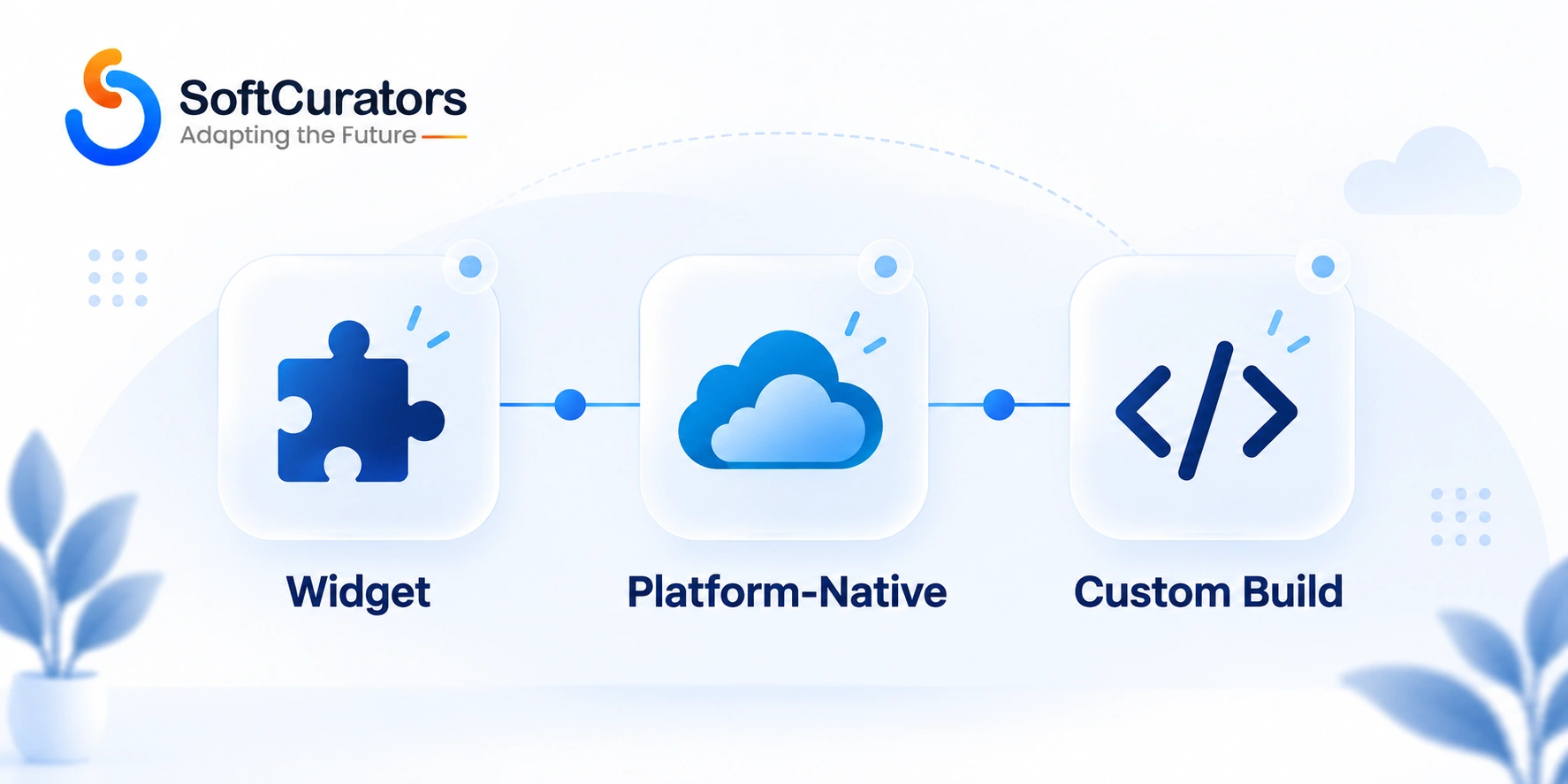
A no-code widget is a third-party SaaS tool you embed via a script tag, configure through a dashboard, and pay for on a subscription or usage basis. A platform-native AI agent is an AI capability built into a helpdesk or CRM platform you already run, layered on top of data you already have in that system. A custom-built chatbot uses a hosted model API directly, with your own retrieval layer grounding it in your specific content, and your own interface built around it. We’ll walk through each in detail, but the short version: these aren’t tiers of the same thing , they’re different trade-offs between speed, control, and cost.
Consultant’s Tip
Before picking an approach, write down what the chatbot needs to know that a generic model doesn’t already know , your refund policy, your pricing tiers, your product’s specific features. That list is the actual scope of the project. Teams that skip this step tend to either overbuild a custom system for a problem a widget would’ve solved, or underbuild a widget-based bot that can’t answer the questions customers are actually going to ask.
How AI Chatbots Actually Generate Answers
Understanding this mechanism matters regardless of which approach you choose, because it explains exactly where a chatbot is likely to go wrong. It’s also the part of the technology stack that a widget, a platform, and a custom build all share underneath their different interfaces , the underlying problem of grounding an answer in reality is identical no matter how the conversation gets to the user.
A Model on Its Own Doesn’t Know Your Business
A general-purpose language model has broad knowledge from its training data, but it has no idea what your return policy says, what your product’s current pricing is, or what changed in your app last week. Left ungrounded, it will still answer confidently , filling the gap with a plausible-sounding guess rather than admitting it doesn’t know, which is exactly the failure mode that damages trust fastest.
This is worth sitting with for a moment, because it cuts against how most people intuitively think about AI capability. A more capable, more expensive model doesn’t fix this problem , a top-tier flagship model with no access to your specific business information will confabulate just as confidently as a smaller one, sometimes more convincingly given its stronger general writing ability. Grounding, not raw model capability, is what actually determines whether a chatbot is trustworthy for your specific use case.
Retrieval Is What Grounds the Answer in Reality
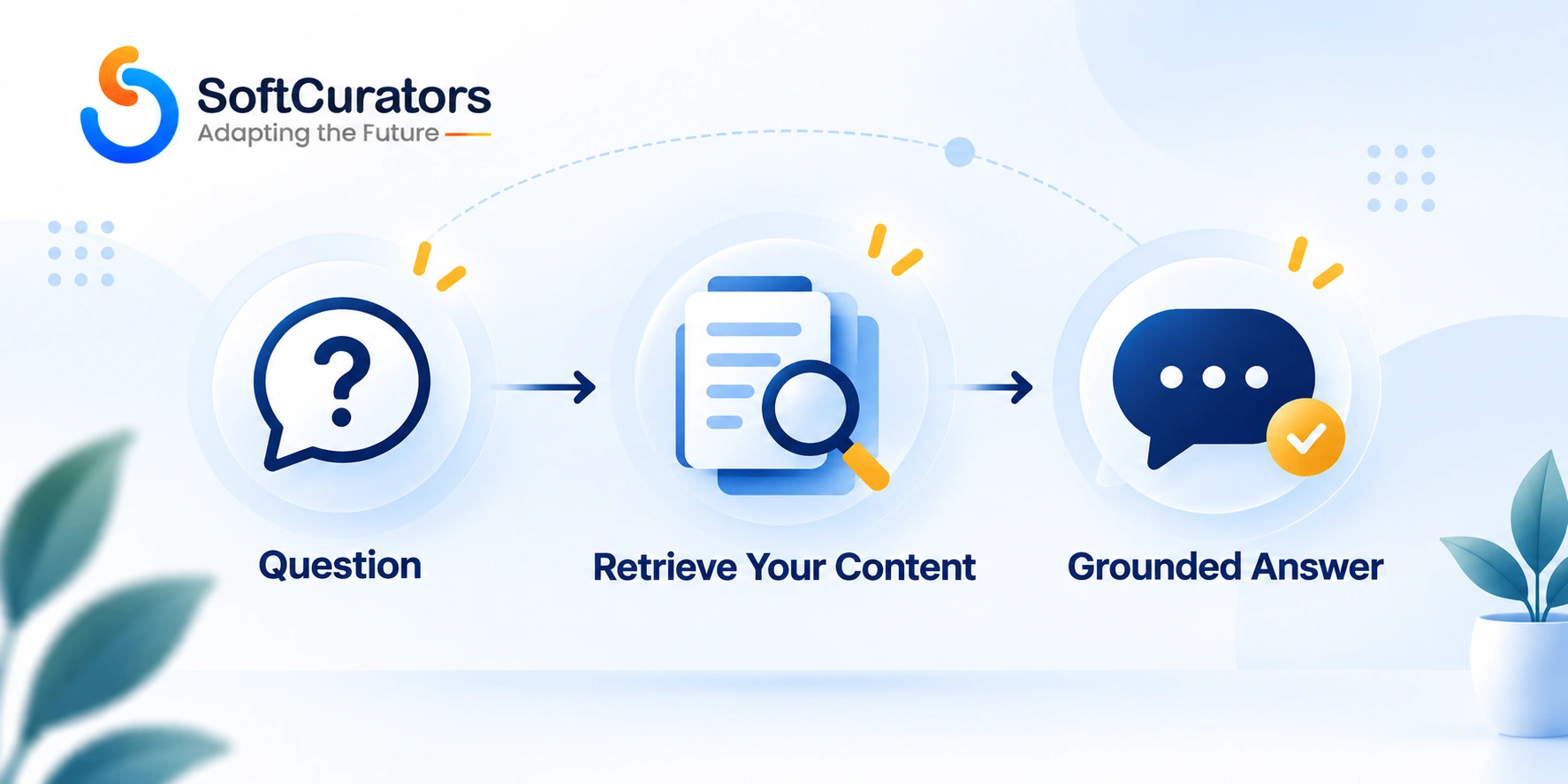
Retrieval-augmented generation, or RAG, is the mechanism that fixes this: before the model answers, the system searches your actual content , help docs, policy pages, product data , and feeds the relevant passages into the prompt alongside the user’s question. The model then answers from that retrieved material instead of guessing from general training knowledge. This is the single most important piece of chatbot architecture to understand, because it’s the difference between a bot that can say “I don’t see that in our current policy, let me connect you with someone” and one that fabricates a plausible-sounding wrong answer.
Actions Are a Separate Capability From Answering
A chatbot that can look up an order status or update an account setting isn’t just answering a question , it’s executing an action against your systems, which introduces a different category of risk than a wrong answer alone. We’d treat any chatbot capable of taking real actions as a meaningfully bigger project than one that only answers questions, since it needs the guardrails, permissions, and error handling appropriate to a system that can actually change something, not just say something.
For a deeper technical breakdown of this grounding mechanism and how its cost structure works, our guide on AI integration costs covers the same RAG architecture in more depth, applied more broadly than chatbots specifically.
Preparing Your Content Before You Build Anything
This step happens before any technical decision, and it’s the one most teams underestimate most severely, regardless of which of the three approaches they eventually choose.
Audit What You’re Actually Grounding the Bot In
Pull together your existing help docs, FAQ pages, policy documents, and product information, and read through them the way a customer would. Common mistake: assuming existing support content is ready for this use case simply because it exists. Content written for a human skimming a help center often has gaps, outdated sections, and inconsistencies that a human reader tolerates but a chatbot will confidently repeat as fact.
This audit is also the point where teams most commonly discover their documentation debt , pages that were accurate two product releases ago, policies that changed without the help center catching up, or entire categories of question your support team fields constantly that were never written down anywhere at all. Surfacing that gap is uncomfortable, but it’s far better to find it during a planning phase than to have a chatbot confidently repeat outdated information to a paying customer.
Identify Contradictions Before the Bot Finds Them for You
If your pricing page says one thing and an internal support doc says another, a retrieval system might pull from either depending on the exact question asked, producing inconsistent answers to similar questions. Reconciling these contradictions is unglamorous work, but it’s cheaper to do before launch than to debug after a customer notices the bot gave two different answers to two people asking the same thing.
A useful discipline here: designate one source as authoritative for each category of information (pricing, policy, feature availability) and either update or retire the conflicting versions rather than leaving both in circulation. A retrieval system has no inherent way to know which of two contradictory documents should win, so that judgment call needs to be made by a person during content preparation, not left for the model to guess at during a live conversation.
Structure Content for Retrieval, Not Just for Human Reading
Content that’s genuinely useful for retrieval tends to be broken into clear, self-contained sections rather than long, narrative pages where a single relevant fact is buried in the middle of an unrelated paragraph. Technical note: this doesn’t mean rewriting your entire help center, but a light restructuring pass , clear headings, one topic per section , measurably improves how reliably a retrieval system finds the right passage to ground an answer in.
The Three Approaches Compared
This is the decision most teams should make explicitly and don’t. Here’s how the three approaches actually differ, not in marketing language but in practical trade-offs, laid out side by side so you can see where your own situation actually lands rather than defaulting to whichever option you heard about first.
No-Code Widget Tools
Tools in this category , the kind you can find in our broader roundup of AI tools for businesses , let you configure a chatbot through a dashboard, feed it a set of documents or FAQ content, and embed it with a script tag, usually within a day. When this is the right fit: you need something live quickly, your support content is already reasonably organized, and you don’t need the bot to take actions against your own systems beyond answering questions. When it’s a weaker fit: your product has specific logic a generic widget’s configuration options can’t represent, or you’re not comfortable with your conversation data living inside a third-party vendor’s platform indefinitely.
Operational perspective: the appeal of a widget is that someone else owns the underlying model relationship, the retrieval infrastructure, and a meaningful share of the guardrail engineering. The trade-off is that you’re also limited to whatever configuration surface the vendor exposes , if your use case needs a guardrail behavior or a data source the dashboard doesn’t support, you’re stuck waiting on the vendor’s roadmap rather than building it yourself.
Platform-Native AI Agents
If you already run a helpdesk or CRM with a built-in AI agent , Intercom’s Fin, Zendesk’s AI features, or Salesforce Agentforce, which we’ve covered in detail separately , this option grounds the bot directly in data you already have in that system, without a separate integration project. When this is the right fit: you’re already invested in that platform, and the task is well-represented in the data that platform already holds. When it’s a weaker fit: you’re evaluating the platform for its AI features alone, without an existing operational reason to be there , in which case you’re taking on that platform’s full cost and complexity to get a capability a simpler tool could deliver.
Business perspective: the real economic case for this option isn’t the AI feature’s own price tag, it’s the fact that the CRM or helpdesk integration is already done. If you already have years of support tickets and product data living in that platform, an AI agent grounded in that history has a real head start a fresh custom build doesn’t. That head start is worth something specific, not a vague general advantage , it’s the difference between building retrieval infrastructure from nothing and layering AI onto data you’ve already accumulated.
Custom-Built Chatbots
This means calling a hosted model API directly, building your own retrieval layer over your own content, and designing your own interface and escalation logic. When this is the right fit: your use case needs behavior or data access no off-the-shelf tool supports, or the chatbot is meant to be a genuine product differentiator rather than a support-cost reduction. When it’s a weaker fit: you need something live in days rather than weeks, or your team has no prior experience with the testing and guardrail discipline this kind of build requires.
Future perspective:
The advantage that compounds over time with a custom build is that you’re not paying an ongoing per-seat or per-resolution markup to a vendor once the initial engineering investment is made, and you retain full control over how the bot integrates with product features a generic tool would never anticipate. This advantage is real but takes time to materialize , a custom build’s cost curve is front-loaded, while a widget’s cost curve is flat and recurring, so the crossover point where custom wins economically depends entirely on how long you expect to run the chatbot and at what volume.
| Approach | Time to Launch | Best Fit When | Weaker Fit When |
| No-code widget | Days to a couple of weeks | Standard support use case, organized FAQ content, no custom actions needed | Product logic a generic tool can’t represent, or data residency concerns |
| Platform-native agent | Weeks, assuming the platform is already in place | You already run the underlying CRM or helpdesk platform | Adopting the platform solely to get its AI feature |
| Custom-built chatbot | Weeks to a few months | Specific data access, custom actions, or genuine product differentiation | You need something live immediately with no prior AI testing experience |
Our actual recommendation:
For most businesses adding their first chatbot, a narrowly scoped custom build , one clear use case, grounded in your own documentation through retrieval, with no action-taking beyond answering , is the better starting point over either extreme. It costs more upfront than a widget, but you own the data, the escalation logic, and the exact scope, and it costs considerably less than committing to a full platform you don’t otherwise need. Widgets earn their place once you’ve validated the use case and want to move fast on something genuinely generic; platforms earn their place once you’re already operationally committed to them.
This recommendation runs against the more common advice, which tends to push toward the fastest possible launch. We think that advice optimizes for the wrong thing. A chatbot that launches in a week but can’t be trusted with anything beyond the most generic questions doesn’t actually save the time it appeared to save, since the team ends up either living with a limited tool or redoing the work later with a better understanding of what they actually needed. Spending the extra time upfront on a narrow, well-grounded custom build tends to produce something that’s still in production, largely unchanged, a year later , which is a better return on the time invested than a fast launch that gets quietly abandoned once its limitations become apparent.
Widget Embedding: What Actually Happens Under the Hood
This is the part most chatbot tutorials skip past, and it matters for both performance and security. Even if you’re not writing this integration code yourself, understanding it well enough to evaluate a vendor’s or a developer’s implementation choices is worth the time.
Script Tags Load Asynchronously, But Not Automatically Safely
Most chatbot widgets embed through a small script tag that loads a larger bundle asynchronously, so it shouldn’t block your page’s initial render if implemented correctly. Technical note: “shouldn’t block” isn’t the same as “won’t block” , a poorly implemented widget script, or one loaded without the `async` or `defer` attribute, can measurably slow down your page’s load performance, and this is worth testing directly with real page-speed tooling rather than assuming the vendor’s own script is optimized for your specific site.
Iframe vs. Web Component: Different Isolation Trade-offs
Some widgets render inside an iframe, which isolates the widget’s styles and scripts completely from your page , safer from a conflict standpoint, but harder to style consistently with your brand. Others use a Web Component or direct DOM injection, which integrates more visually but can pick up unintended styles from your site’s own CSS if not carefully scoped. Neither approach is universally better; the right choice depends on how much visual consistency with your brand matters versus how much isolation and simplicity you want.
Mobile Apps Need a Different Integration Entirely
A web-based script tag doesn’t work inside a native mobile app at all , mobile integration typically means a dedicated SDK provided by the chatbot vendor, or embedding a web view pointing at a hosted chat interface. This is a meaningfully different technical integration than the web widget, and it’s a common gap in project scoping when a team assumes “add the chatbot” is a single task that covers both web and mobile. Our guide on native apps vs. hybrid apps covers a related version of this platform-specific integration trade-off.
Designing the Conversation: Scope, Guardrails, and Escalation
This is where the actual engineering discipline lives, regardless of which of the three approaches you choose, and it’s consistently underestimated in initial project scoping. A widget’s dashboard configuration options and a custom build’s prompt engineering are solving the exact same underlying problem , they just expose different levers for doing it.
Define What the Bot Is Allowed to Talk About
A chatbot without an explicit topic scope will attempt to answer anything a user asks, including questions entirely unrelated to your business, in whatever tone the underlying model defaults to. Defining a clear scope , what topics it addresses, and what it should decline and redirect elsewhere , isn’t a restriction on capability so much as a requirement for predictable behavior.
Decide What ‘I Don’t Know’ Actually Looks Like
Common mistake: never testing what the bot does when it genuinely doesn’t have grounding for an answer. A well-designed chatbot needs an explicit, tested behavior for this case , acknowledging the limit and offering a path to a human , rather than letting the underlying model’s default behavior (which tends toward confident guessing) decide what happens.
Build the Human Handoff Before You Need It
Every chatbot eventually hits a request it can’t or shouldn’t handle , a genuinely complex issue, a frustrated user, a request outside its scope. The handoff to a human needs to carry context forward (what the user already asked, what the bot already tried) rather than starting the human agent from zero, since a customer repeating themselves after a bot escalation is a worse experience than not having a bot at all.
Operational perspective: this handoff also needs a real destination , a live agent queue, a ticketing system, an email address someone actually monitors , decided and tested before launch, not left as a vague “contact support” message that dead-ends the conversation. A chatbot that escalates cleanly into a genuine human response loop earns more trust over time than one that resolves everything itself but occasionally leaves a frustrated user with nowhere to go.
Risk Alert
A chatbot’s inputs aren’t limited to genuine customer questions. A user can attempt to override your system’s instructions through crafted input , asking the bot to ignore its guardrails, reveal its underlying instructions, or produce content unrelated to your business that ends up associated with your brand. This is a documented risk category, not a hypothetical one; the OWASP GenAI Security Project’s LLM Top 10 covers it in detail and is worth reviewing before launch regardless of which approach you build on.
Testing an AI Chatbot Before Launch
Testing a chatbot is a genuinely different discipline than testing traditional software, and treating it the same way is a common, expensive mistake. This section deserves real attention regardless of which of the three approaches you build on, since even a widget’s dashboard-configured bot needs this evaluation discipline applied to it , the platform doesn’t do this testing for you automatically.
You’re Not Testing for Crashes , You’re Testing for Confident Wrong Answers
Traditional software testing checks whether code executes correctly. Chatbot testing checks whether the output is actually true, which requires a fundamentally different evaluation approach: a labeled set of real or realistic questions with known correct answers, run against the bot before launch and periodically after, specifically watching for fluent-sounding responses that are subtly or entirely wrong.
Adversarial Testing Matters More Than Happy-Path Testing
Beyond straightforward questions, test the edge cases deliberately: ambiguous questions, questions slightly outside scope, attempts to get the bot to say something it shouldn’t. Practical recommendation: build this adversarial test set before launch, not as an afterthought once something goes wrong publicly, since the cost of finding a bad response in testing is trivial compared to the cost of a customer finding it first.
A practical way to build this set without a dedicated red-teaming background: ask a few colleagues unfamiliar with the project to spend twenty minutes trying to get the bot to say something wrong, off-topic, or embarrassing, with no other instruction than to try. This kind of informal adversarial pass reliably surfaces a meaningful share of the failure modes a formal test plan would miss, precisely because people approaching it fresh probe in directions the original builders didn’t anticipate.
Plan for Ongoing Monitoring, Not Just a Launch-Day Check
A chatbot that passed every test case at launch can still drift in behavior if the underlying model updates, or if your own content changes in ways the retrieval layer doesn’t handle gracefully. Budget a recurring review of a sample of real conversations, not a one-time evaluation treated as permanently valid.
Team and Skill Requirements
The team you need differs meaningfully across the three approaches, and scoping this honestly upfront avoids the common failure of assuming an existing team can absorb the work alongside everything else they already own.
Widget Implementation
A widget mostly needs someone comfortable with dashboard configuration and content curation , organizing and reviewing the documents the bot will be grounded in , rather than a developer. Some light development work is still needed for embedding and styling the widget consistently with your site.
Platform-Native Agent Configuration
This needs someone with real familiarity with the underlying platform’s data model and admin tools, plus the same prompt-and-guardrail discipline described throughout this guide , closer to a platform administrator with AI configuration skills than a general software developer.
Custom Build
This needs backend engineering for the retrieval and API integration, frontend engineering for the interface (including the accessibility work covered next), and , critically , someone comfortable with the evaluation and adversarial testing discipline this guide has emphasized repeatedly. This last skill is the one most teams underestimate needing, since it doesn’t map cleanly onto either traditional QA or traditional software engineering.
Connecting a Chatbot to Backend Systems and Actions
Once a chatbot moves beyond answering questions into looking up an order status or updating an account, it needs a genuine integration layer between the conversational interface and your actual business systems , and this layer deserves its own scrutiny separate from the conversational design covered above. This is also the point at which the widget-versus-custom-build decision matters most concretely, since most widget tools offer limited or no ability to define custom actions beyond a small set of pre-built integrations.
Actions Need Explicit, Narrow Permissions
A chatbot’s action-taking capability should be scoped as narrowly as the specific use case requires, not granted broad access to a system because it happened to be convenient during setup. If a bot only needs to check order status, it shouldn’t also have write access to customer payment details, even if both live in the same underlying database , narrow scoping limits the damage of a misconfigured guardrail or an unexpected model behavior.
Idempotency Matters More Here Than in a Typical UI
A user can rephrase the same request to a chatbot several times in a single conversation, and if each rephrasing triggers the same backend action again, that’s a real operational risk , duplicate refunds, repeated account updates, or redundant support tickets. Actions triggered by a chatbot need the same idempotency safeguards you’d build into any API that might receive a duplicate request, precisely because a conversational interface makes duplicate requests more likely than a structured form does.
Confirm Before Committing to Anything Consequential
For any action with real consequences , processing a refund, canceling a subscription, changing a shipping address , build in an explicit confirmation step before the action executes, rather than letting the bot act immediately on its own interpretation of what the user asked for. This adds a small amount of conversational friction in exchange for a meaningful reduction in the cost of a misunderstood request.
Accessibility: The Requirement Most Chatbot Guides Skip Entirely
This is a section we think deserves far more attention than it typically gets, because a chatbot that only works for sighted mouse users is excluding a meaningful share of your visitors and, in many jurisdictions, creating real legal exposure.
Screen Readers Need to Know a Message Arrived
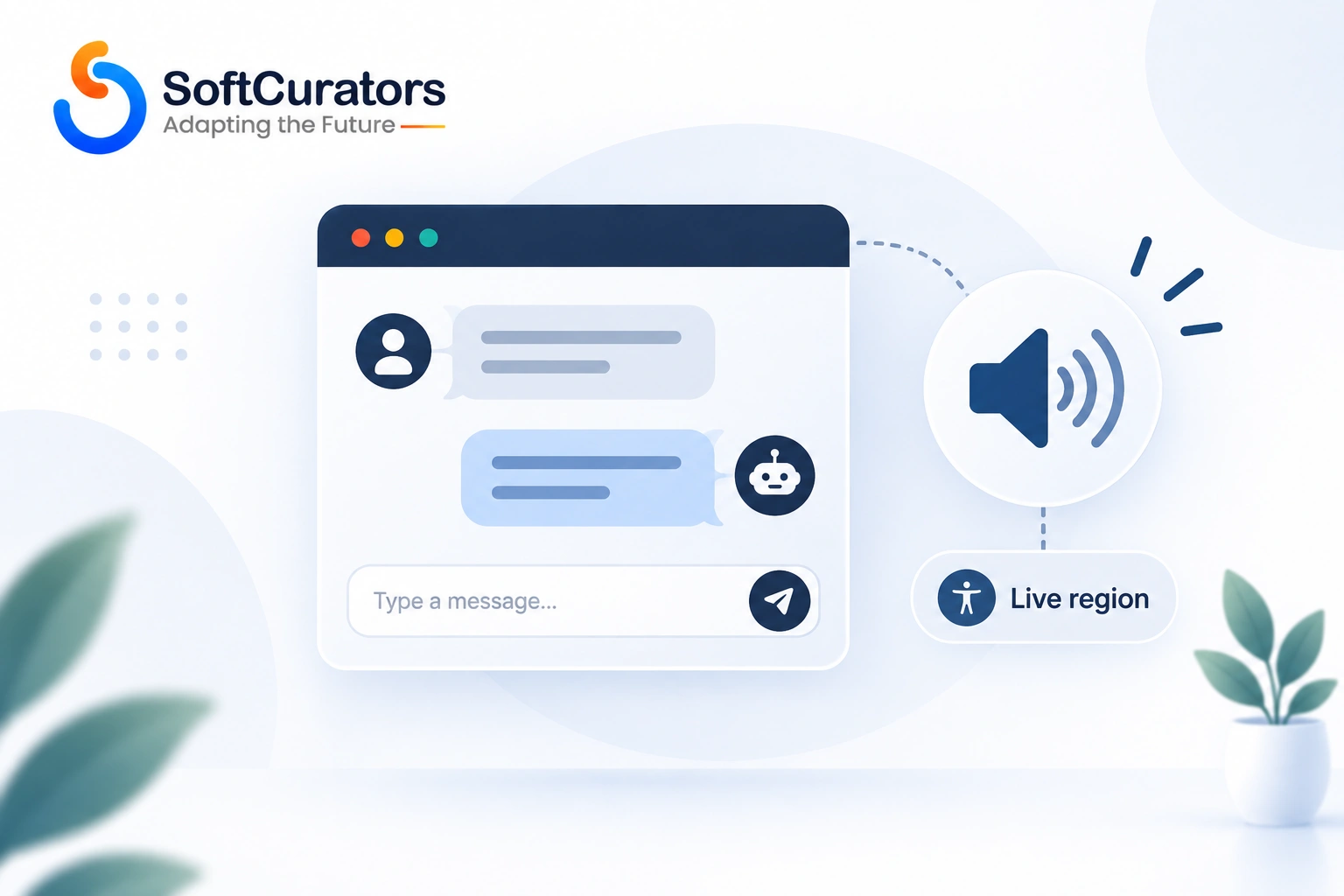
A chat transcript that updates visually but doesn’t announce new messages to a screen reader is invisible to a user relying on one. The W3C’s WAI-ARIA guidelines specifically address this with live regions , marking the conversation transcript with a role that tells assistive technology to announce new content as it arrives, without interrupting whatever the user is currently doing. The specific technique for chat-style content uses role=”log”, which has a built-in polite announcement behavior suited exactly to this use case.
Keyboard Navigation Isn’t Optional
Every control in the widget , opening it, typing a message, sending it, closing it , needs to work without a mouse, in a logical tab order. This is a basic requirement, but it’s routinely missed in custom-built widgets specifically, since off-the-shelf tools generally handle this out of the box while a custom interface has to implement it deliberately.
Streaming Responses Need Careful ARIA Handling
If your chatbot streams its response token by token , increasingly the default UX pattern , a naive implementation can cause a screen reader to announce every partial fragment as it updates, which is unusable. The practical fix is announcing the complete response once it finishes, or using a controlled update pattern, rather than treating every incremental token as a fresh announcement.
For a broader view of interface design considerations beyond accessibility specifically, our guide on mobile app UI/UX design best practices covers related principles worth applying to a chat widget’s overall design.
Supporting Multiple Languages
If your audience spans multiple languages, this needs deliberate handling rather than an assumption that the underlying model “just works” in any language it’s prompted in.
Model Capability Varies by Language
Most large language models perform strongest in English and a handful of other widely represented languages, with meaningfully more variance in quality for less common languages. Technical note: if a real share of your users communicate in a language outside the model’s strongest coverage, test that specific language directly with real questions rather than assuming general multilingual capability translates evenly across every language your business serves.
Your Retrieval Content Needs to Match the Conversation Language
A chatbot grounded only in English-language help documents will struggle to answer accurately in another language, even if the model itself is linguistically capable, simply because the retrieved source material doesn’t exist in that language. This is a content problem as much as a model problem, and it’s easy to overlook if your initial content audit only considered your primary market’s language.
Interface Labels Need Localization Too, Not Just the AI’s Replies
Button labels, placeholder text, and error messages in the widget itself need translation independently of the model’s conversational responses , a chatbot that replies fluently in a user’s language but displays an English “Send message” button creates an inconsistent, unpolished experience that undermines the localization work done elsewhere.
Privacy, Data Handling, and Security
A chatbot that reads and stores conversation data introduces the same third-party data questions any integration does, with a few considerations specific to this category worth naming directly. This applies regardless of approach , a widget vendor, a platform, and your own custom infrastructure all need the same underlying questions answered, even though the accountability for the answer sits in different places.
- Confirm where conversation data actually goes. Whether you’re using a widget, a platform agent, or a custom build calling a model API, understand explicitly whether conversation content is used for the provider’s own model training, and for how long it’s retained.
- Disclose chat logging clearly, not just in a buried privacy policy. Users typing into a chat window reasonably expect that conversation might be stored , say so plainly near the input, not only in a document nobody reads.
- Treat consent requirements the same as any other data collection. For EU users, this connects to the same principles covered in the GDPR’s Article 22 provisions on automated decision-making wherever the chatbot’s output meaningfully affects a person’s access to something, and consent banners should genuinely gate chat functionality that involves tracking, not just cosmetically appear alongside it.
- Scope what the bot can access as narrowly as the use case requires. A support chatbot doesn’t need access to every field in your customer database, and narrowing that access is both a security practice and a way to limit the damage of a misconfigured guardrail.
For a broader baseline on these obligations, our guide on mobile app security and compliance covers the principles this builds on beyond AI-specific concerns.
What Adding a Chatbot Actually Costs
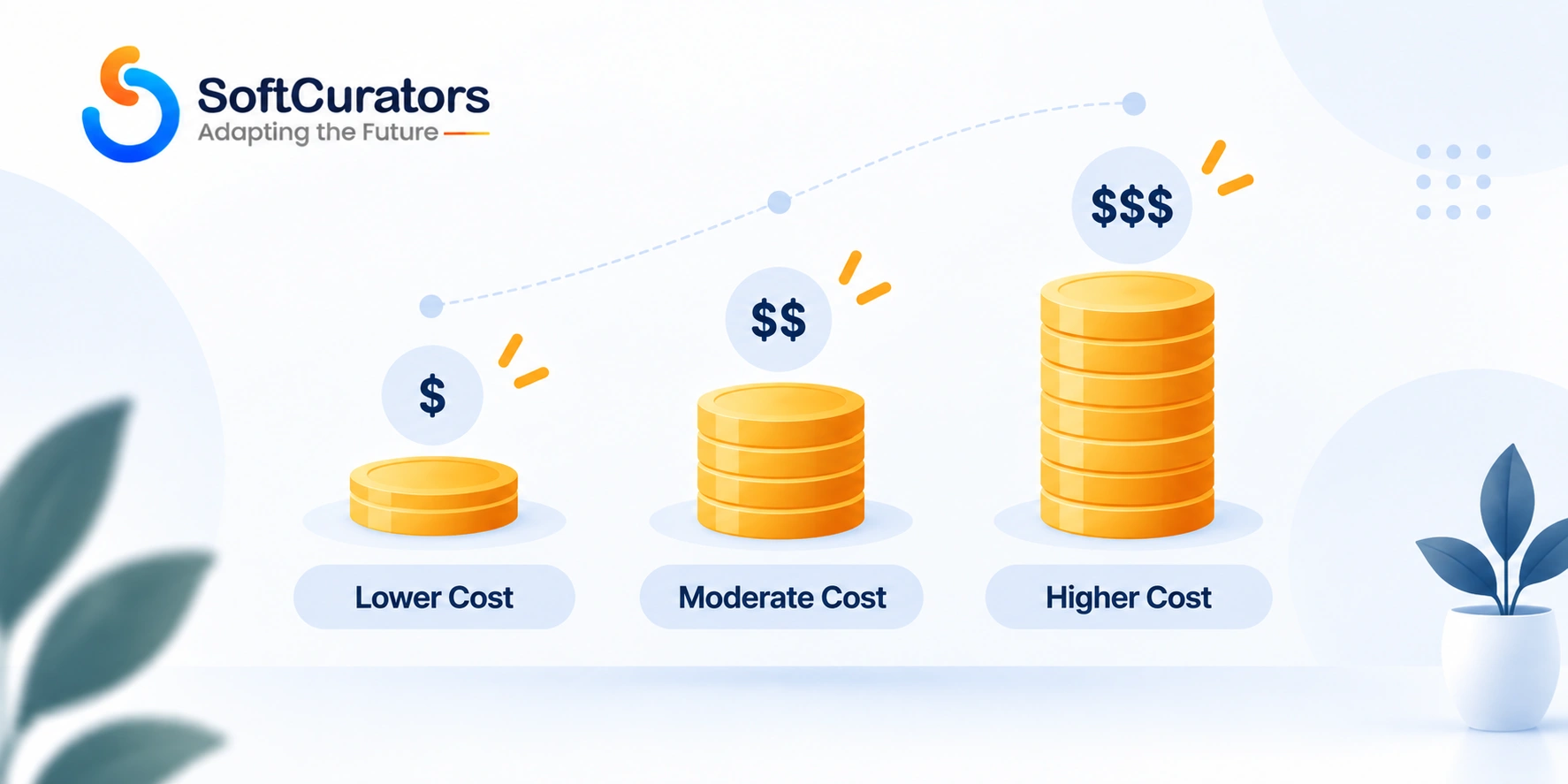
We’re not going to give a flat number here, because the honest answer depends on which of the three approaches you choose and what the chatbot actually needs to do , but we can explain exactly what drives cost in each case, which is more useful than a range that would be wrong for most readers anyway.
Widget Costs Are Mostly Subscription, With a Usage Ceiling
No-code widgets typically charge a recurring subscription, often with usage tiers based on conversation volume or resolved tickets. The real cost risk here isn’t the sticker price , it’s what happens once your volume outgrows the tier you configured, and whether the next tier up still makes sense relative to a custom build at that scale.
Platform-Native Agents Inherit the Platform’s Cost Structure
If you’re adding AI to a platform you already run, the marginal cost is usually the AI feature’s specific pricing (often consumption-based, as covered in detail in our Salesforce Agentforce guide) layered on your existing platform subscription. If you’re not already on that platform, the true cost includes the underlying platform subscription too, which is easy to leave out of an initial estimate.
Custom Builds Split Cost Across Engineering and Usage
A custom chatbot’s cost splits between engineering time (retrieval setup, guardrails, testing, the interface itself) and ongoing model API usage, which scales with conversation volume and length. For most business chatbot use cases, engineering time , not API usage , is the larger cost in year one, since a well-scoped support chatbot’s per-conversation token usage is modest relative to the testing and guardrail work needed to make it trustworthy. Our guide on AI integration costs breaks this cost structure down in more detail, and it applies directly to a chatbot project specifically.
For a broader estimate of how a chatbot fits into an overall product budget, our mobile app development cost and pricing guide and mobile app cost calculator are useful companions to this section.
Decision Framework: Which Approach Should You Actually Build?
Pulling the threads above together into an explicit framework, rather than leaving it as three separate descriptions. This is the section to return to once you’ve done the content audit and use-case scoping described earlier , those steps determine which row of this framework actually applies to you.
Cost implications: widgets have the lowest upfront cost and a recurring subscription ceiling; platform-native agents inherit the cost of a platform you may or may not already be paying for; custom builds have the highest upfront engineering cost but no per-seat vendor markup once built.
Maintenance implications: all three need ongoing monitoring given how AI chatbots fail (confidently, not visibly), but a custom build puts that maintenance burden entirely on your team rather than partly on a vendor’s own quality controls.
Scalability implications: widget and platform pricing typically scale with usage in a predictable, if sometimes steep, way; custom build costs scale more directly with actual API usage, which can be cheaper at real volume once the engineering investment is made.
Risk factors: vendor lock-in is real for both widgets and platforms , your conversation data and configuration live in someone else’s system , while a custom build’s risk is entirely execution risk, concentrated in your own team’s testing discipline.
Time-to-market impact: widgets win decisively here; custom builds need real time for the testing and guardrail work this guide has emphasized throughout, and rushing that step is the most common way a custom chatbot launch goes wrong.
Measuring Whether Your Chatbot Is Actually Helping
Usage volume alone is a weak signal of success, since a chatbot that gets used constantly but answers incorrectly half the time is doing active harm, not delivering value. These are the metrics worth tracking deliberately.
Resolution Accuracy, Sampled by a Human
Don’t trust the bot’s own sense of whether it resolved a conversation. Sample a meaningful share of conversations on a recurring basis and have a person check whether the answer was actually correct, not just fluent and confident-sounding. This is the single most important ongoing metric and the one most teams skip because it requires real human time.
Escalation Rate and Escalation Quality
Track how often the bot hands off to a human, but also assess the quality of that handoff , does the human agent receive useful context, or does the customer have to explain their issue again from scratch? A low escalation rate paired with poor handoff quality on the cases that do escalate is a worse overall outcome than a slightly higher escalation rate with a clean handoff every time.
A Real Before-and-After Comparison
Measure your baseline , average response time, ticket volume per support agent, customer satisfaction on support interactions , before launch, so you have an honest comparison afterward rather than a general sense that things feel better. This is a basic discipline that’s easy to skip under launch pressure and expensive to reconstruct retroactively.
Common Mistakes When Adding an AI Chatbot
Most of these trace back to treating a chatbot like a standard feature launch rather than a system whose primary risk is confident, plausible-sounding incorrectness.
- Launching without grounding the bot in real content. An ungrounded chatbot will still answer confidently, just often incorrectly, which is a worse outcome than no chatbot at all for anything involving policy, pricing, or product specifics.
- Treating chatbot testing like standard software QA. You’re checking for plausible wrong answers, not crashes, and that requires a labeled evaluation set and adversarial testing, not a manual click-through.
- Skipping accessibility entirely. A chat widget that doesn’t announce messages to screen readers or support keyboard navigation excludes real users and creates real legal exposure in many jurisdictions.
- Assuming a mobile app needs the same integration as a website. A web script tag doesn’t work inside a native app , this needs a separate SDK integration or web view approach, and it’s a common scoping gap.
- Building a chatbot that can take real actions without proportional guardrails. A bot that can update an account or process a request needs meaningfully more testing and permission scoping than one that only answers questions.
- Never designing what ‘I don’t know’ looks like. Without an explicit, tested fallback behavior, the model’s default tendency toward confident guessing fills that gap on its own.
- Adopting a full platform purely to access its AI feature. If you’re not already operationally committed to a CRM or helpdesk platform, evaluate whether a narrower tool or custom build gets you the same chatbot capability without the full platform cost.
Final Summary: What We’d Actually Recommend
If you’re adding your first AI chatbot, start narrow: one well-defined use case, grounded in your actual content through retrieval, with a tested and explicit answer for what happens when it doesn’t know something. Don’t default to the most capable-sounding platform, and don’t assume a generic widget will handle a use case with real product-specific complexity.
Budget real time for adversarial testing and accessibility, not just happy-path conversation flows , both are exactly the areas most competing guides skip, and both are where a chatbot project either earns trust or damages it. Whichever approach you choose, treat the launch as the start of an ongoing monitoring commitment, not the finish line of a project with a clean end date.
The pattern worth carrying forward beyond this specific decision: a chatbot is judged by its worst answer, not its average one. A support team member who occasionally gives a wrong answer is forgiven as human error; a chatbot that does the same thing reads as a systemic flaw, fairly or not, because it’s a system your business chose to deploy at scale. That asymmetry is exactly why the testing, grounding, and monitoring work in this guide isn’t optional polish , it’s the actual project, with the conversational interface itself being the easier, faster part.
Decision Checklist
Before launching a chatbot, confirm: it’s grounded in your actual content through retrieval, not answering from general model knowledge alone; you’ve built and run an adversarial test set, not just happy-path questions; the escalation-to-human handoff carries real context forward; the widget passes basic keyboard and screen reader testing; and someone specific owns ongoing quality monitoring after launch.
Next Step: Scope the Right Chatbot for Your Actual Use Case
The right approach for your business depends on details a general guide can’t answer , your existing tech stack, your support volume, and what you actually need the bot to do. Softcurators offers an MVP Planning Session for teams scoping their first AI chatbot, working through the build-versus-buy decision, grounding strategy, and realistic timeline before any development commitment is made. Learn more about our approach on our why choose Softcurators page, or reach out directly to schedule a session.
Frequently Asked Questions
Do I need Salesforce to use Agentforce?
Yes - Agentforce is built specifically to work with Salesforce data and isn't available as a standalone product independent of the Salesforce platform, which is the single most important qualifying fact for any business evaluating it.
How much does Salesforce Agentforce actually cost?
Agentforce runs on consumption pricing: Flex Credits cost $500 per 100,000 credits, with a standard action consuming 20 credits ($0.10) and a voice action consuming 30 credits ($0.15), or alternatively a flat $2 per conversation model for customer-facing agents - verify current rates directly against Salesforce's official pricing page, since consumption pricing in this category has changed more than once since 2024.
What is the Atlas Reasoning Engine?
It's the orchestration layer that powers Agentforce's decision-making, implementing what Salesforce calls "System 2" reasoning - classifying a request, retrieving relevant knowledge from your Salesforce data, deciding on an action, and reflecting on the outcome, rather than generating a single fast response the way a typical chatbot does.
What is Data 360, and why does it matter for Agentforce?
Data 360 (formerly Data Cloud) is Salesforce's unified data platform, and it's what Agentforce agents actually query to ground their responses - an agent's real-world reliability depends more on the quality and completeness of your Data 360 setup than on any agent configuration choice.
How long does it take to implement Agentforce?
Enterprise deployments commonly take five to eleven months from kickoff to production according to multiple independent implementation sources, driven mainly by data foundation work rather than agent configuration itself - a narrow, well-scoped pilot can move considerably faster than a broad rollout.
Can Agentforce work with data outside Salesforce?
Agentforce increasingly supports connections to external tools and data sources through Model Context Protocol (MCP) server integrations via verified AgentExchange partners, though its core reasoning is built around Salesforce's own data model, and this external interoperability is a newer, still-developing part of the platform.
What's the difference between Flex Credits and the Conversations pricing model?
Flex Credits is a granular, per-action consumption model suited to agents spanning multiple departments or use cases with varying consumption patterns, while Conversations is a flat $2-per-interaction model best suited to a single, predictable external customer-facing use case - an org must choose one model, since the two aren't supported simultaneously.
Is there a free way to try Agentforce?
Yes - Salesforce Foundations, available to Enterprise Edition customers and above, includes Agent Builder, Prompt Builder, 200,000 Flex Credits, and 250,000 Data 360 credits at no cost, and it's a permanent tier rather than a time-limited trial.
What happens when an Agentforce agent can't complete a task?
It's designed to hand the case off to a human with a summary of what it already attempted, rather than failing silently or looping - though in practice, reasoning failures can still produce a confident, plausible-sounding wrong answer without triggering an obvious error, which is why ongoing monitoring matters.
Should a small business adopt Agentforce?
Only if you're already committed to Salesforce as your CRM and have real transaction volume in the function you'd automate - for a small business without an existing Salesforce investment or with genuinely low interaction volume, the implementation cost and data foundation work rarely justify the return.
How is Agentforce different from Microsoft Copilot Studio or other CRM-native AI agent platforms?
The core distinction across this category is which underlying data platform and CRM ecosystem the agent is built to reason over - Agentforce is purpose-built for Salesforce's data model specifically, so the comparison that actually matters is less about feature parity and more about which CRM platform already holds your business's data of record.
What Salesforce edition do I need for Agentforce?
Several core capabilities, including the free Salesforce Foundations tier, require Enterprise Edition or above - verify specific feature availability against your current edition directly with Salesforce or an implementation partner before planning a rollout.
Can Agentforce replace human customer service or sales reps entirely?
No - it's positioned and best used to automate well-defined, repetitive tasks and escalate genuinely complex or ambiguous cases to a human, and the clearest current ROI cases are augmentation and triage rather than full replacement of a support or sales function.
What is Momentum in the Agentforce ecosystem?
Momentum is a Salesforce capability that captures sales conversations - calls, emails, meetings - and writes structured data back into Salesforce automatically, addressing the common problem of conversation data never making it into the CRM at all.
Does Agentforce require a separate AI or machine learning team to maintain?
Not necessarily a dedicated ML team, but it does require someone with real ownership of agent configuration, guardrail tuning, and quality monitoring - typically an admin or architect who develops genuine familiarity with Agent Builder and Atlas's behavior patterns rather than treating it as a one-time setup task.
How does Agentforce pricing compare to building a custom AI feature?
This isn't a direct apples-to-apples comparison - Agentforce's per-action pricing already includes CRM data integration and guardrail infrastructure Salesforce built once for its own platform, while a custom build's cost depends on how much of that same integration and governance work your team has to build from scratch; our guide on AI integration costs breaks down that custom-build cost structure in detail.
How do I know if my Salesforce data is 'clean enough' for Agentforce?
Look at duplicate account and contact rates, how consistently cases and opportunities are categorized, and whether key fields agents would need to reason over are reliably populated rather than left blank - if your team already struggles to trust standard Salesforce reports built on this data, an agent reasoning over the same data will inherit those same gaps.
Can I run a pilot without committing to a full Agentforce implementation?
Yes - Salesforce Foundations' free tier (200,000 Flex Credits, Agent Builder, and Prompt Builder for Enterprise Edition customers) combined with a pay-as-you-go buying structure is specifically suited to validating one narrow use case before any larger commitment.
What's the risk of vendor lock-in with Agentforce?
It's real and worth planning around - agent configurations, guardrails, and integrations built in Agent Builder are specific to Salesforce's platform and data model, so migrating that logic to a different CRM or AI platform later would mean substantially rebuilding it rather than porting it directly.
