
Quick Answer
AI in music streaming apps shows up in six main places: home screen and playlist personalization, voice and natural-language search, creator-facing tools like auto-tagging and AI-assisted mastering, on-device audio processing, data and privacy handling behind personalization, and content moderation tied to app store policy. The engineering decision that matters most at the app level isn’t whether to use AI -it’s whether a given feature should run on the device or in the cloud, and whether it’s built in-house or through a development partner, since both choices shape cost, battery life, update speed, and how quickly the feature can ship.
Introduction
Open a well-built music app today and a lot happens before you’ve typed anything: a home screen already ordered around what you tend to play at that time of day, a search bar that understands “that sad piano song from the coffee shop scene,” maybe a voice prompt that queues up a playlist without you touching the screen. That’s AI in music streaming apps in practice -not a backend abstraction, but a set of specific, shippable product features with real engineering trade-offs behind each one.
Listener expectations have shifted enough that a music app without any personalization or smart search now reads as unfinished rather than minimal -even a small, catalog-focused app is compared against the muscle memory users have built from larger platforms. That doesn’t mean every app needs every AI feature covered in this guide. It means each feature needs a deliberate yes-or-no decision, backed by a reason, rather than being added by default or skipped by default.
This guide is written for the product and engineering side of that decision: what these app-level AI features actually require to build, where they should run, who should build them, what App Store and Google Play actually require of you once AI is involved, and where teams commonly overspend or underbuild. If you’re earlier in the process and weighing the broader business case for AI across a platform -licensing, royalties, recommendation infrastructure -that’s a related but distinct question we’ve covered separately in our guide to essential features of a music streaming app; this article goes narrower and deeper on the app itself.
Consultant’s Tip: Before scoping any AI feature for the app, ask two questions in this order: where does it need to run -on the device, in the cloud, or a hybrid -and who is going to build and maintain it. Answering those two questions first changes almost every other decision covered in this guide, from battery drain to how fast you can ship a fix.
A note on scope: this guide focuses specifically on AI features a listener or creator directly experiences inside the app. Backend-only AI -royalty fraud detection, catalog-wide rights matching, business analytics -sits behind the product and follows a different set of engineering and legal considerations; it’s a legitimate and important topic, just not the one this guide is built around.
What Does “AI” Actually Mean Inside a Music Streaming App?
Inside a music streaming app, AI refers to machine learning models that run either on the user’s device or on a remote server to personalize content, interpret natural-language input, assist with content creation, or process audio -as opposed to AI used purely on the business’s backend for analytics or royalty processing, which the user never directly interacts with. This article is specifically about the former: AI the user experiences inside the product.
At the app level, this generally breaks into six categories, each covered in its own section below:
- Personalization AI -home screen ordering, smart playlists, and next-track prediction, most of which runs in the cloud today because it depends on aggregated listening data across users.
- Conversational and voice AI -natural-language search and voice assistant integration, typically a hybrid: light interpretation on-device, heavier language understanding in the cloud.
- Audio processing AI -adaptive bitrate decisions, loudness normalization, and source separation, largely on-device or edge-processed for latency reasons.
- Creator and upload-assist AI -auto-tagging, AI-assisted mastering, and AI-generated cover art, used by independent artists and creators uploading through the app.
- Privacy and data-handling layer -the permissions, consent flows, and data minimization choices that sit underneath every personalization and voice feature.
- App store and moderation compliance -the platform-specific rules that govern how AI-generated or AI-assisted content and features are reviewed and disclosed.
Who needs this, and who doesn’t: A simple, catalog-browsing app for a small or niche audience (a regional radio app, a single-artist fan app) usually doesn’t need personalization AI at all -a curated, manually ordered experience will feel more intentional and cost far less to build. Personalization AI earns its place once you have a large, varied catalog and a user base generating enough listening signal to make predictions meaningfully better than a simple “recently played” or editorial list. The same logic applies feature by feature throughout this guide: each one has a point at which it becomes worth the investment, and a point before which it’s premature.
Business Insight: Users rarely notice or credit AI personalization directly -they just notice that the app “gets them” or, when it’s done badly, that it feels repetitive or off. This makes it a feature that’s easy to underinvest in relative to its actual retention impact, because it rarely generates the kind of direct feedback a broken button or crash does. The inverse is also true: a poorly tuned recommendation feature quietly erodes trust in the app over weeks, without ever generating a single support ticket that points to the actual cause.
Entity note: Throughout this guide, “on-device AI” refers specifically to inference -running an already-trained model locally on the phone -not training, which for consumer music apps almost always happens on centralized infrastructure beforehand. This distinction matters because it means even a fully on-device feature usually still depends on a cloud-based training and update pipeline somewhere upstream; “on-device” describes where the feature runs for the user, not where it was built.
How Do Personalized Home Screens and Smart Playlists Actually Work?
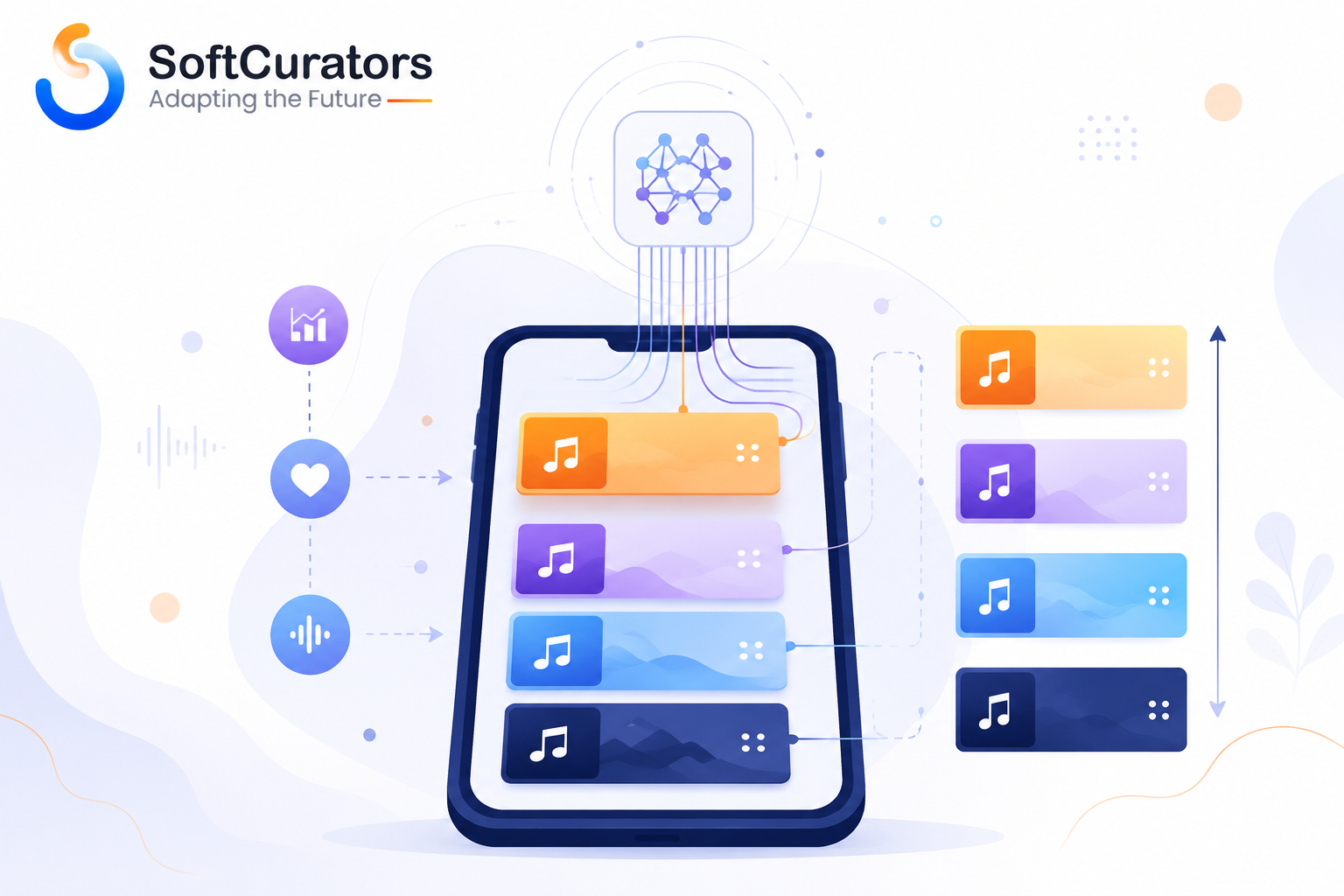
The personalized home screen and algorithmic playlists in a music app are generated by ranking models that score every track or playlist a user could see against their recent listening behavior, then display the highest-scoring items first -refreshed on a schedule (often daily) rather than in true real time, for most consumer apps at typical scale.
From the app’s point of view, this is mostly a display and caching problem, not a modeling problem -the ranking itself usually happens in the cloud, and the app’s job is to fetch, cache, and render the result efficiently, including handling the case where a user opens the app offline and only cached rankings are available.
The Cold-Start Problem: What Happens Before There’s Any Listening History
Every personalization system faces a moment where it has nothing to work with -a brand-new account, a guest session, or a user who just reinstalled the app. This is usually called the cold-start problem, and how an app handles it says more about product maturity than the sophistication of the recommendation model itself. A well-designed app asks a small number of preference questions at onboarding (a handful of genre or artist choices) purely to seed a starting point, then blends in real behavioral data as it accumulates over the first few sessions.
Common Mistake: Sending a brand-new user straight into a blank or generic “trending” feed with no onboarding signal at all. This isn’t a failure of the AI model -it’s a failure to give the model anything to work with in the first place, and it’s one of the more fixable gaps in an otherwise well-built app.
Feedback Loops and Catalog Diversity
Operational Perspective: A recommendation system is not “build once, done.” It needs ongoing monitoring for feedback loops -a known failure mode where the model over-recommends already-popular tracks because they generate more engagement data, which then reinforces the model’s confidence in them, gradually narrowing catalog diversity. Someone on the team needs to own catalog diversity as an explicit metric, not just engagement, and needs the authority to intervene when the two metrics start pulling against each other.
Technical Note: A common app-engineering mistake is treating the personalized home screen as something that must be freshly computed every time the app opens. In practice, caching a daily or session-based ranking and refreshing it on a reasonable schedule is both cheaper and, for most listening patterns, indistinguishable to the user from true real-time recomputation -reserve real-time re-ranking for genuinely session-sensitive moments, like adjusting a queue immediately after several skips in a row.
Operational Perspective: Someone on the team needs to own what happens when personalization has nothing to work with -a brand-new user, a user who just switched devices and lost local cache, or a network failure mid-fetch. Every app needs a well-designed, non-AI fallback state (editorial picks, trending-in-region) for these moments, and it’s frequently left as an afterthought until it shows up in app store reviews as “empty home screen.”
Future Perspective: More apps are moving toward session-aware re-ranking -adjusting the immediate queue based on skips and dwell time within the current session, rather than only refreshing a daily ranking. This is a genuine direction in current product design, not an established default, and it adds real engineering complexity around when to trust in-session signal versus long-term listening history.
Common Mistake: Building session-aware, real-time re-ranking before the daily-refresh version is solid. Teams frequently reach for the more sophisticated version because it sounds more impressive, without first validating that the simpler cached approach is actually underperforming for their specific user base.
Decision Checklist:
- Do you have an onboarding flow that seeds a cold-start preference signal, or does a new user land on a blank feed?
- Is catalog diversity tracked as its own metric, separate from raw engagement?
- Is there a defined, tested fallback state for offline sessions and network failures?
What’s Involved in Adding Voice and Conversational Search to an App?
Voice and natural-language search in a music app lets a user ask for music by mood, activity, or vague description instead of typing an exact title, and at the app level this is typically implemented as a hybrid: a lightweight wake-word or command-detection layer running on the device, paired with the actual language understanding happening in the cloud via a language model API.
This matters for app architecture because it means voice features carry an ongoing network dependency and API cost that scales with usage -unlike a purely on-device feature, which has no per-request cost once built. It also means voice search quality is bounded by your catalog’s metadata tagging, since the language model still needs something accurate to match the interpreted intent against.
Why Metadata Quality Determines Whether Voice Search Actually Works
A natural-language query like “something upbeat for a run” only resolves correctly if tempo, mood, and activity tags exist somewhere in your catalog metadata for the model to match against. If that tagging is thin or inconsistent -common on catalogs built from independent or unsigned uploads -the voice feature will return technically valid but perceptually wrong results, which erodes trust in the feature faster than simply not offering it. This is why voice search and the automatic tagging discussed later in this guide are almost always built as a pair, not as separate initiatives on separate timelines.
Multi-Language and Regional Considerations
Business Perspective: Voice interpretation quality varies by language and regional accent, and a language model that performs well in one market may perform noticeably worse in another. If your app serves multiple language markets, voice search rollout is realistically a market-by-market decision rather than a single global launch, and it’s worth budgeting a regional quality-testing pass rather than assuming uniform performance.
Apps integrating with a phone’s native voice assistant (rather than a fully custom in-app voice feature) also need to work within the platform owner’s specific integration requirements. Apple’s SiriKit documentation and Google’s Assistant developer documentation both define the specific intents and permissions a media app must implement to be invoked by voice outside the app itself, and these platform-specific requirements change independently of your own app roadmap -budget review time for them separately from your feature’s own development timeline.
Common Mistake: Building a fully custom in-app voice feature before checking whether the native OS-level voice assistant integration already covers the core use case at lower engineering cost. For many apps, SiriKit or Assistant integration for basic playback commands is a faster and cheaper first step than a custom conversational interface.
Decision Checklist:
- Is a meaningful share of your usage happening hands-free (driving, cooking, workouts) where voice genuinely beats typing?
- Would native OS voice assistant integration cover the core use case before you build a custom in-app system?
- Is your catalog metadata accurate enough that natural-language matching won’t return confidently wrong results?
- If you serve multiple language markets, do you have a plan to test and tune voice quality per market rather than assuming uniform performance?
How Does AI-Powered Audio Processing Work Inside an App?
Beyond personalization and search, a layer of AI operates below what a user directly sees -adjusting audio quality in real time, normalizing loudness across tracks, and, increasingly, separating vocals from instrumentals within an existing recording. This category gets far less product attention than recommendation or voice features, but it directly shapes perceived audio quality, data usage, and a growing set of accessibility and creative features.
Adaptive Bitrate and Network-Aware Streaming
Adaptive bitrate streaming uses a lightweight predictive model -typically running on-device -to adjust audio quality in real time based on current network conditions, balancing perceived quality against buffering risk and data consumption. This is a genuine technical differentiator in markets with inconsistent mobile connectivity, and it’s one of the more mature, low-risk AI features an app can implement, since the underlying techniques are well established rather than experimental.
Technical Perspective: This is almost always a licensed or library-based implementation rather than something built from scratch -the differentiation for your app comes from how well it’s tuned to your specific user base’s typical network conditions and device mix, not from owning novel underlying technology.
Loudness Normalization
Loudness normalization automatically adjusts playback volume so tracks mastered at different loudness levels feel consistent to the listener without manual adjustment -a smaller-scale, well-understood application of audio analysis that most listeners never consciously notice unless it’s missing, at which point jarring volume jumps between tracks become a visible quality complaint.
Source Separation: Isolating Vocals and Instrumentals
Source separation -isolating vocal or instrumental stems from a mixed recording -has improved substantially in accuracy in recent years and now underlies features like sing-along or karaoke modes, practice tools for musicians, and some remix or DJ-style tools. Depending on processing intensity, this can run on-device for lighter, real-time use cases or in the cloud for higher-fidelity separation.
Risk Alert: Separating and redistributing stems from a licensed recording may exceed what the original license permits, since most licensing agreements were written with the assumption that a recording would be played back as a whole. Any feature offering stem separation or extraction as an output a user can save or export needs specific legal review of your catalog’s licensing terms -this is a rights question, not just an engineering one.
Accessibility Benefits of Audio Processing AI
Business Perspective: Adaptive audio processing has a genuine accessibility dimension that’s easy to overlook in a purely competitive framing: consistent loudness normalization, clearer vocal isolation for hearing-impaired listeners using assistive equipment, and stable low-bandwidth playback in poorly connected areas all serve real accessibility needs, not just a premium-tier differentiator narrative.
Future Perspective: Expect adaptive, AI-tuned audio personalization -adjusting EQ or spatial audio processing to a listener’s device and even hearing profile -to become more common as a differentiator, particularly on platforms competing on audio quality as a premium tier feature. This is an emerging direction worth watching rather than a current standard.
How Do Creator-Facing AI Tools Fit Into the App Experience?
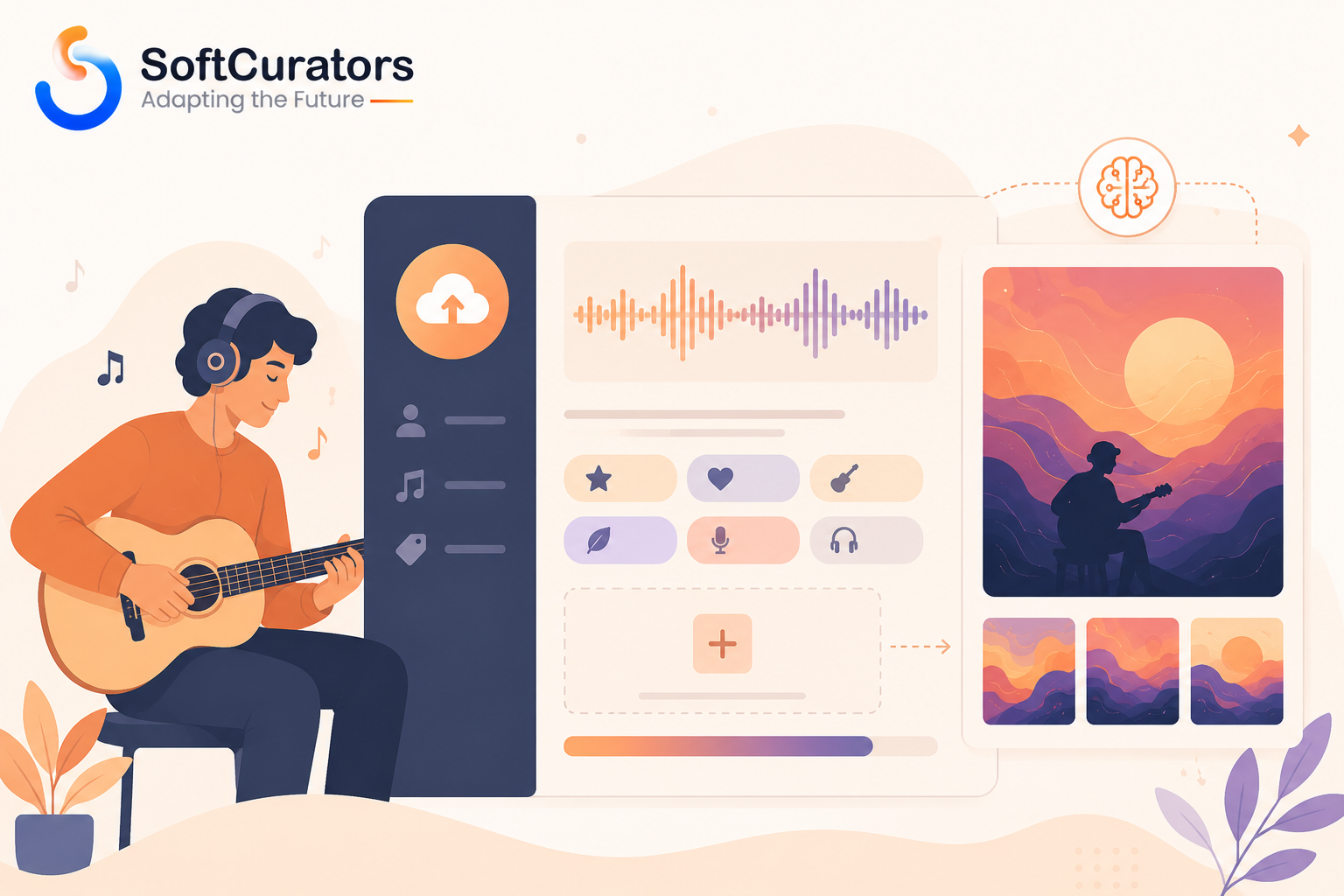
For apps that let independent artists or creators upload content directly, AI-assisted tools inside the upload flow -automatic genre and mood tagging, AI-assisted mastering, and AI-generated cover art suggestions -reduce the friction and skill barrier for a creator to publish something that looks and sounds finished, without the app needing to build a professional production suite.
Automatic Tagging at the Point of Upload
Automatic tagging during upload solves a real operational problem: independent and unsigned content frequently arrives with inconsistent or missing metadata, which otherwise falls to a content operations team to clean up manually. Doing this at the point of upload, inside the app, is both faster for the creator and cheaper for the platform than after-the-fact cleanup. Tagging models still make errors, particularly on genre-blending or less common musical traditions where training data is thinner, so a confidence-threshold review step -flagging low-confidence tags for a human check rather than trusting every automated result -is worth building in from the start rather than retrofitting later.
AI-Assisted Mastering
AI-assisted mastering -automated loudness and tonal balancing applied to a raw upload -helps creators without access to professional mastering produce a track that sits comfortably alongside professionally mastered catalog content. This is typically integrated via a third-party API rather than built from scratch, since these are mature, widely available capabilities where the differentiation comes from how well they’re woven into your specific upload flow, not from owning the underlying model.
AI-Generated Cover Art
AI-generated cover art suggestions give creators a usable visual asset without needing design skills or budget, typically offered as one option among several during upload rather than a forced default. For teams specifically exploring a generation-heavy creator feature, our breakdown of
how to develop an AI music generation app like Suno AI and our landscape review of Suno AI alternatives both cover the vendor and build considerations in more depth for apps that want to go further into generative creator tools.
Risk Alert: AI-generated cover art and AI-assisted audio tools raise the same content-rights and disclosure questions as any AI-generated content feature. If your app allows AI-assisted uploads, your terms of service and moderation process need to address AI content disclosure explicitly -this is increasingly expected by app store reviewers as well as by users, not just a legal formality.
Operational Perspective: Every creator-facing AI tool needs an owner on the content operations side, not just engineering -someone accountable for reviewing flagged uploads, handling creator disputes about AI-assisted output, and updating moderation rules as the tools and their misuse patterns evolve.
What Data and Permissions Do These AI Features Actually Require?
Every AI feature covered so far depends on some amount of user data -listening history for personalization, microphone access for voice search, upload content for creator tools -and the specific data and permissions required, along with how transparently they’re requested, has a direct effect on both user trust and regulatory exposure.
What Personalization Actually Needs, and What It Doesn’t
Personalization generally relies on listening history and basic usage context -time of day, device type, approximate region -rather than sensitive personal data in the legal sense. A common design mistake is requesting broader permissions than a feature actually needs, either through an overly generic onboarding permissions request or through third-party SDKs bundled into the app that collect more than the feature in question requires. Reviewing exactly what data each AI feature touches, and requesting only that, is both better practice and a simpler compliance story.
Consent and Transparency Design
Business Insight: Users are increasingly aware that personalization requires data, and a growing number respond better to a brief, honest explanation of what’s being used and why (“we use your listening history to personalize recommendations”) than to a feature that quietly works without any acknowledgment. Transparency here tends to build trust rather than raise suspicion, provided it’s presented once, clearly, and not as a wall of legal text at onboarding.
Regulatory Considerations
Depending on your operating markets, personalization and voice features may bring additional obligations under regulations such as the General Data Protection Regulation in the EU/EEA, or comparable state-level and national privacy laws elsewhere. This is genuinely jurisdiction-specific and depends on your exact data flows, so it should be reviewed with legal counsel for your specific markets rather than assumed to follow a single global standard.
Common Mistake: Treating privacy review as a one-time launch checklist item rather than an ongoing part of the AI feature lifecycle. New AI features added after launch -especially anything touching voice or creator uploads -need the same privacy and permissions review the original feature set went through, not a grandfather exemption because “we already did privacy review.”
Decision Checklist:
- Does each AI feature request only the data and permissions it actually needs, not a broader default set?
- Is there a clear, brief, user-facing explanation of what data personalization or voice features use?
- Has legal counsel reviewed data handling specifically for the markets you operate in, rather than a generic global policy?
On-Device AI vs. Cloud AI: Which Should Your Music App Use?
This is the central engineering decision behind almost every AI feature in this guide: should a given AI capability run on the user’s device, in the cloud, or as a hybrid of both? Unlike a pure build-versus-buy question, this is fundamentally about where computation happens, and it directly shapes battery consumption, data usage, offline capability, privacy exposure, app binary size, and how quickly you can iterate after launch.
Choose on-device processing when:
- The feature needs to work offline (a downloaded-music smart queue, for instance).
- Privacy is a primary concern for your audience or required by your target markets, since data never leaves the device.
- You want to avoid ongoing per-request cloud inference costs at scale.
- Latency needs to be near-instant (audio analysis during playback, for example).
Choose cloud processing when:
- The feature depends on aggregated data across many users (collaborative-style recommendations can’t run meaningfully on a single device).
- The model is too large or resource-intensive for typical phone hardware, particularly older or lower-end devices in your user base.
- You need to update or fix the model frequently without waiting on an app store review cycle.
- You’re integrating a third-party generative or language model API that only exists in the cloud.
Cost implications: On-device processing avoids recurring per-request inference costs but requires upfront investment in model compression and device-specific optimization; cloud processing has lower upfront app-engineering cost but scales in cost directly with usage.
Maintenance implications: Updating an on-device model typically requires shipping a new app version, subject to app store review timelines; a cloud model can be updated instantly without touching the app binary at all. This is one of the more consequential and least discussed trade-offs in this decision.
Scalability implications: On-device AI scales “for free” per additional user in pure compute terms, but is constrained by the range of device hardware in your actual user base -a model tuned for a current flagship phone may perform poorly on a several-year-old budget device. Cloud AI scales predictably with infrastructure spend regardless of the user’s device.
Risk factors: On-device models are more exposed to extraction or reverse engineering from the app binary than a cloud-hosted model; cloud processing carries data-transmission and third-party data handling exposure instead. Neither is categorically safer -the risk simply moves location.
Time-to-market impact: Cloud-based features are generally faster to prototype and ship first, since they avoid the additional engineering work of compressing and testing a model across device types. On-device features typically take longer to reach a comparable first release but reduce ongoing operating cost afterward.
Developers building the on-device path specifically will work directly with the platform’s native ML frameworks –Apple’s Core ML documentation on iOS and Google’s ML Kit documentation on Android -both of which define how models are packaged, run, and updated within an app, and both are worth reviewing early since they materially shape how a model needs to be built, not just how it’s deployed.
Expert Recommendation: Most production music apps land on a hybrid: cloud processing for personalization and anything depending on cross-user data, on-device processing for anything that needs to work offline or benefits from near-zero latency, and a clear internal rule for which category a new AI feature request falls into before committing engineering time.
Hybrid Architectures: Splitting a Single Feature Across Device and Cloud
In practice, many individual features aren’t purely on-device or purely cloud -they split the work between the two. Voice search is the clearest example already covered above: a lightweight wake-word or command-detection layer runs on-device for speed and privacy, while the actual language interpretation happens in the cloud where the heavier model lives. Audio processing follows a similar pattern, with lightweight adjustments like basic loudness leveling handled locally and higher-fidelity source separation offloaded to the cloud when quality matters more than latency.
Technical Note: Designing a hybrid feature well means being explicit about exactly which part of the logic lives where, and what happens when the cloud portion is unreachable -a half-working hybrid feature that silently fails on its cloud half is a worse experience than a feature that gracefully falls back to a simpler on-device-only behavior when connectivity drops.
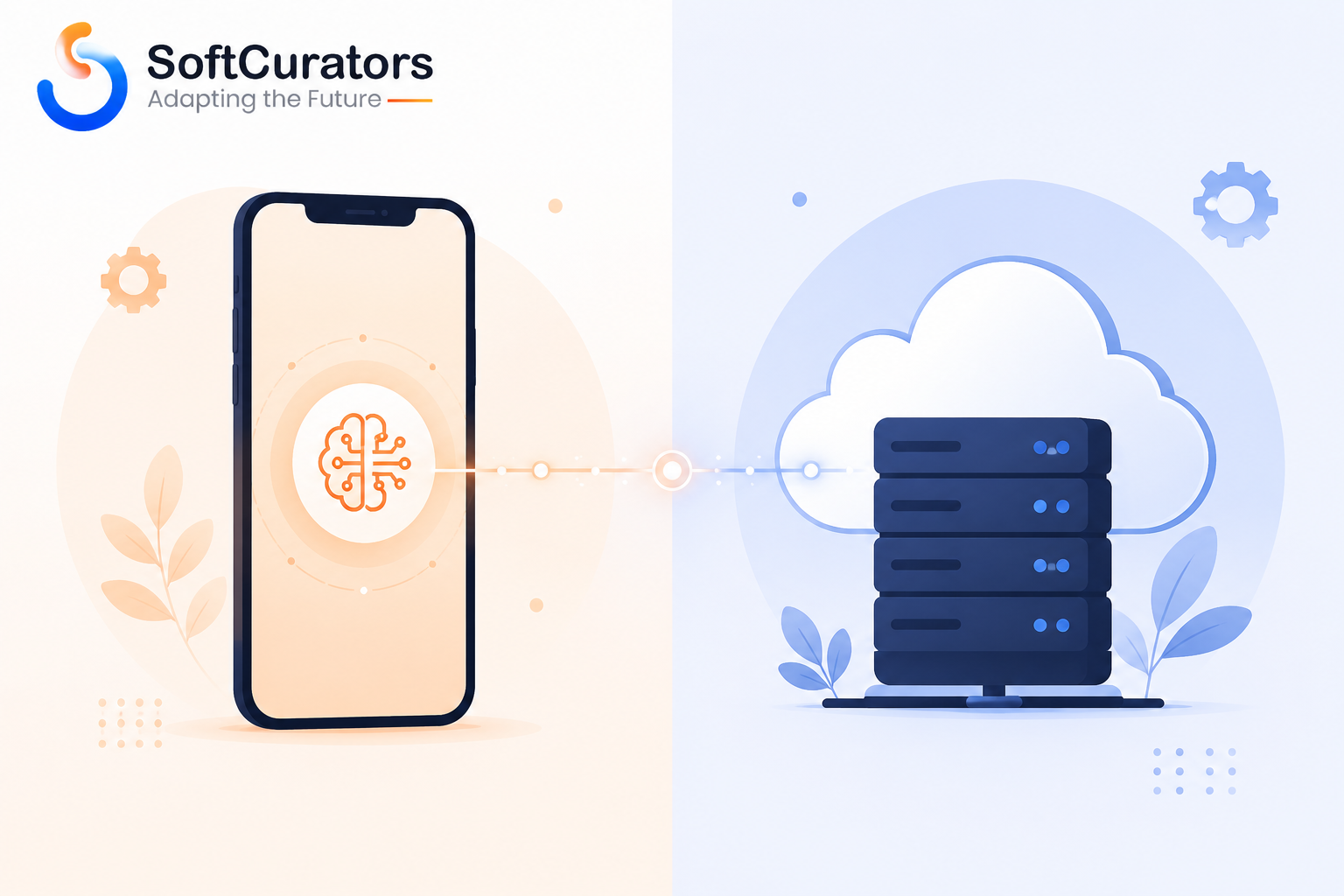
Comparison Table: On-Device AI vs. Cloud AI in a Music Streaming App
| Factor | On-Device AI | Cloud AI |
| Cost model | Higher upfront engineering, low recurring cost | Lower upfront cost, ongoing usage-based cost |
| Update speed | Requires app release + store review | Instant, no app update needed |
| Offline support | Fully supported | Not supported without connectivity |
| Privacy exposure | Data stays on device | Data transmitted to servers |
| Device variance risk | Higher -depends on hardware range | Low -consistent server-side performance |
| Best fit | Offline features, privacy-sensitive markets, latency-critical use | Cross-user personalization, large/generative models, rapid iteration |
Note: Costs and feasibility vary by model complexity, device range in your user base, and vendor pricing -verify current framework capabilities and API pricing directly before finalizing an approach.
Should You Build These AI Features In-House or With a Development Partner?
Alongside the on-device-versus-cloud question sits a second, equally consequential decision: should your team build these AI features with in-house engineering, or work with an outside development partner for some or all of them? This decision is often made by default -whoever is already on the team builds whatever comes up -rather than deliberately, which is itself a common source of both delay and rework.
In-house engineering tends to be the better fit when:
- AI personalization or a specific feature is genuinely core to your competitive positioning, not a supporting feature.
- You already have, or are actively building, dedicated mobile and ML engineering capacity.
- You expect frequent, ongoing iteration on the feature well beyond initial launch.
A development partner tends to be the better fit when:
- You need to reach a working version quickly without first hiring and onboarding a specialized team.
- The feature set spans multiple disciplines at once -mobile engineering, backend, ML integration, App Store compliance -that would otherwise require several new hires.
- You want a structured, time-boxed build (an MVP or a defined feature set) rather than open-ended ongoing development.
Cost implications: In-house teams carry fixed salary and benefits cost regardless of workload, which pays off when there’s continuous, long-term feature work; a development partner is typically scoped and billed against a specific deliverable, which can be more cost-efficient for a defined build but less so for indefinite, open-ended iteration.
Maintenance implications: An in-house team retains full institutional knowledge of the AI features it built, which matters for fast troubleshooting; a partner-built feature needs a clear handoff -documentation, code ownership, and a support arrangement -so the capability doesn’t become a black box once the initial engagement ends.
Risk factors: In-house builds carry key-person risk if only one or two engineers understand the AI implementation; partner-built features carry a different risk if the handoff and documentation aren’t handled deliberately at the end of the engagement. Both are manageable with the right process, but neither is risk-free by default.
Time-to-market impact: A development partner with existing mobile and AI integration experience typically reaches a first working version faster than a newly hired in-house team still ramping up, particularly for a defined MVP or feature launch rather than long-term platform ownership.
Expert Recommendation: A common and practical pattern is to use a development partner to reach a working first version of the AI features that matter most, with a clear, documented handoff, then bring ongoing iteration in-house once the feature set and its usage patterns are established -rather than treating “in-house” and “partner” as a single, permanent, all-or-nothing choice for the whole app.
What Do App Store and Google Play Actually Require When AI Is Involved?
Both major app marketplaces have platform-specific policies that apply once AI-generated content, AI-assisted moderation, or AI-driven personalization is part of your app -these are separate from any content licensing or copyright obligations and are enforced at the app review stage, meaning non-compliance can block a release entirely rather than just create legal exposure later.
Reviewing Apple’s App Store Review Guidelines and Google Play’s Developer Content Policy directly, rather than relying on general summaries, matters because both are updated periodically as AI-generated content becomes more common in consumer apps, and requirements around disclosure, moderation, and user-generated AI content have tightened over time.
Business Perspective: A rejected or delayed app store submission over an AI content policy issue is a launch-timeline risk that’s entirely avoidable with early review -this is worth a specific line item in your project plan rather than an assumption that general legal review covers it.
Common Mistake: Treating app store policy review as a legal afterthought handled right before submission. Reviewing the relevant AI and content-generation policy sections during the design phase -before a feature is built -avoids costly late-stage redesign if a planned feature turns out to need disclosure UI or additional moderation that wasn’t scoped in.
Operational Perspective: Platform policy in this area moves faster than most other app store requirements. Assign someone -product, legal, or a designated engineering lead -to periodically re-check both platforms’ current AI and generated-content policy sections rather than relying on the understanding you had at initial launch.
How Should You Test and Monitor AI Features After Launch?
Shipping an AI feature is not the end of the work -personalization, voice search, and creator tools all need ongoing measurement and adjustment, and the metrics that matter differ meaningfully from the general app analytics teams already track.
Choosing the Right Metric Per Feature
Personalization is best tracked through retention and session-length trends over weeks or months, not a single engagement number, since recommendation quality compounds gradually rather than producing an immediate spike. Voice search is better measured by successful-query rate -how often a voice request actually results in the user playing something, rather than abandoning or retyping -than by raw usage volume. Creator-facing tools are best tracked through upload completion rate and post-upload editing behavior, since a high rate of creators immediately overriding an AI suggestion signals a tagging or mastering quality problem worth investigating.
A/B Testing AI Features Responsibly
Technical Note: A/B testing a recommendation change against a genuinely comparable control group is harder than it looks in a music app specifically, because listening behavior is highly seasonal and habit-driven -a change that looks positive over one week may simply reflect a broader seasonal listening pattern unrelated to the feature itself. Plan test windows long enough to separate a real effect from normal listening-pattern noise, and be skeptical of conclusions drawn from short test windows.
Monitoring for Model Drift
Operational Perspective: Any model trained on past behavior can gradually drift out of alignment with current listening patterns, catalog changes, or shifts in your user base -a phenomenon generally called model drift. Production AI features need a periodic health check against a small set of core metrics (not just a one-time launch validation) so degradation is caught as a trend rather than discovered only once users start complaining.
Decision Checklist:
- Does each AI feature have a specific, named success metric, distinct from general app engagement?
- Are A/B tests run over a long enough window to separate real effects from seasonal listening patterns?
- Is there a recurring, scheduled check for model drift, rather than a one-time launch validation?
Handling User Feedback and Manual Overrides
Beyond backend metrics, a direct feedback mechanism -a “not interested” option on a recommended track, a way to correct a mis-tagged upload, a simple thumbs-down on a voice search result -gives users a way to correct the system in the moment, which both improves the immediate experience and generates a useful signal for future model tuning. Apps that skip this tend to see frustration surface indirectly, through reduced engagement or negative reviews, rather than through a channel the team can act on directly.
Business Insight: A visible, easy-to-use override option also does quiet work on trust: users who know they can correct the system tend to be more forgiving of the occasional bad recommendation than users who feel stuck with whatever the algorithm decided, even when the underlying model quality is similar between the two cases.
Common Mistakes When Building AI Into a Music Streaming App
- Treating every AI feature as cloud-only by default. This misses genuine cases -offline features, privacy-sensitive markets, latency-critical audio analysis -where on-device processing is clearly the better fit.
- Skipping a non-AI fallback state. New users, offline sessions, and network failures all need a sensible default experience, not a broken or empty screen.
- Building custom voice search before checking native OS integration. SiriKit or Assistant integration frequently covers the core use case at a fraction of the engineering cost.
- Ignoring device-hardware variance for on-device models. A model tested only on current flagship devices can perform poorly across the actual range of phones your users own.
- Leaving app store AI-content policy review until submission. This risks a rejected build on a launch-critical timeline.
- Underestimating the app-update cost of on-device model changes. Every fix requires a full release and review cycle, unlike a cloud model that updates instantly.
- Requesting broader data permissions than a feature actually needs. This increases both user distrust and regulatory exposure without adding product value.
- Making an in-house vs. partner decision by default rather than deliberately. Whoever happens to be available builds the feature, rather than the team best suited to the specific timeline and feature type.
- Skipping post-launch monitoring for model drift. A feature validated at launch can degrade quietly over months without a recurring check in place.
What Does It Cost and How Long Does It Take to Add These Features?
Cost and timeline depend heavily on which features you pursue, whether they’re cloud-based or on-device, and whether you build in-house or with a partner, so treat the following as directional planning input rather than a quote. Cloud-based personalization and voice features are generally faster and cheaper to reach a first working version, since they lean on existing APIs and infrastructure; on-device features carry a longer initial timeline due to model compression and device testing, offset by lower ongoing per-user cost once shipped.
For the cost of the broader app build these AI features sit inside of, our detailed cost to develop a music streaming app guide and our specific comparison in cost to build a music streaming app like Spotify cover the non-AI baseline, and our Spotify vs. Apple Music feature comparison is a useful reference for how established apps have allocated AI investment across features.
Technical Note: Ongoing cloud inference cost for voice and personalization features is one of the more commonly underestimated line items in an app budget -it scales with active usage, not with a one-time build cost, and can shift materially as your user base grows.
Business Insight: Teams frequently budget the initial build of an AI feature carefully but treat the ongoing cost -inference fees, monitoring, periodic retraining, app store re-review for on-device updates -as a rounding error. Over a year of real usage, this ongoing cost is often comparable to, or larger than, the initial build cost, particularly for cloud-based voice and generative features.
Comparison Table: AI Feature Categories by Cost, Timeline, and Fit
The categories covered throughout this guide differ enough in cost, timeline, and risk profile that it’s worth comparing them side by side once you’re ready to prioritize a roadmap, rather than evaluating each in isolation.
| Feature Category | Typical Cost Model | Typical Time to First Version | Best Fit When |
| Home screen / playlist personalization | Cloud subscription or usage-based | Weeks (cloud) to months (custom) | Established catalog and active user base generating real listening data |
| Voice and conversational search | Cloud API, usage-based | Weeks for native OS integration, months for custom | Meaningful hands-free usage and solid catalog metadata already in place |
| Audio processing (adaptive bitrate, normalization, separation) | Licensed library, largely one-time | Weeks to months | Any app prioritizing perceived audio quality or accessibility |
| Creator upload-assist tools | API-based, usage-based | Weeks to months | Apps accepting independent or unsigned creator uploads |
| Privacy and consent layer | Engineering time, ongoing legal review | Ongoing, not a single release | Every app with any personalization or voice feature, without exception |
| App store / moderation compliance | Engineering and legal review time | Ongoing, tied to each release | Every app with AI-generated or AI-assisted content of any kind |
Note: Treat this as a relative planning comparison, not a fixed quote -actual cost and timeline depend heavily on catalog size, team composition, and vendor selection.
Where Is AI Inside Music Streaming Apps Headed Next?
The following are directional trends based on current product and platform momentum, not settled fact -verify against current developer documentation and market coverage before treating any of these as a firm roadmap input. For a wider view of where app development in this category is heading beyond AI specifically, see our music streaming app trends overview.
- More on-device processing as phone hardware improves and privacy expectations rise, particularly for audio analysis and offline personalization.
- Deeper native voice assistant integration over fully custom in-app conversational systems, as OS-level assistants become more capable for media control.
- Tighter app store policy on AI-generated content disclosure, likely requiring clearer in-app labeling for AI-assisted creator uploads.
- Session-aware, real-time re-ranking gradually supplementing daily-refresh personalization models, adding engineering complexity in exchange for responsiveness.
- Greater emphasis on transparency UI for personalization, as users increasingly expect a brief, honest explanation of why they’re seeing a given recommendation rather than an unexplained black box.
- More hybrid build models, where a development partner handles initial AI feature builds and specialized integration work while an in-house team owns long-term iteration.
Final Summary and Next Steps
AI inside a music streaming app isn’t one feature -it’s several distinct product capabilities, each with a real engineering decision behind it. The two that shape the most downstream trade-offs are where the processing happens (on the device or in the cloud) and who builds and maintains it (in-house or through a development partner). Get those two decisions right for each feature, and the rest -cost, update speed, offline behavior, app store compliance, ongoing monitoring -follows more predictably.
Teams that get this right tend to share a pattern: they pick a small number of AI features tied to a specific product outcome, decide deliberately where each one should run and who builds it, treat app store and privacy review as part of the design process rather than a final checkbox, and keep monitoring the feature after launch rather than treating shipping as the finish line. They don’t try to make every screen “AI-powered” at once.
Consultant’s Tip: Before your next sprint planning session, list every AI feature currently on your roadmap and mark each one on-device, cloud, or hybrid, and in-house or partner-built. If either column is blank for any of them, that’s the conversation to have before writing a single line of implementation code.
Risk Alert: None of the frameworks in this guide are a one-time exercise. Device hardware, OS-level ML frameworks, app store policy, and language model capabilities all continue to change after your initial launch, and a decision that was correct at build time can become outdated within a year. Revisiting the on-device-versus-cloud and in-house-versus-partner questions periodically, rather than treating them as settled once and for all, is part of keeping these features healthy over the life of the app.
Next Step
If you’re scoping which AI features actually belong in your app -and specifically which should run on-device versus in the cloud, and which are worth building with outside help versus in-house -an MVP Planning Session with Softcurators is a practical way to work through your feature list against real engineering trade-offs before committing development time. Softcurators builds across iOS and Android app development, along with broader mobile app development and AI integration work. You can see related examples on the music streaming app development solutions page, review our MVP development approach, or get in touch directly to talk through your specific feature list.
Frequently Asked Questions
What's the actual difference between on-device and cloud-based AI in a music app?
On-device AI runs the model directly on the user's phone, working offline with no per-request cost but limited by that device's hardware. Cloud AI runs on remote servers, supporting heavier models and cross-user data but requiring connectivity and carrying ongoing usage-based cost.
Will adding AI features drain users' phone battery?
It depends on where the processing happens. Well-optimized on-device models designed for mobile hardware add minimal battery impact; poorly optimized models or excessive background processing can measurably affect battery life, which is why device testing across hardware tiers matters before release.
Does AI personalization work differently on iOS vs. Android?
The underlying personalization logic is typically the same across platforms since it usually runs in the cloud, but on-device components differ because iOS and Android use separate native machine learning frameworks with different capabilities and constraints.
Can voice control be added without building a full conversational AI system?
Yes. Integrating with the phone's native voice assistant for core commands like play, pause, and skip is typically far less engineering effort than building a custom natural-language interface, and covers a large share of common voice use cases.
What AI features actually matter most for user retention in a music app?
Personalized home screen ordering and playlist quality tend to have the clearest, most measurable link to retention. Voice and creator-tool features generally support engagement for specific segments rather than moving the broader retention number as directly.
Do the App Store and Google Play have specific rules about AI features?
Yes. Both platforms have policies covering AI-generated content, disclosure requirements, and moderation expectations that are enforced during app review, separate from any copyright or licensing considerations -reviewing them early avoids submission delays.
Is AI-generated cover art or AI-assisted uploads a legal risk for an app?
It can be, depending on the vendor's training data provenance and your platform's disclosure practices. This is a genuine legal review question for your specific vendor and markets, not a general software licensing matter.
How much data and how many permissions does AI personalization typically require?
Personalization generally relies on listening history and basic usage context (time of day, device type) rather than sensitive personal data, but exact requirements depend on your specific implementation and should be reviewed against your privacy policy and applicable regulations.
Can a small team maintain AI features after launch?
Licensed cloud-based AI services are generally maintainable by a general product engineering team without a dedicated ML specialist. Custom on-device models require more specialized ongoing attention, particularly as new phone hardware and OS versions are released.
What's the realistic cost difference between on-device and cloud AI features?
Cloud features usually cost less upfront but accumulate ongoing usage-based fees as your user base grows. On-device features cost more upfront to build and test across devices but avoid per-request fees afterward -the better choice depends on expected scale and usage patterns.
Do AI music app features affect app download size?
On-device AI models add to app binary size, sometimes meaningfully depending on model complexity, while cloud-based features add little to no size since the processing happens remotely. This is a real consideration for markets with limited storage or data caps.
How does offline or downloaded music interact with AI recommendations?
Recommendations that depend on cloud processing typically can't update while offline, so apps generally cache a recent personalization snapshot to use during offline sessions, with a clear fallback if that cache is unavailable or stale.
Is it possible to add AI features to an existing app without a full rebuild?
In most cases, yes. Cloud-based AI features are usually addable via API integration into an existing app architecture. On-device features may require more significant changes depending on how the app currently handles local data and processing.
What accessibility benefits do AI features bring to a music app?
Voice control and natural-language search can meaningfully improve access for users who have difficulty with fine motor control or reading small text. Audio processing features like loudness normalization and vocal isolation also support hearing-related accessibility needs.
How do I know if my app's AI features are actually working well?
Track outcome metrics tied to the feature's purpose -retention and session length for personalization, successful-query rate for voice search, upload completion rate for creator tools -rather than relying on general usage counts alone.
Should AI features be different for free vs. paid app tiers?
Some apps do reserve certain features (deeper personalization, ad-free voice search, priority creator tools) for paid tiers as a monetization lever, but this is a product and business decision specific to your model, not a technical requirement of the AI itself.
Should we build AI features in-house or bring in a development partner?
It depends on how central the feature is to your competitive positioning and whether you already have dedicated mobile and ML engineering capacity. A common pattern is using a partner to reach a first working version quickly, then bringing ongoing iteration in-house once the feature is established.
What happens if an AI feature's performance quietly gets worse over time?
This is usually a sign of model drift -a model trained on past behavior gradually falling out of step with current listening patterns or catalog changes. Scheduled, recurring monitoring against core metrics catches this as a trend rather than only after users notice and complain.
How long should we A/B test a change to a recommendation algorithm?
Long enough to separate a genuine effect from normal seasonal listening-pattern noise, which in music apps specifically can otherwise be mistaken for the impact of the change itself. Short test windows are one of the more common sources of misleading conclusions in this area.
Do source separation or karaoke-style features raise any special legal concerns?
Yes. Separating and offering vocal or instrumental stems from a licensed recording may exceed what the original license permits, so any feature that lets users save or export separated stems needs specific legal review of your catalog's licensing terms.
What's the difference between AI personalization and simple editorial curation?
Editorial curation is manually assembled by a human team and doesn't adapt per user; AI personalization is generated per listener from behavioral data and adjusts over time. Many apps use both together, with editorial curation as a reliable baseline and AI personalization layered on top as data volume grows.
Should voice search support be built for every market we operate in at once?
Not necessarily. Voice interpretation quality varies by language and regional accent, so a phased, market-by-market rollout with dedicated quality testing per market is generally a more reliable approach than a single global launch.
What's a reasonable first AI feature for a team building a new music app?
For most new apps, a well-designed onboarding flow feeding a cold-start personalization signal, paired with solid catalog metadata, delivers more noticeable user value per engineering hour than a more ambitious feature like voice search or generative tools, and sets up later features to work better once they're added.
