

Mobile app development follows nine phases: discovery and planning, platform selection, technology stack selection, UX/UI design, development, quality assurance, security and compliance review, launch, and post-launch maintenance. The single decision with the widest downstream effect is platform approach – native, cross-platform, or progressive web app – since it shapes cost, timeline, and technical flexibility for everything that follows. This guide walks through each phase with the business and technical trade-offs that actually determine how a project turns out.
Introduction
Most guides to mobile app development read like a checklist: design it, build it, test it, ship it. That’s technically accurate and almost useless in practice, because the real decisions that determine whether a project stays on budget and actually serves its users happen inside each of those steps, not between them.
A different approach has been used to build this mobile app development guide. Instead of listing phases, it walks through the actual decisions each phase requires – what discovery should really produce before design starts, how to choose between native and cross-platform development without defaulting to whichever sounds more familiar, and what separates a testing phase that catches real problems from one that’s just a formality before launch.
If you’re specifically trying to estimate what a project like this will cost, our mobile app development cost and pricing guide goes deep on that single question. This guide sits one level above it – the full process a cost estimate assumes is happening correctly in the background.
Consultant’s Tip: Read this guide once from end to end before starting your own project, even the phases that feel far off. Decisions made during discovery quietly constrain what’s possible during development, and decisions made during development quietly constrain what launch and post-launch actually look like – seeing the whole sequence first helps you avoid decisions that look fine in isolation but create friction two phases later. Treat it as a reference to return to at each phase, not just a one-time read.
What Does Mobile App Development Actually Involve, End to End?
Mobile app development is the full process of turning a product idea into a working application available to users, spanning nine connected phases: discovery and planning, platform selection, technology stack selection, design, development, quality assurance, security and compliance, launch, and post-launch maintenance. Skipping or rushing any one phase tends to surface as a problem in a later phase, rather than disappearing.
At a glance, the nine phases are:
-
Discovery and planning – validating the idea and turning it into a scoped set of requirements.
-
Platform selection – deciding between native, cross-platform, or progressive web app development.
-
Technology stack selection – choosing the specific frameworks, languages, and backend infrastructure.
-
UX/UI design – turning requirements into a usable, tested interface.
-
Development – the actual build, typically organized into iterative sprints.
-
Quality assurance – testing across devices, OS versions, and real usage scenarios.
-
Security and compliance – data protection, secure architecture, and regulatory review.
-
Launch – app store submission and go-to-market execution.
-
Post-launch – maintenance, monitoring, and continued iteration based on real usage.
Who needs a formal process like this: Any team building an app meant to be maintained and grown over time benefits from treating these as distinct phases with clear outputs, rather than blending them together informally. Who doesn’t: a team building a throwaway prototype purely to test a concept internally can reasonably compress or skip several of these phases, since the goal is speed and learning rather than a production-ready product.
Business Insight: The phases most often compressed under deadline pressure – discovery and QA – are also the two with the clearest link to long-term cost. Under-investing early shows up later as expensive mid-project rework; under-investing in QA shows up after launch as user-facing bugs and support burden, both of which cost more to fix than to prevent.
These nine phases rarely proceed in a perfectly clean sequence in practice – later phases often reveal something worth revisiting in an earlier one, and that’s a normal, healthy part of the process rather than a sign something went wrong. What matters is that each phase still produces a clear, usable output for the next one, even when the overall project timeline isn’t perfectly linear.
Phase 1: Discovery and Planning – Turning an Idea Into a Scoped Project
Discovery is the process of validating that your app idea solves a real problem and translating that idea into a specific, scoped set of requirements a development team can actually build against – and it’s the phase most frequently shortened or skipped by teams eager to start building.
What a Good Discovery Phase Actually Produces
A completed discovery phase should leave you with a defined target user, a prioritized feature list separating what’s essential from what can wait, a rough technical approach, and a clear definition of what success looks like for the first release. Without these, design and development both proceed on assumptions rather than decisions, which is where scope creep and mid-project rework most often originate.
MVP Scoping as Part of Discovery
For most new products, discovery should produce a minimum viable product, or MVP – the smallest version of the app that tests your core hypothesis with real users, rather than the full vision built all at once. Our MVP development service page and our guide to mobile app development for businesses and startups both cover this scoping process in more depth than we can here.
Prototyping Before Committing to a Full Build
A clickable prototype – a design-only simulation of the app’s core flows, without real backend functionality – lets you validate navigation and core interactions with real users before committing development budget to a full build. Our prototype development service covers how this step typically fits ahead of full-scale development.
Common Mistake: Moving straight from a one-paragraph idea into development without a documented discovery phase. This almost always costs more in the long run than the time discovery takes, since assumptions that turn out to be wrong get discovered mid-build, when correcting them is far more expensive.
Decision Checklist:
- Do you have a specific, prioritized feature list, or just a general product vision?
- Have you defined what success looks like for a first release, in terms you can actually measure?
- Would a clickable prototype meaningfully de-risk your build before committing full development budget?
Phase 2: Choosing Your Platform Approach – Native, Cross-Platform, or Progressive Web App?
Platform approach is the single decision in this entire guide with the widest downstream effect, since it shapes cost, timeline, hiring, and technical flexibility for every phase that follows it. Getting this decision right for your specific app matters more than optimizing any individual later-phase decision.
Native Development
Native development means building separately for iOS and Android, each using the platform’s own language and toolset, with almost nothing shared between the two builds.
Choose native when:
- Your app depends heavily on device hardware – camera processing, AR, or complex animations – where platform-specific optimization matters.
- You need access to a platform’s newest features immediately on release, without waiting for cross-platform framework support.
- Performance is a primary competitive factor for your specific app category (high-end gaming, for instance).
Avoid native, or at least question it, when:
- Your app is a fairly standard consumer or business app without unusual hardware demands.
- Budget and timeline are tighter than the premium native development typically commands.
Cross-Platform Development
Frameworks like React Native and Flutter share a large share of the codebase across iOS and Android, reducing both cost and timeline relative to two separate native builds for most standard app categories. Our detailed comparison of native apps vs. hybrid apps covers the underlying technical trade-offs in more depth than the summary here.
Choose cross-platform when:
- You need to launch on both iOS and Android without doubling your development budget and timeline.
- Your feature set is largely standard – content, forms, notifications, moderate real-time features – without heavy platform-specific hardware demands.
- You expect to iterate frequently post-launch and want a single codebase to maintain.
Progressive Web Apps
A progressive web app behaves like a native app in the browser without requiring an app store download, offering the lowest-cost way to validate demand, at the cost of real limitations on device feature access and app store visibility.
Choose a progressive web app when:
- You’re validating demand before committing to a full native or cross-platform build.
- App store discovery isn’t central to your acquisition strategy.
- Your feature set doesn’t depend on deep device integration (push notifications and offline support are supported, but with more limitations than a native app).
Cost implications: Native carries the highest upfront cost since nothing is shared between platforms; cross-platform typically reduces that cost meaningfully by sharing code; progressive web apps are generally the least expensive starting point but come with functional trade-offs that may require a later migration to native or cross-platform as the product matures.
Maintenance implications: Native requires maintaining two separate codebases indefinitely; cross-platform requires maintaining one shared codebase with occasional platform-specific exceptions; progressive web apps require maintaining a single web codebase, generally the lowest ongoing maintenance burden of the three.
Scalability implications: All three approaches can scale to large user bases; the more relevant scalability question is engineering team scalability – native requires separate iOS and Android specialists, while cross-platform lets a smaller team cover both platforms.
Risk factors: Native carries the risk of duplicated effort and divergence between platforms over time if not managed carefully; cross-platform carries the risk of occasional platform-specific limitations that require workarounds; progressive web apps carry the risk of being genuinely unsuitable if your product later needs deep device integration you didn’t anticipate at launch.
Time-to-market impact: Progressive web apps are generally fastest to a first version, cross-platform is next, and native typically takes longest for a comparable feature set across both iOS and Android, since two full builds proceed largely independently.
Expert Recommendation: Absent a specific technical reason favoring native – heavy graphics, hardware-level integration, platform-exclusive features – cross-platform development is the reasonable default starting point for most consumer and business apps today, with native reserved for the specific cases above rather than treated as automatically superior.
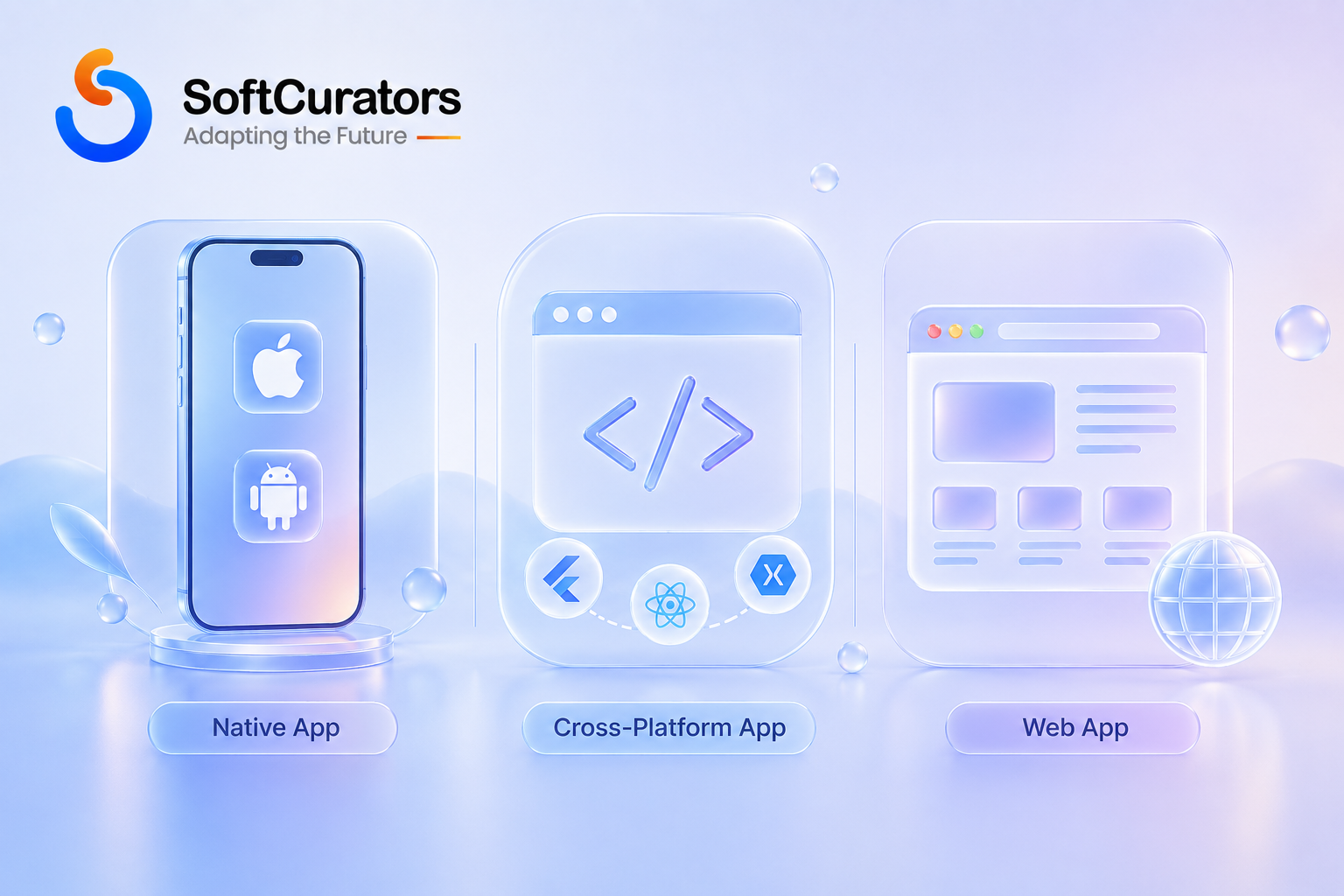
Comparison Table: Native vs. Cross-Platform vs. Progressive Web App
| Factor | Native | Cross-Platform | Progressive Web App |
| Relative upfront cost | Highest | Moderate | Lowest |
| Codebases to maintain | Two, separate | One, shared | One, web-based |
| Device feature access | Full | Nearly full, occasional gaps | Limited |
| App store presence | Full | Full | Limited or none |
| Best fit | Hardware-intensive or performance-critical apps | Most standard consumer/business apps | Early validation, content-focused apps |
Note: Treat this as a relative comparison to guide the conversation, not a fixed rule – the right choice always depends on your specific feature set and constraints.
Phase 3: Choosing a Technology Stack That Fits Your App
Once platform approach is settled, the technology stack – the specific frameworks, languages, databases, and cloud services used to build the app – needs to be chosen deliberately rather than defaulting to whatever a given team already knows best.
Our detailed breakdown of mobile app development technologies covers the current landscape of frameworks and backend options in depth. At a high level, the stack decision should follow from your platform choice, expected scale, and how much custom backend logic your app requires, rather than being chosen first and the app design fitted around it.
Technical Note: A technology choice that’s popular in general isn’t automatically the right choice for your specific app – the more useful question is whether a given framework or service has strong support for the specific features your app actually needs, and whether your team (in-house or partner) has genuine, demonstrated experience with it rather than surface familiarity.
For apps with substantial custom backend requirements beyond what a standard mobile stack typically covers, our custom software development service addresses how that additional backend work is typically scoped.
Build vs. Buy for Common Backend Services
Many backend capabilities – authentication, push notifications, payments, analytics – are available as mature, pre-built third-party services rather than something a team needs to build from scratch. Using an established service for these standard capabilities is usually faster and more reliable than custom-building the equivalent functionality, freeing development time for the parts of your app that are genuinely unique to your product.
Business Perspective: Custom-building a capability that a mature third-party service already handles well rarely produces a meaningfully better result for the additional time and cost involved, unless that specific capability is core to your competitive differentiation. Reserve custom backend investment for the logic that’s genuinely unique to your product, not for solved problems like authentication or basic notifications.
Phase 4: UX/UI Design – Turning Requirements Into Something People Can Actually Use
Design translates your discovery-phase requirements into an interface people can actually navigate, and it’s a phase that’s frequently under-scoped relative to how much it actually shapes both user experience and downstream development cost.
User Experience Before Visual Design
UX work – mapping user flows, information architecture, and interaction patterns – should happen before visual design begins, since visual polish applied to a confusing flow doesn’t fix the underlying usability problem. Our guide to mobile app UI/UX design best practices and our broader UI/UX design service both cover this process in more depth.
Designing to Platform Conventions
Design teams typically reference each platform owner’s own guidelines to keep the app feeling native to its environment – Apple’s Human Interface Guidelines for iOS and Google’s Material Design guidelines for Android – since deviating significantly from either without a strong reason tends to create a less familiar experience for users on that platform, and often increases design and development effort without a corresponding user benefit.
Designing for Accessibility From the Start
Building to recognized accessibility standards, such as the Web Content Accessibility Guidelines (WCAG), widens your addressable audience and is consistently cheaper to design in from the start than to retrofit after launch, since accessibility often touches navigation structure and component choices rather than surface-level adjustments.
Common Mistake: Skipping empty, loading, and error states during design and leaving them to be improvised during development. This is one of the more common sources of both cost overrun and inconsistent user experience, since developers end up making ad hoc design decisions under time pressure rather than working from an approved design.
Phase 5: Development – How the Build Process Actually Works
Development is where design and requirements become a working application, and how this phase is organized affects both quality and your ability to course-correct if something isn’t working.
Agile, Sprint-Based Development
Most modern mobile app development follows an Agile methodology, organizing work into short, fixed-length sprints (commonly one to two weeks) that each produce a demonstrable increment of working software, rather than a single long build phase that isn’t visible until the very end.
Operational Perspective: Regular sprint reviews give you the chance to catch a misunderstanding or a design issue after one or two weeks of work rather than after months, which is the core practical benefit of this approach over a single long build cycle – the methodology matters less for its own sake than for how early it surfaces problems.
When Waterfall Still Makes Sense
A small number of projects genuinely fit a more traditional Waterfall approach better – a single sequential path through requirements, design, development, and testing, with each phase fully completing before the next begins. This tends to suit projects with a truly fixed, unchanging specification, often driven by strict regulatory sign-off requirements, where flexibility to adjust scope mid-project is less valuable than a rigorously documented, sequential process.
Choose Agile when:
- Your requirements are reasonably likely to evolve as you learn from early builds or user feedback.
- You want visibility into progress every one to two weeks, not just at the end of the project.
Choose a Waterfall-style approach when:
- Your specification is genuinely fixed and unlikely to change, often due to regulatory or contractual requirements.
- Formal, sequential sign-off at each phase is a hard requirement of your organization or industry.
Expert Recommendation: For most consumer and business apps, Agile’s iterative visibility outweighs Waterfall’s upfront predictability, since very few real projects have a specification stable enough to justify committing to a fully sequential process without room to adjust.
Frontend, Backend, and API Integration Work in Parallel
Development typically proceeds across three connected tracks simultaneously: frontend work (the interface users interact with), backend work (the server-side logic and data handling), and integration work connecting the app to third-party services like payments, maps, or notifications. Coordinating these three tracks, rather than building them in strict sequence, is part of why experienced project management matters during this phase.
Common Mistake: Adding a significant new feature mid-sprint without adjusting the timeline or cutting something else to compensate. This is one of the most reliable ways to create schedule pressure that later shows up as reduced QA time or rushed, under-tested code.
Version Control, Code Review, and Staging Environments
Beyond the methodology used to organize work, three technical practices consistently separate well-run development phases from chaotic ones: disciplined version control (tracking every code change with a clear history), code review (a second engineer checking work before it merges into the main codebase), and a staging environment (a private, production-like environment for testing changes before they reach real users).
Technical Note: None of these three practices are optional extras for a serious project – skipping code review in particular tends to surface as inconsistent code quality and harder-to-diagnose bugs later, even though it doesn’t slow down any individual day of development in an obvious way. Ask a prospective development partner directly whether these practices are standard on their projects, not an optional add-on.
Phase 6: Quality Assurance and Testing – Why This Phase Determines Launch Readiness
Quality assurance verifies that the app actually works as intended across the range of devices, OS versions, and real-world conditions your users will encounter, and it’s the phase most likely to be compressed when a project runs behind schedule – usually at real cost to the launch.
Our guide to mobile app testing, deployment, and maintenance covers the specific testing types (functional, performance, usability, device compatibility, security) in more depth than we can summarize here.
Business Insight: A bug caught during QA costs a fraction of what the same bug costs to fix after launch, once it’s affecting real users, generating support tickets, and potentially damaging app store ratings that are difficult to recover. Treating QA as a fixed percentage of the schedule, protected from cuts even under deadline pressure, is one of the more consistently valuable planning decisions across every project type.
Risk Alert: Testing only on current-generation flagship devices, while understandable given limited QA time, misses real problems on the range of older or lower-end devices a meaningful share of your actual user base may be using – device coverage should reflect your actual target market, not just what’s convenient to test on.
Phase 7: Security and Compliance – What Every App Needs Regardless of Industry
Security and compliance work protects user data and keeps the app within applicable legal and platform requirements, and unlike a visible feature, it doesn’t show up in a demo – which is exactly why it’s easy to under-scope in an initial budget.
Following an Established Security Framework
Rather than reinventing security practices from scratch, most experienced teams build against an established, vendor-neutral framework. The OWASP Mobile Application Security project publishes widely referenced guidance on the specific risks mobile apps commonly face. Our overview of mobile app security and compliance covers this in more depth specific to mobile development.
Data Privacy Regulation
Depending on your target markets, handling personal data may bring obligations under regulations such as the General Data Protection Regulation in the EU/EEA or comparable regional privacy laws elsewhere. This is genuinely market-specific and worth reviewing with legal counsel for your exact markets rather than assuming a single global standard applies.
Compliance for Regulated Industries
Apps in regulated industries – fintech, healthcare, and similar categories – carry additional, industry-specific compliance requirements beyond general data protection. Our fintech app development and healthcare app development industry pages address what changes in these specific verticals, and our broader look at why enterprises need to modernize legacy applications covers a related compliance and technical-debt angle relevant to larger organizations specifically.
Risk Alert: Compliance review should be scoped as its own project phase with a dedicated budget line for regulated apps, not folded into general development time as an assumption. Under-scoping this specifically is one of the more consistent sources of both budget overrun and launch delay in regulated categories.
How Do You Manage Scope Changes Without Derailing the Timeline?
Scope changes are normal on almost every real project – new requirements surface as you learn more, or a competitor moves and changes what “launch-ready” means. The problem isn’t that scope changes; it’s when they happen without a deliberate process to evaluate their impact on timeline and budget.
A Simple Process for Evaluating a Scope Change
Before agreeing to add anything mid-project, get a specific answer to three questions: how many additional hours does this add, what does it push back or displace in the current schedule, and does it require revisiting any architecture decisions already made. A change that seems small in isolation sometimes has outsized downstream effects, particularly if it touches something core to the data model or navigation structure.
Operational Perspective: Teams working under a fixed-price contract need this conversation explicitly, since scope changes there typically require a change order rather than simply absorbing the work; teams working time & materials have more built-in flexibility but still benefit from tracking the cumulative effect of small changes, which can quietly add up to a meaningfully larger project than originally planned.
Common Mistake: Treating every requested change as small enough to “just fit in” without formally tracking its cumulative effect on the project. Individually minor changes compound over a project’s lifetime into genuine scope creep, which is far easier to manage if each change is evaluated and logged rather than absorbed informally.

How Do You Know When Your App Is Actually Ready to Launch?
Launch readiness is a genuine milestone worth defining explicitly, rather than simply launching once the calendar says it’s time – a rushed launch to hit an arbitrary date tends to cost more in post-launch firefighting than the time saved by not slipping the schedule.
A Practical Readiness Checklist
- Have all critical and high-priority bugs identified during QA been resolved or explicitly accepted as known issues?
- Has the app been tested on a representative range of devices and OS versions your actual users are likely to have, not just current flagship devices?
- Has a security and compliance review been completed and signed off, particularly for apps handling sensitive data?
- Are your app store listings – screenshots, description, privacy disclosures – complete and accurate?
- Is a post-launch support plan in place, including who responds if something breaks in the first days after release?
- Does your go-to-market plan have a specific first-week and first-month activity plan, not just a launch-day announcement?
Consultant’s Tip: Treat this checklist as a genuine gate, not a formality to rubber-stamp once a deadline arrives. A short, deliberate delay to address a real gap almost always costs less than launching with that gap unresolved and discovering it through user complaints or a support backlog instead.
Phase 8: Launch – App Store Submission and Go-to-Market
Launch is where the finished app reaches actual users, and it involves both a technical submission process and a business go-to-market effort that are easy to under-plan if treated as an afterthought once development wraps up.
App Store Submission Requirements
Both major platforms review every submission against their own policies before an app goes live, and both can reject or delay a submission over issues unrelated to whether the app works correctly. Reviewing Apple’s App Store Review Guidelines and Google Play’s Developer Content Policy well before your planned launch date – not the week of submission – gives you time to address anything that could cause a rejection without it becoming a launch-critical delay.
Publisher Account and Fee Requirements
Publishing on Apple’s platform requires enrollment in the Apple Developer Program, billed annually. Google charges a one-time Google Play registration fee instead of a recurring annual charge – a structural difference worth building into your launch timeline and budget, since both accounts should be set up well ahead of your planned submission date, not at the last minute.
Go-to-Market Planning
A technically successful launch with no go-to-market plan behind it rarely produces meaningful adoption on its own. Our digital marketing services page covers how app store optimization and broader launch marketing typically fit alongside the development timeline, ideally planned in parallel with development rather than starting only after launch.
Common Mistake: Submitting to the app stores for the first time only days before a planned public launch. Review timelines vary and rejections require resubmission, so building buffer time into your launch schedule specifically for this step avoids an entirely avoidable delay.
Phase 9: Post-Launch – Maintenance, Iteration, and Growth
Launch is not the finish line – every app needs ongoing maintenance, and the most successful products treat post-launch as a continuous phase of iteration based on real usage data, not a project that’s simply complete once it ships.
Baseline Maintenance
Bug fixes, OS compatibility updates, and security patches are baseline, non-optional maintenance work required just to keep an app functioning correctly as phone hardware, operating systems, and third-party services continue to evolve after your launch date. Our maintenance and support services page outlines how this is typically structured as an ongoing engagement separate from the initial build.
Iterating Based on Real Usage
Future Perspective: Real usage data after launch routinely reveals which features matter to users and which don’t, in ways that couldn’t have been fully predicted during discovery. Budgeting for a post-launch iteration phase, rather than treating the initial release as the final version, is what separates products that improve over time from ones that quietly stagnate after a strong initial launch.
For a broader view of how the industry is evolving, our mobile app development trends overview covers current directional shifts worth factoring into a longer-term product roadmap.
Monitoring and Analytics After Launch
Beyond fixing what breaks, a functioning post-launch phase depends on actually knowing how the app is performing – crash rates, load times, feature usage, and retention all need ongoing monitoring, not just a one-time check in the days immediately after launch. Without this visibility, the “iterate based on real usage” principle covered above has nothing concrete to work from.
Technical Note: Set up crash reporting, performance monitoring, and basic usage analytics before launch, not after, so you have a baseline from day one rather than trying to reconstruct what “normal” looked like after a problem has already surfaced.
Who’s Actually Involved in Building Your App? Core Team Roles Explained
Understanding who actually does what across a project makes both the in-house-versus-partner decision and vendor evaluation far more concrete, since “a development team” is really a set of distinct roles, each contributing to a different part of the nine phases above.
| Role | Primary Responsibility | Most Active During |
| Product Manager | Translates business goals into scoped requirements and priorities | Discovery, throughout the project |
| UX/UI Designer | Designs user flows, interface screens, and interaction patterns | Design, with input during discovery |
| Mobile Developer(s) | Builds the frontend application for iOS, Android, or both | Development |
| Backend Developer | Builds server-side logic, database, and API infrastructure | Development |
| QA Engineer | Tests functionality, performance, and compatibility before release | QA, throughout development |
| Project Manager | Coordinates timeline, budget, and communication across the team | Throughout the project |
| DevOps / Infrastructure Engineer | Manages cloud infrastructure, deployment pipelines, and monitoring | Development through post-launch |
Business Insight: Smaller projects often combine several of these roles into fewer people rather than requiring a dedicated specialist for each – a single senior mobile developer might reasonably cover both frontend and basic backend work on a simple MVP. Understanding the full role breakdown still matters, though, since it lets you evaluate whether a proposed team structure genuinely covers everything your specific project needs, or is quietly missing dedicated QA or design capacity.
Common Mistake: Assuming a small team of generalist developers can adequately cover dedicated design and QA work on top of their development responsibilities for a project of meaningful complexity. This often works for a very simple MVP, but tends to show up as design inconsistency or missed bugs as project complexity grows.
In-House Team vs. Development Partner: Who Should Actually Build Your App?
Alongside the nine phases described above, a structural decision that affects all of them must be made: should the app be developed by an in-house team, an external development partner, or a combination of the two? This is worth its own deliberate decision rather than defaulting to whoever happens to be available.
An in-house team tends to fit better when:
- You expect continuous, long-term product development well beyond a single launch.
- Building deep, sustained institutional product knowledge matters more than speed to a first version.
- You already have, or are actively building, the recruiting capacity to hire and retain specialized engineering talent.
A development partner tends to fit better when:
- You need to reach a working product faster than hiring and onboarding an internal team would allow.
- The project spans multiple specialized disciplines – mobile engineering, backend, design, QA, compliance – that would otherwise require several new hires.
- You want a defined, time-boxed engagement (an MVP or a specific feature set) rather than open-ended ongoing headcount.
Our guide to how to choose a mobile app development company goes deeper into evaluating a specific partner once you’ve decided that route fits, including the questions worth asking before signing an agreement.
Expert Recommendation: A common, practical pattern is to use a development partner to reach initial launch, then evaluate in-house hiring once the product and its post-launch roadmap are established enough to justify dedicated internal headcount – rather than treating “in-house” and “partner” as a single, permanent, all-or-nothing choice made once at the very start.
How Does the Process Change Across Different Industries?
The nine-phase process above applies broadly, but the relative weight of each phase shifts meaningfully depending on your industry – particularly around compliance, data sensitivity, and integration complexity.
Fintech and lending apps carry substantial compliance and security weight, as covered in our fintech app development and banking app development industry pages. Healthcare apps face similarly heavy data-privacy requirements, addressed in our healthcare app development and healthcare app development guide. Real estate and property platforms lean more heavily on data integration and search functionality, covered in our real estate app development page. On-demand and marketplace apps, meanwhile, tend to weight backend and real-time infrastructure more heavily, as reflected in our on-demand app development and ecommerce development pages.
Business Insight: Knowing which phases carry extra weight for your specific industry before you scope the project helps you budget and staff those phases correctly from the start, rather than discovering the additional requirements mid-build.
| Industry Category | Phase That Typically Carries Extra Weight | Why |
| Fintech and lending | Security and compliance | Regulatory requirements around financial data and transactions |
| Healthcare | Security and compliance | Sensitive personal health data and jurisdiction-specific privacy rules |
| Real estate and property | Technology stack and data integration | Heavy reliance on external listing data and search functionality |
| On-demand and marketplace | Development (backend) | Real-time matching, tracking, and transaction infrastructure |
| Education | UX/UI design | Wide range of user ages and technical comfort levels to design for |
How Much Does All of This Actually Cost?
Cost varies enormously depending on complexity tier, platform approach, feature set, and team location, and it deserves a full treatment on its own rather than a single number here. Our dedicated mobile app development cost and pricing guide covers this specifically, including how each phase in this guide typically contributes to the total.
As a general guideline, a meaningful minority of the total cost is typically accounted for by discovery and design, the largest single share is represented by development, and the investment required for QA, security, and post-launch maintenance is frequently underestimated a pattern that should be kept in mind regardless of the scale of the project.
Common Mistakes Across the Mobile App Development Lifecycle
- Skipping or rushing discovery. Assumptions that go unchallenged here surface as expensive rework during development.
- Choosing native development by default without a specific technical reason. For most standard apps, cross-platform delivers comparable results at lower cost and shorter timeline.
- Treating design as a fixed small percentage of budget. Design effort scales with the number of unique screens and states, not with total budget alone.
- Compressing QA time under deadline pressure. Bugs caught after launch cost meaningfully more to fix than the same bugs caught during testing.
- Treating compliance as a checkbox rather than a phase. Regulated categories specifically need a dedicated compliance review, not an assumption folded into general development time.
- Submitting to app stores at the last minute. Review timelines and possible rejections need buffer time built into the launch schedule.
- Treating launch as the finish line. Post-launch maintenance and iteration are ongoing, necessary work, not optional follow-up.
- Making the in-house vs. partner decision by default. Whoever happens to be available builds the app, rather than the team structure best suited to the project’s timeline and long-term roadmap.
Where Is Mobile App Development Headed Next?
The following are directional trends based on current market momentum, not settled fact – verify against current market conditions before treating any of these as a firm planning assumption. Our mobile app development trends overview covers this in more depth.
- AI-assisted development tools gradual change in the allocation of development hours across a project is observed, although the overall impact on the total timeline and cost is determined by the type of project.
- Continued narrowing of the performance gap between cross-platform frameworks and native development, likely reducing the number of projects where native is the clearly superior choice.
- Growing integration of AI-powered features – personalization, generation, and conversational interfaces – as a standard consideration during discovery rather than an optional add-on, an area our AI app development and AI consulting services pages address directly.
- Tightening compliance and accessibility requirements across more jurisdictions, likely increasing the relative weight of the security and compliance phase over time.
Final Summary and Next Steps
Mobile app development is not defined by a single build phase; instead, it is structured into nine connected phases, with each phase being shaped by the one before it and influencing the phases that follow.. Discovery constrains design, design constrains development, and every phase before launch quietly shapes how smooth post-launch actually turns out to be. Treating each phase with the attention it deserves, rather than rushing toward a visible product, is what most consistently separates apps that succeed over time from ones that launch and quietly stall.
The two structural decisions worth making deliberately, rather than by default, are platform approach – native, cross-platform, or progressive web app – and team structure – in-house, partner-led, or a hybrid of the two. Get those right for your specific project, and the rest of the process becomes considerably easier to plan and execute well.
Consultant’s Tip: Before your next planning conversation, sketch your own app against all nine phases in this guide and mark which ones you’ve genuinely scoped versus which ones you’re assuming will work themselves out. The gaps you find are exactly what a good discovery conversation with a development partner should address first.
One last point worth carrying forward: the goal of any single phase in this guide isn’t to be perfect in isolation – it’s to set up the phases that follow to go smoothly. A slightly slower, more deliberate discovery phase that produces genuinely clear requirements is worth more to the overall project than a faster discovery phase that leaves development guessing. Judge each phase by what it hands off to the next one, not just by how quickly it wraps up.
Next Step
If you’re ready to move from a general idea to a scoped, realistic plan, a Product Strategy Session with Softcurators is a structured way to work through discovery, platform approach, and team structure together before committing to a full build. Softcurators works across mobile app development, MVP development, and custom software development, and can help scope exactly which of these phases matters most for your project. You can review our broader services overview, browse examples across our solutions and industries pages, learn more about why teams choose Softcurators, or get in touch directly to start the conversation.
Frequently Asked Questions
Should I build for iOS or Android first?
This depends on where your target users are concentrated and your specific market. Reviewing your expected user base's platform preferences, rather than defaulting to one platform without data, is a better basis for this decision.
Is cross-platform development good enough for a serious, production app?
For most standard consumer and business apps, yes. Cross-platform frameworks now deliver performance and user experience that's largely indistinguishable from native for typical use cases, with native reserved for apps with specific hardware-intensive needs.
Do I need a full discovery phase for a simple app idea?
Even a simple idea benefits from a lightweight discovery pass - a defined target user, a prioritized feature list, and a clear definition of success - since skipping it entirely is a common source of scope confusion later, regardless of how simple the idea initially seems.
What's the difference between a prototype and an MVP?
A prototype is a design-only simulation used to validate flows and interactions before development begins; an MVP is a real, working application with a deliberately narrow feature set, built to validate your core hypothesis with actual users in production.
How much design work does a mobile app actually need?
It scales with the number of unique screens and states your app requires, not with a fixed percentage of budget. A thorough process includes empty, loading, and error states for every screen, not just the primary happy-path flows.
What testing should happen before launch?
Functional testing, device and OS compatibility testing, performance testing, usability testing, and security testing all belong before launch, ideally protected as a fixed portion of the schedule rather than the first thing cut under deadline pressure.
Does every app need to worry about compliance, or just regulated industries?
Every app handling personal data has some baseline privacy and security obligations, but the depth of compliance work required is substantially higher for regulated categories like fintech and healthcare specifically.
How far in advance should I submit to the App Store and Google Play?
Well before your planned public launch date - review timelines vary, and a rejection requiring resubmission can otherwise turn into an avoidable delay to your launch schedule.
What happens if my app gets rejected during app store review?
You'll typically receive specific feedback on what needs to change, then can resubmit after addressing it. Reviewing the platform's current guidelines during design and development, rather than only before submission, reduces the chance of a rejection in the first place.
Is post-launch maintenance really necessary, or optional?
It's necessary, not optional. Operating systems, phone hardware, and third-party services all continue to change after your launch date, and an app that isn't maintained gradually breaks or falls out of compliance with current platform requirements.
Should I hire an in-house team or work with a development partner?
It depends on whether you expect continuous, long-term product development or a single defined project. A common pattern is using a partner to reach initial launch, then evaluating in-house hiring once the product's ongoing roadmap is established.
How do I evaluate a mobile app development company before committing?
Look at their process, not just their portfolio - ask how they handle discovery, what their QA process looks like, and how post-launch support is structured. Our guide to choosing a mobile app development company covers the specific questions worth asking directly.
What's the biggest factor in whether a mobile app project stays on budget?
How well discovery is scoped upfront. Most budget overruns trace back to requirements that weren't fully defined before development started, not to unpredictable technical problems during the build itself.
Can I add major features after the app has launched?
Yes, and most successful apps do exactly this based on real usage data. It's worth budgeting post-launch iteration as an ongoing phase from the start, rather than assuming the launched version is the final one.
Do I need a backend developer, or can an app run entirely on the device?
Most apps beyond the simplest utility need some backend - for user accounts, data storage, or real-time features - though how much backend complexity is required depends heavily on your specific feature set.
How important is accessibility in mobile app design?
Increasingly important, both for widening your addressable audience and for aligning with platform expectations and, in some jurisdictions, legal requirements. It's meaningfully cheaper to design for accessibility from the start than to retrofit it later.
What's the most commonly underestimated phase in mobile app development?
Quality assurance and post-launch maintenance are both consistently underestimated relative to their actual required investment, since neither produces a visible feature the way design or a new capability does.
Should marketing and go-to-market planning start before or after development finishes?
Ideally in parallel with development, not after. A technically successful launch with no go-to-market plan behind it rarely produces meaningful adoption on its own.
Is Agile development actually necessary, or is it just a buzzword?
The underlying practice - short iterations with regular, demonstrable progress - has a genuine practical benefit: it surfaces misunderstandings and design issues after one or two weeks of work rather than after months of unseen progress.
How does the process differ for an enterprise app versus a consumer app?
Enterprise apps typically involve more complex user roles and permissions, deeper integration with existing internal systems, and often heavier compliance requirements, all of which extend the discovery, development, and security phases relative to a comparable consumer app.
What should I have ready before my first conversation with a development partner?
A defined target user, a prioritized feature list, your general platform preference if you have one, and a rough sense of timeline and budget constraints - this lets a partner give you a far more accurate and useful initial response than a one-paragraph idea alone.
Does a mobile app always need a companion web presence?
Not always, but many products benefit from a web dashboard or marketing site alongside the mobile app, particularly for administrative functions or user acquisition. This is worth deciding during discovery, not as an afterthought once the mobile app is complete.
How do AI features fit into a standard mobile app development process?
AI-powered features are increasingly considered during discovery alongside other core requirements, rather than treated as a separate later add-on, since they can meaningfully affect platform and architecture decisions made early in the project.
What's a realistic first step if I'm not ready to commit to a full build yet?
A structured discovery or prototyping engagement is a lower-commitment way to validate your idea and get a grounded sense of scope and cost before committing to full development, and is generally a better starting point than requesting a full project quote on an undefined idea.
Should I use Agile or Waterfall for my app development project?
Agile fits most consumer and business apps better, since it provides regular visibility and room to adjust as you learn. Waterfall suits a smaller set of projects with a genuinely fixed specification, often driven by strict regulatory or contractual sign-off requirements.
Do I need a dedicated project manager for a small app project?
For a very small MVP, project management responsibilities are sometimes absorbed by a senior developer or the founder directly. As complexity and team size grow, dedicated project management typically becomes worth the investment to keep communication and timeline on track.
What's the difference between a staging environment and a production environment?
A staging environment is a private, production-like space used to test changes before they reach real users; the production environment is the live app your actual users interact with. Testing in staging first catches problems before they affect anyone.
Is code review really necessary for a small development team?
Yes, even for small teams. Code review - a second engineer checking work before it merges into the main codebase - consistently improves code quality and catches issues a single developer working alone is more likely to miss, regardless of team size.
How many people are typically needed to build a mobile app MVP?
It varies by scope, but a small, well-organized team combining a few of the core roles - design, mobile development, backend, and QA - can often deliver a well-scoped MVP without requiring a dedicated specialist in every single role from day one.
What should be on a launch readiness checklist before going live?
At minimum: resolved critical bugs, testing across a representative device range, a completed security and compliance review, accurate app store listings, a post-launch support plan, and a specific first-week go-to-market plan rather than just a launch-day announcement.
Is it better to build a common feature like authentication myself or use a third-party service?
For standard capabilities like authentication, notifications, or basic analytics, using an established third-party service is usually faster and more reliable than custom-building the equivalent functionality, freeing development time for what's genuinely unique to your app.
Does the industry my app is in really change the development process that much?
The overall nine-phase process stays the same, but the relative weight of each phase shifts - regulated industries like fintech and healthcare require more investment in security and compliance, while marketplace apps require more backend and real-time infrastructure work.
How should I handle a client or stakeholder who keeps requesting new features mid-project?
Evaluate every requested change against its actual impact on hours, schedule, and any architecture it touches, rather than informally absorbing it. Tracking cumulative scope changes, even small ones, prevents them from quietly turning into a much larger project than originally planned.
What's the risk of skipping a formal launch readiness review?
Without a defined readiness checklist, teams tend to launch based on the calendar date rather than actual readiness, which increases the odds of post-launch firefighting - unresolved bugs, incomplete store listings, or no support plan - that a short, deliberate review would have caught first.
Can a mobile app development project realistically stay on both budget and timeline?
Yes, but it depends heavily on how well discovery was scoped and how disciplined scope-change management is throughout the project. Most overruns trace back to one of these two factors rather than unpredictable technical problems.
What monitoring should be in place immediately after launch?
Crash reporting, performance monitoring, and basic usage analytics should all be set up before launch, not after, so you have a clear baseline to compare against rather than trying to reconstruct what normal looked like once a problem has already appeared.
Is it normal for a mobile app project timeline to shift during development?
Some shift is common, particularly if discovery wasn't fully scoped upfront or if scope changes are introduced along the way. A disciplined process for evaluating each change's impact keeps shifts manageable rather than letting them compound into a significantly delayed launch.y in a project.
What's the single most important habit for keeping a mobile app project healthy end to end?
Treating each phase's output as an input to the next one, and being honest about gaps rather than papering over them under deadline pressure. Projects that stay healthy tend to share disciplined discovery, protected QA time, and a deliberate process for evaluating scope changes.
Where should I start if I only have time to focus on one phase carefully right now?
Discovery, in almost every case. A well-scoped discovery phase reduces risk and rework across every phase that follows it, which makes it the single highest-leverage place to invest careful attention earl
